
Description
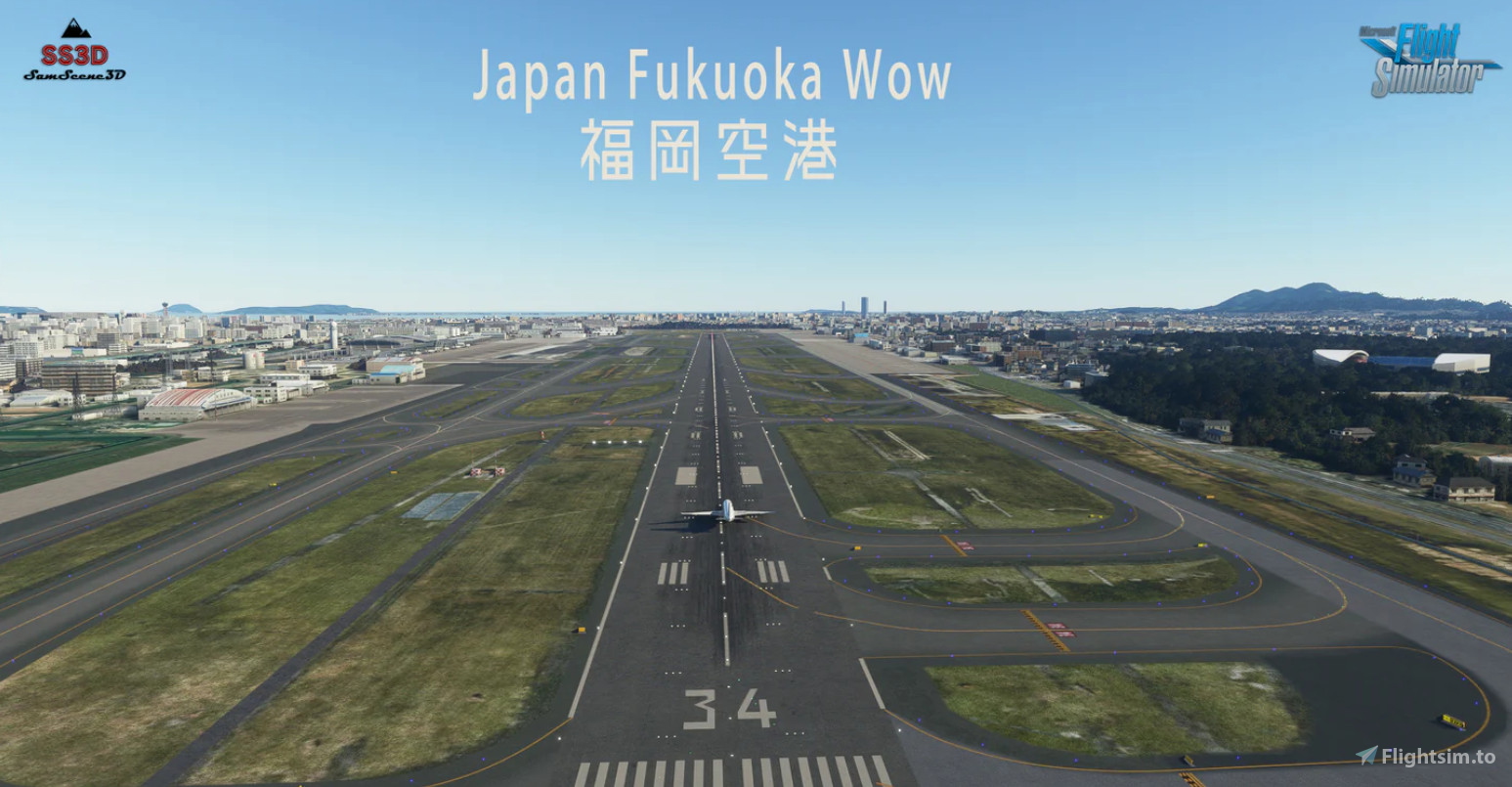
This GSX profile is designed to enhance the ground services experience for RJFF Fukuoka Airport by SamScene3D(V1.6.0). Below is a summary of what it includes:
Features
Custom Terminal Distinction:
Domestic Terminal, International Terminal, Northeast Parking Zone, and Cargo Parking areas are uniquely customized.(Note: Ramp 50 could not be integrated into the International Terminal, but the rest functions as expected.)
International Terminal Customization:
Gates 53 to 58 and Parking Stands 59, 52, and 51 are fully customized with accurate vehicle placement, VDGS (Visual Docking Guidance System) integration, and pushback setups.
Domestic Terminal Customization:
Gates 1 to 12 are fully customized with similar features.
Limitation: Due to scene constraints, gates labeled as “Left” or “Right” (e.g., Gate 1L, 1R) are non-functional.
VDGS Integration:
Fully functional VDGS for all mentioned gates in both terminals, supporting all aircraft types.
Vehicle Placement & Pushbacks:
Correct vehicle positioning and pre-planned pushback procedures for each gate.
Future Updates:
Cargo Parking customization is currently under development. Stay tuned for future updates!
About Fukuoka Airport (RJFF)
Located on the southern island of Kyushu, Fukuoka Airport is one of Japan's busiest airports, offering both domestic and international flights. Known for its compact layout and proximity to the city, it serves as a major gateway for travelers. The airport features a Domestic Terminal (Gates 1-12) and an International Terminal (Gates 53-58), with additional cargo and general aviation facilities.
Installation Instructions
After downloading the file, place it in the following folder:
C:\Users\[YourUsername]\AppData\Roaming\virtuali\GSX\MSFS
Replace [YourUsername] with your Windows username.
Feedback & Support
If you encounter any issues or have questions about this profile, feel free to reach out. Your feedback is appreciated and will help improve the experience.
Support the Work
If you enjoy this GSX profile, leaving a rating or review would be greatly appreciated!
Enjoy your flights in MSFS 2020!
GSX Profile for RJFF Fukuoka Airport by SamScene3D V2
This GSX profile enhances ground services for RJFF Fukuoka Airport by SamScene3D, catering specifically to both the Domestic and International Terminals. It features customized gates with accurate vehicle placement, Visual Docking Guidance System (VDGS) integration, and planned pushback procedures. Current limitations include non-functional gates noted as "Left" or "Right". Future updates will focus on cargo parking customization.


User Reviews
2 reviews
Version History
Changelog V2 – GSX Profile Update for Samscene 3D Fukuoka v2 (RJFF) This updated GSX profile is a complete rework tailored for Version 2 of the Samscene 3D Fukuoka Airport. It brings improved accuracy, realism, and compatibility with both MSFS 2020 and MSFS 2024. Key changes include: -Reworked all parking positions to match the new airport layout -Remade all pushback routes for proper taxiway alignment -Adjusted vehicle placements to avoid clipping and improve realism -Ensured compatibility with all aircraft types -Optimized for both MSFS 2020 and MSFS 2024 platforms Let me know if there's any issues, or just leave a rating if you enjoyed it, it'd mean a lot ! Enjoy your flight from/to Fukuoka!


Log in to join the discussion
Log InComments(5)
4 months ago
over 1 year ago
over 1 year ago
over 1 year ago
almost 2 years ago