

Description
Just Flight Avro RJ AAO Scripts & StreamDeck XL Profile and StreamDeck+ Profile
I borrowed some images from the outstanding work by Guenseli, and even this release page leverages his verbage. This profile is released with his permission.
https://flightsim.to/profile/Guenseli
This profile shares many of the same scripts and resources with my BAe-146 profile so you will notice that the AAO script file has the same name as the BAe-146 script file. This new version of the file does include many new scripts specific to the Avro RJ though.
You need LORBY's AAO and its StreamDeck Plugin to run this StreamDeck profile.
For FS2024 you need LorbyAxisAndOhs_MSFS2024 v4.50 or later and its StreamDeck Plugin to run this StreamDeck profile.
ATTENTION!
PLEASE READ CAREFULLY!
- When you import SD profiles, make sure to delete the old ones, otherwise you'll get profile copies.
- Make sure to always have the latest AAO and AAO StreamDeck plugin versions!
- Please ask myself and Guenseli if you want to use parts of this SD profile or images in your own SD profile.
- Install the SD XL profile by double clicking the file Avro RJ.streamDeckProfile
- Install the SD+ profile by double clicking the file PLUS Avro RJ.streamDeckProfile
- Import the AAO script BAe-146-AxisAndOhsScripts.xml according to the AAO manual
- Import the AAO script DropTop_Views-AxisAndOhsScripts.xml according to the AAO manual. This is for the Views page on the SD+
Known issues:
The only issue I am aware of is some inconsistency when using the GND PWR button on the DOOR & EFB page. Sometimes it works, and sometimes not. I'll keep digging into that.
This is still a work in progress.
Just Flight Avro RJ AAO Scripts & StreamDeck XL Profile and StreamDeck+ Profile
This add-on provides AAO scripts and StreamDeck profiles specifically designed for the Just Flight Avro RJ aircraft. It incorporates resources and scripts shared with a previous BAe-146 profile while adding new features tailored to the Avro RJ. Users require LORBYs AAO and its StreamDeck Plugin for functionality, with detailed installation instructions included. Known issues include intermittent performance of the GND PWR button on specific interfaces.


User Reviews
3 reviews
Version History
I have had a report that the logic or behavior on a couple buttons was not working correctly (NAV lights, Engine Start). Hopefully this will get everything synced up just in case I made some changes and forgot to update the uploaded version here on fs.to.
Related
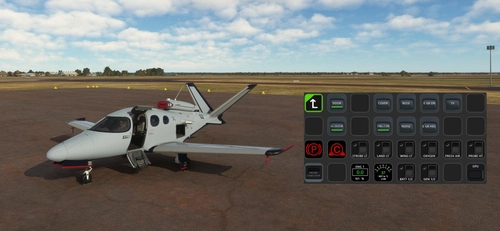
FlightFX Cirrus SF50 Vision AAO Scripts & StreamDeck XL Profile & StreamDeck + Profile
Enhance your Cirrus SF50 Vision experience with this FlightFX add-on, including AAO Scripts and StreamDeck profiles. This package requires LORBYs AAO and its StreamDeck Plugin. Please note the installation instructions and known issues before use.
by 02DropTopM3
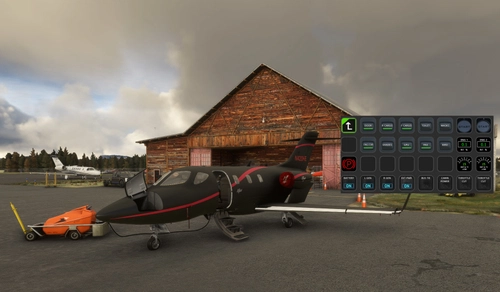
MG HJET HA420 StreamDeck XL Profile, AAO Scripts, StreamDeck+ Profile
Enhance your HJet HA420 experience with this StreamDeck XL Profile, AAO Scripts, and StreamDeck+ Profile. Designed for the new G2 version of the HJet with Auto-throttle and VNAV functionality, this release is a collaboration with Guenseli. Ensure to follow installation instructions for a seamless integration.
by 02DropTopM3
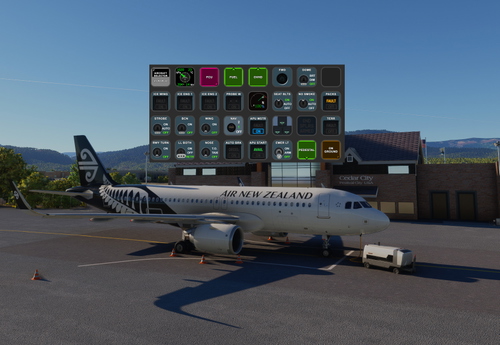
iniBuilds Airbus A320neo v2 AAO Scripts, StreamDeck XL Profile and Stream Deck + profile
Enhance your iniBuilds Airbus A320neo v2 experience with this StreamDeck XL profile and StreamDeck + profile, complete with AAO Scripts for a seamless integration. Created with permission by Guenseli, this profile maintains a familiar layout while optimizing it for the iniBuilds A320. Follow the installation instructions for a smoother flight simulation session. See the description for important details and updates.
by 02DropTopM3
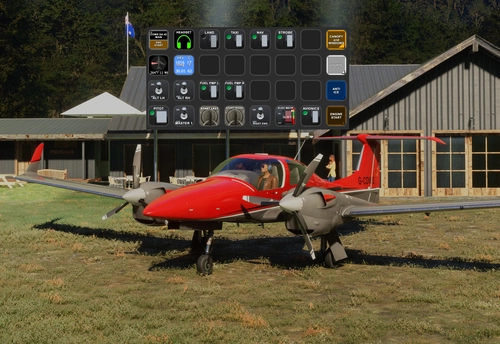
Cows Diamond DA-42 AAO Scripts, StreamDeck XL Profile and StreamDeck+ Profile
Enhance your flight simulation experience with the Cows Diamond DA-42 AAO Scripts & StreamDeck XL and + Profile. This Streamdeck XL profile offers basic functionality for the DA-42 aircraft, with images and script ideas from Guenseli. Ensure you have LORBYs AAO and its StreamDeck Plugin for compatibility. Discover a user-friendly installation process and note features like easy control of instrument and glarescreen lights. Continuous updates and feedback are welcomed for an evolving experience.
by 02DropTopM3
Log in to join the discussion
Log InComments21
Is that technically impossible, or why are they missing?
Awesome effort either way, enjoying it very much!
If you have a sec can you let me know exactly which sim you are using (FS2020 or FS2024) and which device each of the problems you listed is on (XL vs the Plus). Just want to make sure I'm chasing the right issues when I dig into what you've reported.
Also, I just want to make sure that you installed the AxisAndOhs script in the correct version of AxisAndOhs for the sim you are using (since there is a different version for each sim) as well as the Streamdeck Profiles.
Thanks!
I kept hitting the disengage bar and everything went haywire !
I finally found a post where they mentioned having to click on the AP disengage button on the yoke (which I had hidden) in order to silence the alarm and then be able to re-engage the AP. Sheesh!
That was when I decided to just add the AP disengage from the yoke as the normal toggle-off behavior for my AP button on the Streamdeck...
And some others are here:
https://hubhop.mobiflight.com/presets/?vendor=Just+Flight&aircraft=Avro+RJ&system=Autopilot