
Description
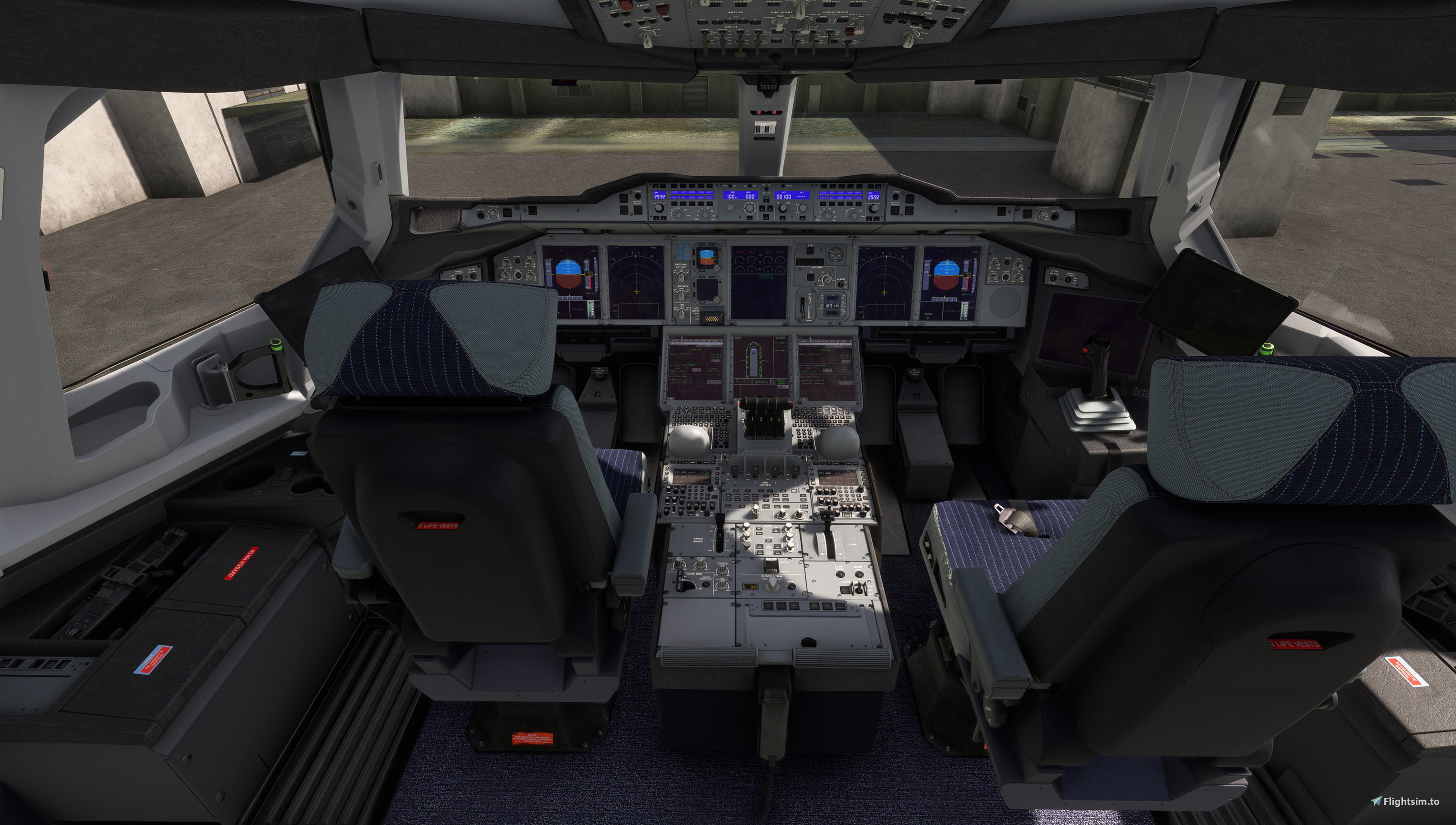
This addon contain A380X cockpit 8K textures with less dust and scuffs, to give a bit newer airplane look.
I also reduced the saturation of the blue color of the panels and interior, to my taste, and darkened some areas.
Also it should be noted that the color of the panels depends on the type of sky in MSFS 2020:
Clear sky - blue color of the panels. The more clouds, the grayer the color of the panels will become
(I have attached a screenshot with an example).
Installation:
Simply put the «flybywire-aircraft-a380-842_cleaner_cockpit» folder from the archive into your Community folder.
For the addon to work correctly, the main folder of your A380X addon
must have the default name: flybywire-aircraft-a380-842
All rights to this incredible airplane and stunning textures belong to FlyByWire Simulations team.
Kudos for their titanic work!
FBW A380X | Cleaner and grayish cockpit textures
Enhance the visual appeal of your FBW A380X with this add-on featuring updated 8K cockpit textures. The modifications include cleaner surfaces with reduced dust and scuffs, and a subtle adjustment to the color saturation and shading. The panel colors will vary based on the sky conditions in MSFS 2020, creating a dynamic cockpit environment. Installation is straightforward, requiring just the addition of the texture folder to your Community directory.


Version History
No version history available.
Log in to join the discussion
Log InComments(5)
6 months ago
9 months ago
almost 2 years ago
Could you please make a FBW A320 clean perfect cockpit mod too?
almost 2 years ago
almost 2 years ago