

Description
file needs to be placed inside the flybywire-aircraft a380-842 folder
go to community folder locate the flybywire a380-842 folder and open
go to simobjects folder and open
go to airplanes folder and open
go to flybywire_a380_842 folder and open
go to the texture folder and open
drag and drop the file into this folder replace file when asked
make sure you make a back up of old file incase
FBW A380 CLEAN COCKPIT WINDOWS
This add-on provides a modification for the FlyByWire A380 by enhancing the cockpit window textures to achieve a cleaner appearance. Users need to place the provided file into the appropriate folder within the FlyByWire A380 directory. The installation process involves replacing an existing texture file, so it is advisable to back up the original file before proceeding.


User Reviews
1 reviews
Version History
No version history available.
Related
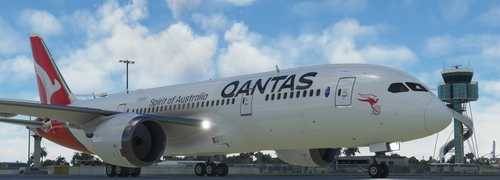
kuro 787-8 QANTAS
The standard Qantas 787 livery for kuro 787-8 INSTALLATION -Drag and drop the unzipped folder into the Community folder. Enjoy! ....
by bussa2017

PMDG QANTAS 737-900ER
PMDG QANTAS 737-900ER LIVERY install via PMDG operational center
by bussa2017
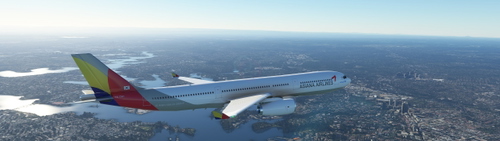
PMP A330-300 ASIANA AIRLINES
PMP A330-900 ASIAN AIRLINES LIVERY requested by PHOENIXGTR just unzip and install to community folder
by bussa2017
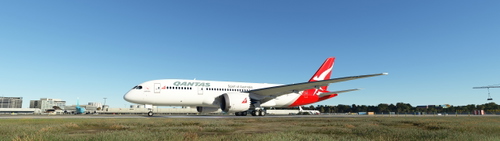
KURO QANTAS 787-8 V2
The standard Qantas 787 livery for kuro 787-8 v2 INSTALLATION -Drag and drop the unzipped folder into the Community folder. Enjoy! ....
by bussa2017
Log in to join the discussion
Log InComments(2)
3 months ago
almost 2 years ago