
![[2020] Fenix A320 V2 [CFM/IAE] | All separate Texture files | Ready to paint/edit - Image 1](https://cdn.flightsim.to/images/27/fenix-a320-v2-iae-8k-blender-model-ready-to-paint-69370-1755901434-rqSpD.jpg)
Description
Hello Simmers,
some grass has grown over the time and its time to update the paintkit. Now it includes a simple guide for beginners and tips how to master your first livery on basic level. I made the effort to create subfolders with dedicated textures you can use for your repaint, and chose what you need for making your livery look alike the real one. What is included now:
- Blender file in 8K (ready to paint)
- CFM engine textures in 4K with base color, details, sun faded and weathering texures
- IAE engine cowling textures in 4K with base color, sun faded and weathering textures
- Base texture folder "fnx-aircraft-A320-V2-IAE" with layoutgenerator exe
- Optional cabin textures (FAP, SELCAL plate, Safetycard etc.) with placement guide for reference
- Tail textures in 8K with static wicks, weathering textures
- V1 weathering textures for FUSE1, FUSE2, FUSE 3
- Wingtip base and weathering textures
- Wing decal files and UV map for reference to place underwing registration
- Cockpit window raccoon mask texture
- Fenix Repaint Guide PDF
Feel free to report errors, questions or add-on's you wish to have for the file.
For thumbnail generating I vouch for this tool: https://de.flightsiThm.to/file/1197/default-thumbnail-generator
Enjoy,
Carmelo
[2020] Fenix A320 V2 [CFM/IAE] | All separate Texture files | Ready to paint/edit
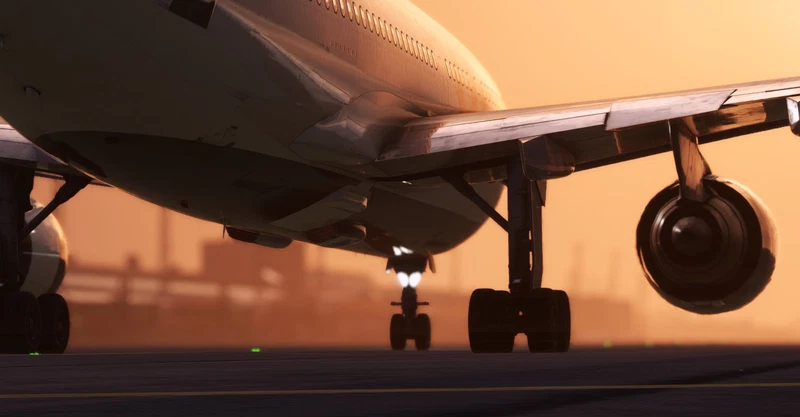
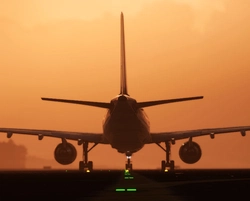
The Fenix A320 V2 [IAE] add-on offers an 8K Blender model ready for customization and painting. It includes a comprehensive A320-232 V2 blender file, customizable cabin files with instructions, and a pre-configured aircraft folder for easy editing. Additionally, a JSON file generator executable is provided to streamline the customization process.
User Reviews
1 reviews
Version History
A way easier way to add your first livery on your name. Different subfolder with needed textures for all parts of the aircraft to achieve your first livery. Read more in the description
Related
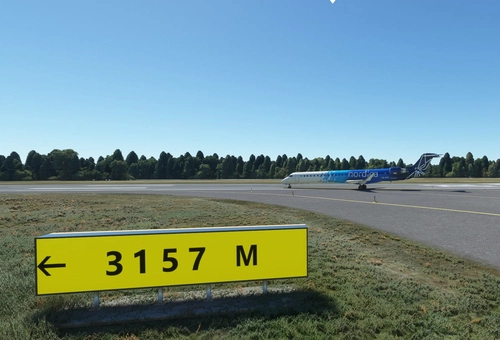
EETN Tallinn Lennart Meri (unfinished project)
This is an unfinished project of Tallinn Lennart Meri Airport of Estonia. I started to improve the poor native airport of MSFS for myself but lost at some point the crucial part to develop it further. But to share the updated native version I wanted to release it for everyone till the a descent pay ware/freeware is published. I hope you enjoy it!
by Carmelo
![SAS - ATR 72-600 [Community Version]](https://cdn.flightsim.to/images/18/sas-atr-72-600-community-version-d91uZ.jpg?width=500)
SAS - ATR 72-600 [Community Version]
Experience the Scandinavian Airlines livery for the ATR 72-600 in Microsoft Flight Simulator. This community-created version is tested under SU5 and version 0.6.8 conditions, ensuring compatibility for your simming pleasure. Follow simple instructions for cockpit adjustments to optimize your flight experience. Happy flying!
by Carmelo
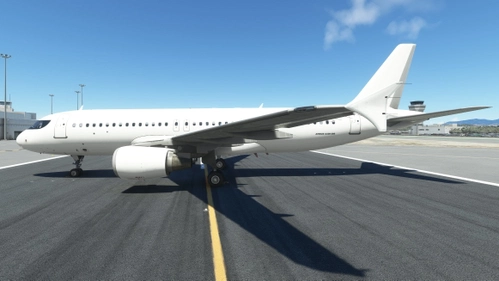
Fenix A320 All White (with mask) - Blender Paintkit
I wanted a white 3D model for blender for the Fenix A320 aircraft for MSFS and edited the existing 3D model by Snow_Wolf2902, who published his 3D model on the German flightsim.to platform. For some painters it is easier to have a 3D model to see visually the before and after effect without loading into the sim.
by Carmelo
![[A32NX] Eurowings "Europa Park"](https://cdn.flightsim.to/images/20/a32nx-eurowings-europa-park-_9mKZ.jpg?width=500)
[A32NX] Eurowings "Europa Park"
Fly in style with the A32NX Eurowings "Europa Park" livery, complete with a modded coffee cup. Representing the popular German amusement park located in Rust, this livery adds a touch of fun to your flights. Let your virtual journeys be filled with the spirit of Eurowings.
by Carmelo
Log in to join the discussion
Log InComments(29)
2 months ago
6 months ago
6 months ago
11 months ago
11 months ago
11 months ago
11 months ago
11 months ago
11 months ago
2 months ago
about 1 year ago
12 months ago
about 1 year ago
about 1 year ago
about 1 year ago
about 1 year ago
over 1 year ago
over 1 year ago
over 1 year ago
over 1 year ago