
![[ROAH] GSX Pro Profile | MK-Studios Naha Airport - Image 1](https://cdn.flightsim.to/images/27/roah-gsx-profile-for-mk-studios-naha-airport-227447-1723355620-onv83.jpg)
Description
Explore authentic ground services and operations in Japan with GroundServicesJP (GSJP) profiles!
Please read this page for more information on pushback operations and comprehensive lists of ground services operators at Naha Airport ROAH: https://gsjp.info/那覇空港-naha-airport-roah/
Please share with your friends, whether they use GSX or not, since the information works for anyone!
This profile is for MK-Studios ROAH only.
プロファイル Profile Download and Installation
以下の手順でインストールしてください。
1. 同じ空港の古いプロファイル(自動生成されたプロファイル、ご自身で作成されたプロファイルなど)が既に存在している場合は、バックアップのうえ削除してください。
2. .iniと.pyファイルを %AppData%\Virtuali\GSX\MSFS にペーストしてください。
※.iniファイル内のAFCAD.bglの書き込み欄は空欄のままで問題ありません。
To install the files, follow these steps:
1. If you have old configuration files for the airport (either autogenerated, provided by us, or other creators), please backup and delete.
2. Move the .ini and .py files to %AppData%\Virtuali\GSX\MSFS. There is no need to change AFCAD .bgl file path for MSFS GSX Pro version.
特徴 Features
- 機体を判別して駐機位置が変わるように設定されています。
Custom parking STOP location based on aircraft type. - ATCでの実際の表現に基づいた多様なプッシュバックが設定されています。
Realistic and Various pushback procedures with ATC phraseology. - すべてのスポットで、設定可能な正しいグランドハンドリング業者を配置しています。
Correct ground handling operators at every spot. - すべてのスポットで、正しい翼幅制限を設定されています。
Wingspan limit at every spot. - ボーディングアニメーションを調整されています。
Fine-tuned boarding animations. - MROJapan/JTAメンテナンスセンターを含む、全旅客貨物スポットを設定されています。
Configured all passenger/cargo flight gates/stands, including maintenance stands. - カスタムエンジン始動通話/翼端監視員を設定されています。
Custom Engine Start Calls/Wing Walkers.
ご注意! Notices to Users
SPOT 12/13について
GSJPプロファイルでは、スポット12/13(実線)の設定を、スポット12M/13M(破線)を基準として設定しました。プロペラ機でこれらの地点にスポットインする場合には、設定された破線でなく実線上への駐機となりますので、マーシャラーの指示に従わず、ご自身で判断してください。
In the GSJP profile, we configured Spot 12 and 13 as Spot 12M and 13M (characterized by dashed line). Propeller aircraft shall not follow the marshaller when taxiing into these spots.
SPOT 43R/44Rについて
シミュレータの制限のため、スポット43R/44Rは機能しません。GSXはスポット43R/44Rに駐機していることを認識できず、PBBが接続されません。
Due to simulator limitation, Spot 43R/44R does not function properly. GSX cannot recognize that the aircraft is parked in Spots 43R/44R and jetways will not connect.
機体を判別して駐機位置 Custom Parking STOP location based on Aircraft Type
シーナリーの制限のため、22番と43-44番スポットには機体を判別して駐機位置は設置されません。
Due to scenery constraints, SPOTs 22 and 43-44 will not have custom parking STOP location.
[ROAH] GSX Pro Profile | MK-Studios Naha Airport
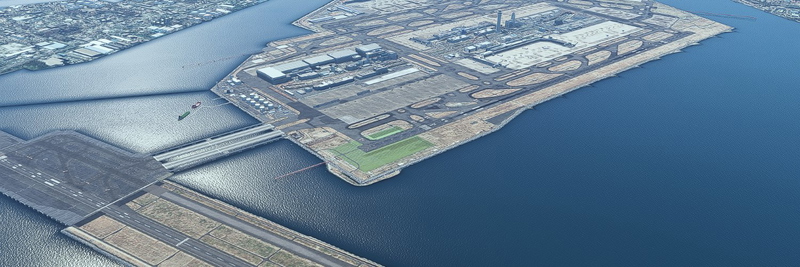
This GSX profile is specifically designed for MK-Studios Naha Airport (ROAH) and enhances ground operations with realistic features. It includes custom parking stop locations tailored to aircraft types, various authentic pushback procedures, and the correct placement of ground handling operators at all spots. Additionally, the profile configures all passenger and cargo gates, ensuring an immersive experience at Naha Airport.



User Reviews
2 reviews
Version History
Added A350 Custom STOP position
Related
![[RJTT] GSX Pro Profile | karuchie-san's Tokyo Haneda International Airport](https://cdn.flightsim.to/images/27/rjtt-gsx-profile-for-karuchie-san-s-tokyo-haneda-international-airport-227447-1764105138-BR5Eg.jpg?width=500)
[RJTT] GSX Pro Profile | karuchie-san's Tokyo Haneda International Airport
This add-on provides a GSX profile specifically designed for Karuchie-sans Tokyo Haneda International Airport (RJTT). It features a comprehensive setup for ground services operators, realistic pushback procedures, and correctly placed ground handling equipment at each gate. Additionally, it accommodates the current layout changes due to ongoing terminal expansions, noting the closures of specific spots and necessary adjustments for pushback operations.
by GroundServicesJP
![[RJFF] GSX Pro Profile | SNJ SIM Fukuoka Airport](https://cdn.flightsim.to/images/27/rjff-gsx-pro-profile---snj-sim-fukuoka-airport-227447-1723354440-YJypQ.jpg?width=500)
[RJFF] GSX Pro Profile | SNJ SIM Fukuoka Airport
The RJFF GSX Pro Profile for SNJ SIM Fukuoka Airport provides users with enhanced ground operations tailored specifically for this airport. It includes realistic parking stop locations, various pushback procedures that align with ATC phraseology, and correct placement of ground handling operators at each spot. Users are guided on installation procedures and advised to manage any previous profiles for optimal performance.
by GroundServicesJP
![[RJCC] GSX Pro Profile | KAPI-san and karuchie-san's New Chitose Airport](https://cdn.flightsim.to/images/27/rjcc-gsx-pro-profile--kapi-san-and-karuchie-sans-new-chitose-airport-227447-1754807431-7AJyg.jpg?width=500)
[RJCC] GSX Pro Profile | KAPI-san and karuchie-san's New Chitose Airport
This add-on provides a comprehensive GSX Pro profile for New Chitose Airport (RJCC), enhancing ground service operations with realistic features tailored for virtual pilots. It includes custom pushback procedures, specific ground handling operators, and designated parking stop locations for various spots. Users can find detailed instructions for installation and additional information on handling conflicts with certain parking spots.
by GroundServicesJP
GSX Pro Japanese Ground Handling Repaint - ANA
This add-on features a repaint for the GSX ground handling services specifically designed for All Nippon Airways (ANA), enhancing realism at Japanese airports. While it aims to replicate certain aspects of ground service equipment and personnel, it may not fully reflect all details as seen in real life. Compatible with GSX Pro version 3.4.7 and above, this repaint includes installation instructions and important usage notes for users.
by GroundServicesJP
Log in to join the discussion
Log InComments(7)
over 1 year ago
over 1 year ago
It looks like the jetway failed to connect, yet GSX still inferred the aircraft door (in fact, doors L1 and L2) to connect and sent the passngers through.
Can you please provide the exact SPOT number you are in (44L, 44, 44R) and your aircraft so we can reproduce this issue? Please also provide your sim version as well.
**
Please also acknowledge of this known issue:
Due to simulator limitation, Spot 43R/44R does not function properly. GSX cannot recognize that the aircraft is parked in Spots 43R/44R and jetways will not connect.
**
over 1 year ago
over 1 year ago
Can you please elaborate on the following:
1) Sim Type: MSFS2020/2024
2) SPOT number of where the jetway disconnects
3) The aircraft you are using
4) Screenshots/Video to better reveal the issue
Please understand we need these information to reproduce the issue you encountered.
GSJP treats "jetway not connecting" issue very seriously, so please help us to identify issues to provide better experiences to everyone.
If sending flightsim.to DM is more comfortable to you, please do so.
A few more notes for your information:
1. All jetways (includes scenery custom jetways) are managed by Asobo's algorithm in MSFS2020/2024. GSX Pro only 1) replaces default jetways 2) call the jetway to connect/disconnect.
2. Jetways not connecting can be contributed to a lot of factors. The most common factor is that the aircraft door is at an uncomfortable position for the jetway to connect. This is largely contributed by Asobo's algorithm.
3. GSJP has tried to use GSX Profiles to adjust the parking stop location based on aircraft, such that jetway can connect to most available aircraft in the sim.
4. MSFS2024 SU2 is known to have jetway connection issues: https://forums.flightsimulator.com/t/all-jetways-everywhere-not-connecting-new-su2-patch/714120.
Best Regards,
ANA7875, Contributor of GSJP
over 1 year ago
about 1 year ago
about 2 years ago