
Description
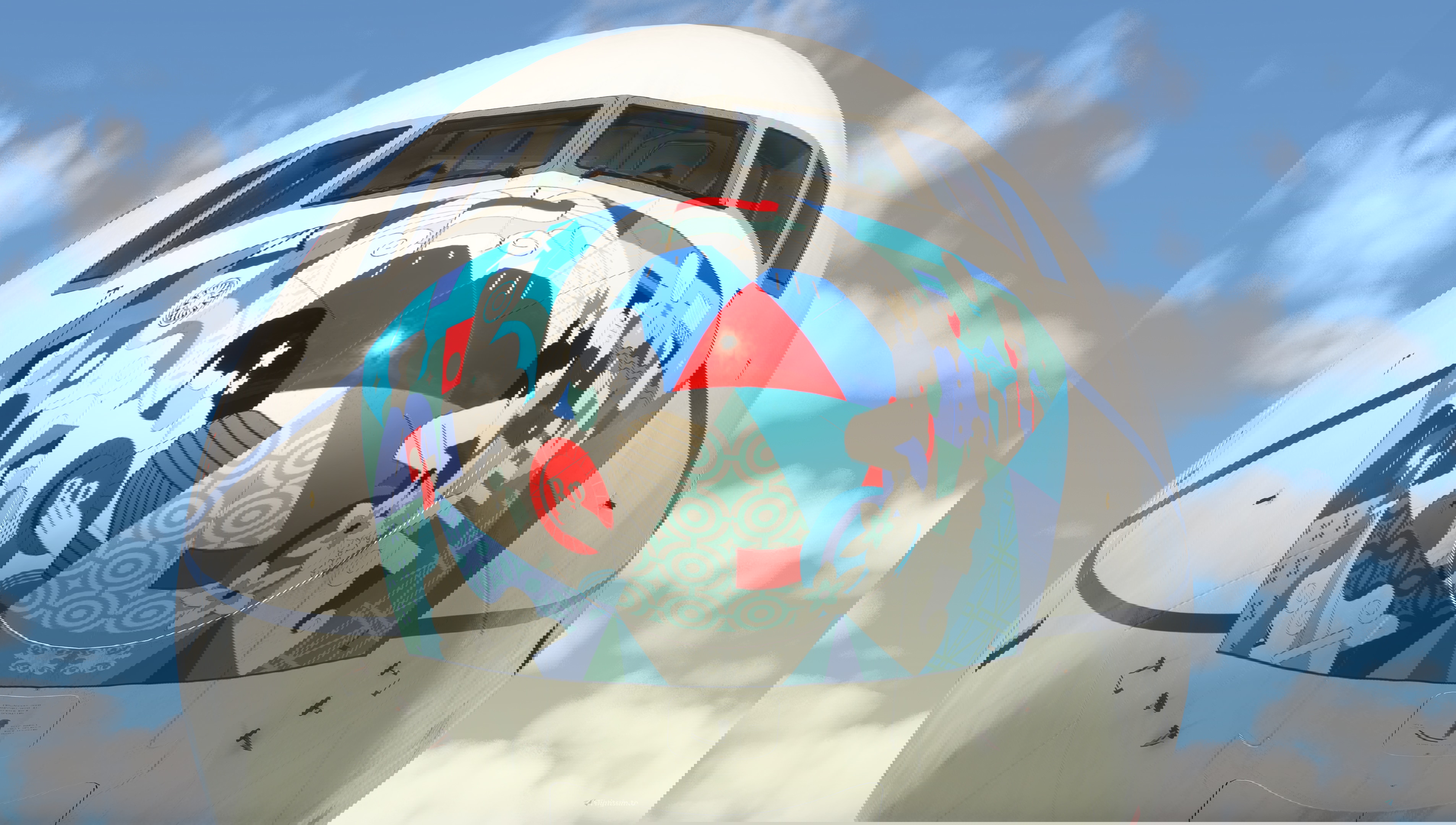
Garuda Indonesia ("Ayo Pakai Masker" c/s) PK-GIJ for PMDG Boeing 777-300ER.
Livery featuring PK-GIJ, a Boeing 777-3U3ER that served as the basis for the 4th winner of the #FlyYourDesignWithGA mask design competition, held in late 2020 during the height of the COVID pandemic.
The last iteration of Garuda's mask liveries was designed by Johana Angelia Christian, featuring the "Batik Tambal" pattern which symbolizes the diversity of Indonesian culture. Titled Build The Future of the Nation Together, the pattern illustrated many instances of people from various walks of culture in Indonesia, striving to work together to rebuild the country after the pandemic.
Four versions are included in this package:
- 2020 version: Features the original livery worn by the aircraft in late 2020, complete with "Ayo Pakai Masker" and "Supported by Pertamina" decals.
- 2022 version: This version no longer featured the Pertamina decal as the contract with the state-owned oil company was completed.
- 2024 version: In this version, the "Ayo Pakai Masker" title is completely removed, reflecting the "return to normalcy" as masks were no longer needed to counter COVID spread after successful vaccination campaigns from 2021 through 2023.
- BPKH (2024) version: Featuring the Indonesian Hajj Financial Management Bureau (Badan Pengelola Keuangan Haji) sticker, added for the 2024 Hajj season.
To install, simply open PMDG Operations Center and go to Aircraft and Liveries > Livery Utilities > Install Livery from PTP, and open the .ptp file included in the download.
For OC3 users, simply go to your respective PMDG 777-300ER version and click the green "Import" button in the Liveries for PMDG 777-300ER tab. Then you can open the .ptp file (or zip for 2024 users) included in the download after extracting it to a folder.
This livery is created by Gabut Simulations (Afifarham Sayid Fatah & Asher Pramono).
PMDG 777-300ER Garuda Indonesia ("Ayo Pakai Masker" c/s) PK-GIJ w/ Cabin
Experience the unique Garuda Indonesia livery for the PMDG Boeing 777-300ER, showcasing the "Ayo Pakai Masker" design inspired by Indonesian culture. Choose from four different versions, reflecting the evolution of the livery during the COVID-19 pandemic and post-vaccination era. Created by Gabut Simulations, this livery captures the spirit of unity and resilience in rebuilding the nation. Easy installation via PMDG Operations Center for a seamless simulation experience.

User Reviews
1 reviews
Version History
Added MSFS2024 version for the 2024 livery. Take to the skies!
Related
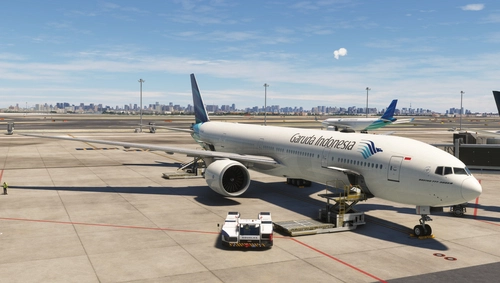
PMDG 777-300ER Garuda Indonesia PK-GIH w/ Cabin
Experience three unique variations of the Garuda Indonesia PK-GIH livery for the PMDG Boeing 777-300ER, including the Standard Livery, BPKH Sticker, and (Vice) Presidential Aircraft RI 2 scheme. Created by Gabut Simulations, immerse yourself in these detailed liveries, each offering a different visual experience for your flights in Microsoft Flight Simulator.
by gabut.simulation
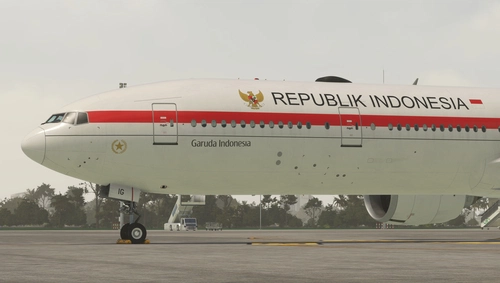
PMDG 777-300ER Garuda Indonesia ("Republik Indonesia" c/s) PK-GIG w/ Cabin
Experience the Garuda Indonesia Boeing 777-300ER in a whole new light with this 2-pack livery set, featuring the iconic PK-GIG aircraft used as a presidential transport by the Indonesian Government. Fly in style on premium routes to international destinations with this meticulously detailed add-on.
by gabut.simulation
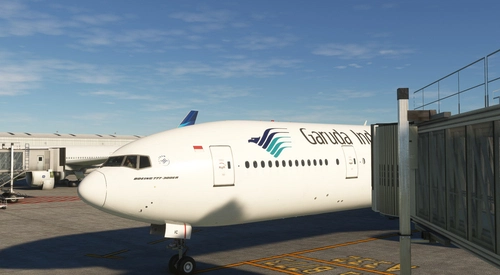
Garuda Indonesia 777-300ER PK-GIC
Fly in style with the Garuda Indonesia livery for the PMDG 777-300ER (PK-GIA). Install the PTP file through PMDG Operations Center and enjoy a realistic experience with this detailed livery.
by mcaskil
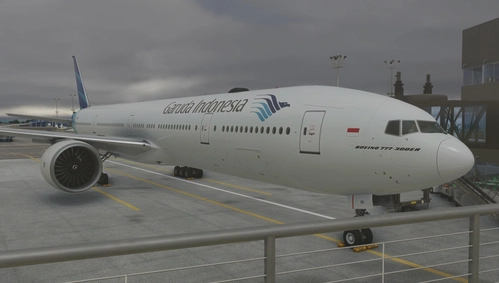
PMDG 777-300ER Garuda Indonesia PK-GIA w/ Cabin
Experience the iconic Garuda Indonesia PK-GIA triple pack for PMDG Boeing 777-300ER. Choose from 3 variations, including a Factory New livery, Visit Indonesia variant, and Standard scheme for an authentic flight simulation experience. Created by Gabut Simulations, these liveries can be easily installed via PMDG Operations Center.
by gabut.simulation
Log in to join the discussion
Log InComments(4)
2 months ago
almost 2 years ago
can i get the DDS file?
about 2 years ago
about 2 years ago
1. Copy all the contents from the "PMDG 777-300ER Garuda Indonesia (Ayo Pakai Masker) (PK-GIJ - 2024)" folder inside the pmdg-aircraft-77w-liveries > SimObjects folder into your desired version's folder. DO NOT REPLACE WHEN ASKED!
2. Copy the texture.cfg from the "PMDG 777-300ER Garuda Indonesia (Ayo Pakai Masker) (PK-GIJ - 2024)" folder into your desired version's "texture.GIA-PKGIJ" folder. NOW REPLACE WHEN ASKED.
3. Now you can finally delete the other versions you don't want to use.
4. Regenerate the layout.json file in the base "pmdg-aircraft-77w-liveries" folder using any JSON generator (i.e MSFS Painter Toolkit). Then run PMDG Operations Center v2 to make sure everything is in the right order.