
Description
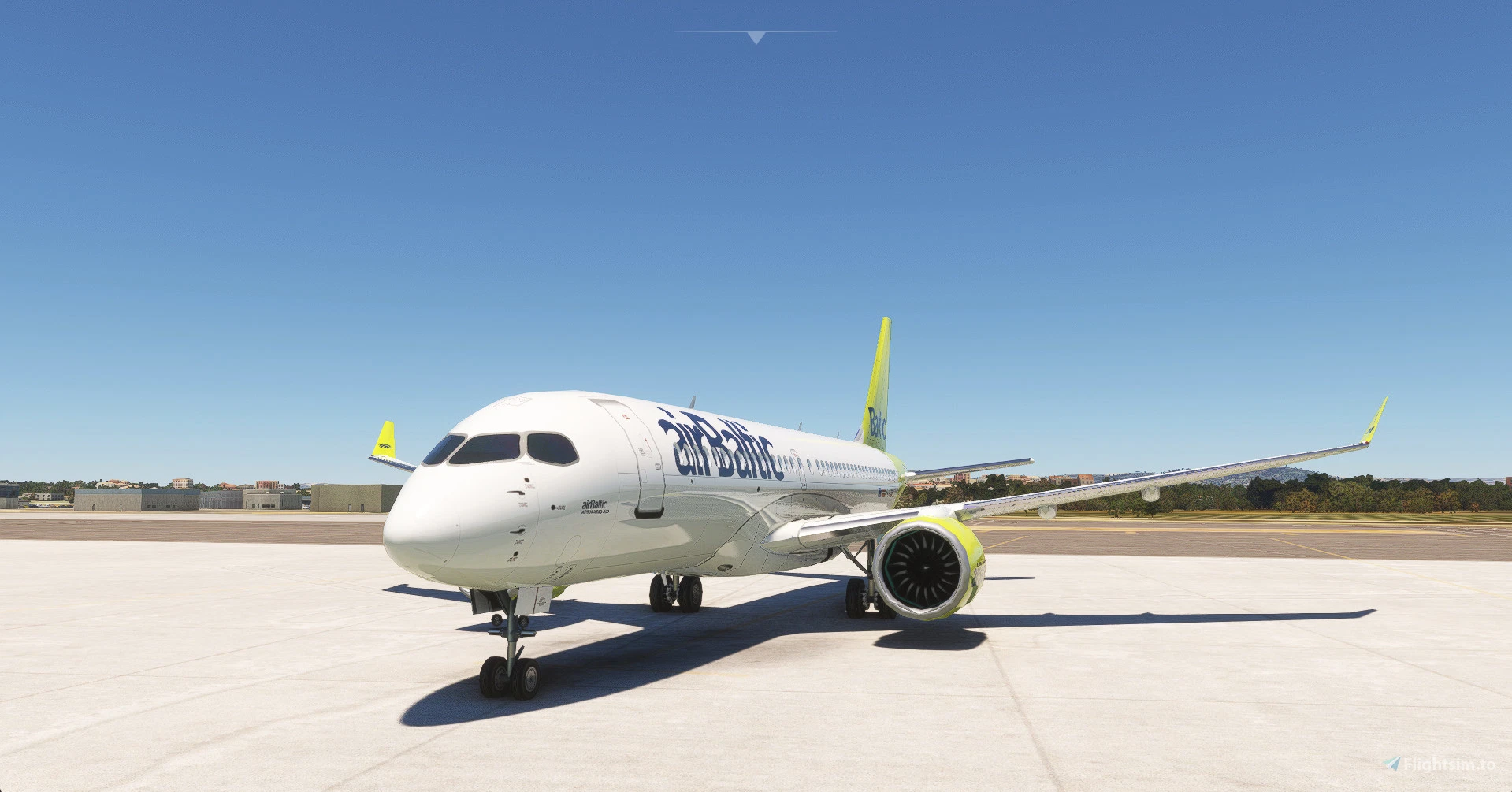
Here's the airbus a220 with a repainted fbw a320 vc.
To install, move the contents of the archive to the community folder.
To uninstall, remove it from there.
You need the FSLTL base pack to run this mod as it links to it's model. I've done this to respect copyrights.
Animation limitations are due to the model being designed for AI traffic.
Credits to Headwind for the vc, FBW for the original code, FSLTL for the model.
Happy flying!
Airbus A220 improvement mod
Enhance your Airbus A220 experience with this improvement mod featuring a repainted FBW A320 VC. Install by moving the contents to the community folder and enjoy realistic details. Please note that the FSLTL base pack is required for this mod to function properly. Credits to Headwind, FBW, and FSLTL for their contributions. Happy flying!


User Reviews
9 reviews
Version History
No version history available.
Related
Airbus A350 improvement mod
Enhance your Airbus A350 experience with this mod featuring an A320 FBW cockpit integration, improved PBR textures, and reshaped windshield. Independent from existing FSX mods, this package requires FSLTL base pack installation and does not alter original files. Simply unzip contents to your community folder for installation, with the option to easily remove it. Join the community in testing and providing feedback for further improvements.
by Charlotte210
Airbus A380 improvement mod
Enhance your Airbus A380 experience with this improvement mod featuring the A330neo cockpit and sounds. Simply move the contents to your community folder to install and remove to uninstall. Please note that the FSLTL base pack is required, as this mod links to their model. Enjoy flying with credited contributions from various developers.
by Charlotte210
Boeing 747 improvement mod
Enhance your Boeing 747 experience with this mod that adds the asobo 747 cockpit to various models. Featuring improved PBR textures, reshaped windshield, and repainted cockpit, this mod enhances realism without altering the original 3D model. Simply install by placing the contents in the community folder and enjoy a more immersive flight experience.
by Charlotte210
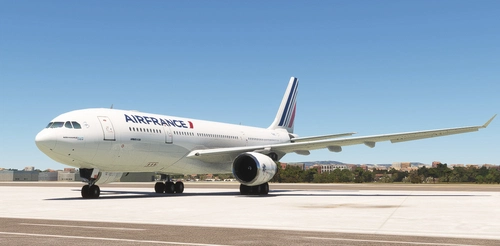
Airbus A330 ceo improvement mod
Experience an enhancement to the Airbus A330 CEO in Microsoft Flight Simulator with this mod. Featuring the A330-200, 200F, 300, and 300F models with a detailed virtual cockpit, this mod requires the FSLTL base pack for operation. Enjoy improved accuracy in the models design, including the nose section, as you fly until the release of FS2024.
by Charlotte210
Log in to join the discussion
Log InComments(34)
3 months ago
about 1 year ago
loading the BCS3 into MSFS2020, it tells me
1. that the aircraft version is outdated, 0.6 vs 0.71 and
2. GSX pro says "set parking brake" that is correctly set.
Any idea for advice? THX in advance.
about 1 year ago
just the pictures (https://www.airbus.com/en/products-services/commercial-aircraft/cockpits). The bird is completely developed by Bombardier before partly bought by Airbus a few years later and renamed from CS300 to A220-300. As far as I know Bombardier's part of the consortium has been completely taken over by Airbus .
Virtualcol writes: "Glass cockpit, similar BUT NOT EQUAL to real", but it is nonetheless visually far closer to the reality than a A320 layout. However, I don't know anything about the functionality. I love what FBW has done so far, but putting their realization into an A220 is pure fiction.
11 months ago
This comment has been deleted
about 1 year ago
over 1 year ago
over 1 year ago
2. Fix the air intake system from the engines. I have attached the photo.
3. based on SU95. He is not suitable in this regard. The Airbus A 220 is slightly larger than it, which causes problems when planning fuel and payload.
4. The data on the upper panel is not displayed correctly. But in general it's not bad. A good model. Fix it a little and it will be excellent. Thank you so much for your work. I hope my advice helps a little.
over 1 year ago
over 1 year ago
1. Install the latest stable SU100-95 version via HW installer (v0.7)
2. From the SU95 folder copy the following files into the main A220 folder (Airbus A220->SimObjects->Airplanes->A220 and overwrite them:
- Checklist
- model
- panel
3. Copy the "su95x_build_info" and replace it with its previous in the main A220 folder
4. Drag the "layout" file over your MSFSLayout Generator to update the file paths
5. From you backed up A220 folder copy the aircraft.cfg and paste it into the main A220 folder
over 1 year ago
almost 2 years ago
Exterior: https://imgur.com/a/pFCiY4g
Interior: https://imgur.com/a/snB1dxY
almost 2 years ago
almost 2 years ago
almost 2 years ago
almost 2 years ago
about 2 years ago
almost 2 years ago
about 2 years ago
about 2 years ago
about 2 years ago