
Description
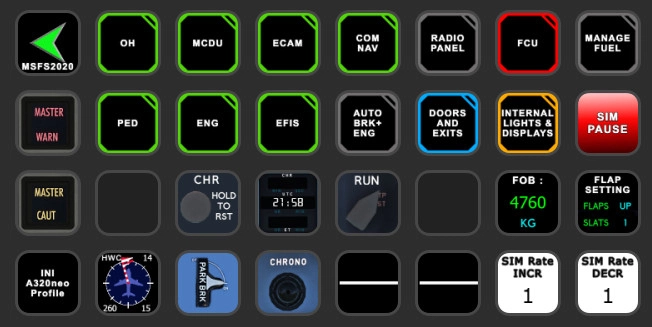
iniBUILDS A320 Profile for Streamdeck XL and SD+ (need LORBYs Axis And OHs SD plugin) with complete Script package
To run this you need to have the latest version of AAO and AAOs plugin installed on your StreamDeck. Get it from here.
It is for the XL version (32 buttons) ONLY! Also a profile for your SD+ included!
Features in this profile:
- Main page
- Overhead Panel
- MCDU/DCDU
- ECAM
- EFIS
- COM/NAV page
- Pedestal
- Internal Lights and Displays
- Stats and different gauges
- Anti-Ice
- Firepanel
- AIR COND Panel
and much more...
STREAMDECK PLUS:
- INTERNAL LIGHTS (with display indication)
- AP FUNCTIONS (with FCU Display) - for PUSH Function push rotaries and for PULL Function LONG PRESS rotaries
- COM/NAV (with display indications) COM 1, 2 and TRANSPONDER
- EFIS page (change RNG and MODE between CPT/FO by pushing the knob - indication will show which one is active)
To switch through the different display options SWIPE the display!
Tested and works with the latest iniA320neo V2. It might be possible that you have to adjust certain view functions to your specific wishes. If help is needed just drop a line in the comments and for support join my discord server.
Installation:
First make sure that you have the AAO SD plugin installed properly. Install scripts (A320Neo_INI_Scripts.xml) into your AAO via import scripts function. (make sure AAO is NOT connected while importing)
Then just double click on the profiles provided in this download.
- INI_A320neo.streamDeckProfile
- INI_A320neo_SD_PLUS.streamDeckProfile (if you have a StreamDeck PLUS)
- INI A320Neo VIEWS.streamdeckprofile (either use that on your 2nd SD or just create a profile change on your A320 page and mount this profile)
KNOWN ISSUES:
The managed and dashed indications for HDG and ALT on the SD+ profile is not shown due to inibuilds is not providing respective VARs yet.
If you find some bugs, need some help or have some suggestions just let me know and drop a comment. For further support please join my discord server (invitation in my profile infos). Also drop a comment and let me know what you think! Due to that is a very time consuming work and please consider a donation as this will keep up the work too! Thank you!
StreamDeck XL and SD+ Profile for iniBuilds A320neo (incl. compl. Script package) - AAO
Enhance your A320neo experience with this detailed StreamDeck XL and SD+ profile including a complete script package. Features include various cockpit panels, internal lights, displays, and more. Compatible with the latest iniA320neo V2, adjustments may be needed for specific preferences. Installation instructions provided along with known issues and support options.
Supporters


User Reviews
3 reviews
Version History
Changes in this update: - fixed XPNDR - fixed and completely reworked ECAM page Remove old SD XL profile and import new version (SD XL version only). Import and overwrite scripts in AAO.
Related
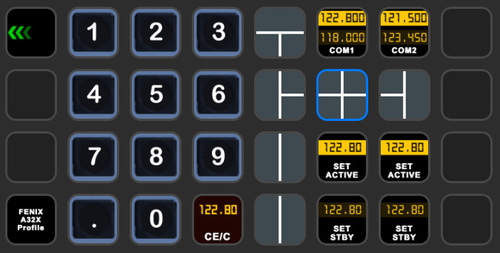
StreamDeck XL and SD+ Profile for FBW A320neo
Enhance your FBW A320neo experience with a comprehensive StreamDeck XL and SD+ profile. Enjoy features like Main page, Overhead Panel, MCDU, ECAM, and much more. The profile is tested and works with the latest FBW A320neo experimental version, offering customization options for specific setups. Easy installation process with detailed instructions provided for a seamless setup.
by ChrisG9111
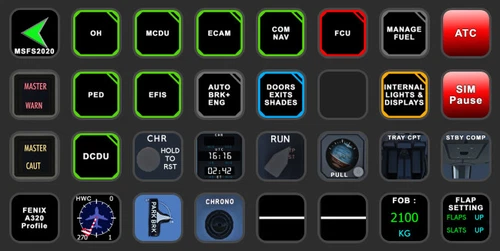
StreamDeck XL and SD+ Profile for FENIX A3XX (incl. compl. Script package and FCU readouts and more)
Enhance your FENIX A3XX experience with this StreamDeck XL and SD+ Profile add-on, featuring a complete Script package, FCU readouts, and more. Access various cockpit functions such as the Overhead Panel, MCDU/DCDU, ECAM, and Internal Lights with this detailed profile. Compatible with the latest FENIX A320, this add-on offers a seamless integration for a more immersive simulation experience.
by Chris_PU_A320
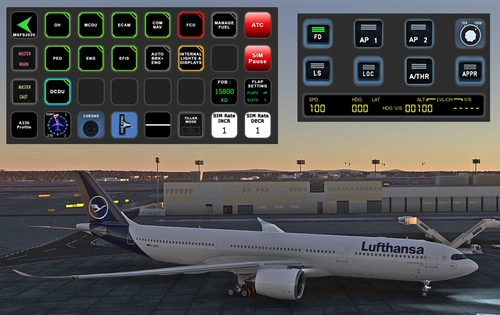
StreamDeck XL and SD+ Profile for A330-900neo (Headwind)
Customize your flying experience with the Headwind A330-900neo StreamDeck XL and SD+ Profile. This feature-packed profile includes functions for Main Page, MCDU, ECAM, EFIS, COM/NAV, and more. Compatible with the latest version of Headwinds A330Neo, adjustments may be needed for specific setups. Join the Discord server for support and enjoy enhanced control over your aircraft systems.
by Chris PU A320
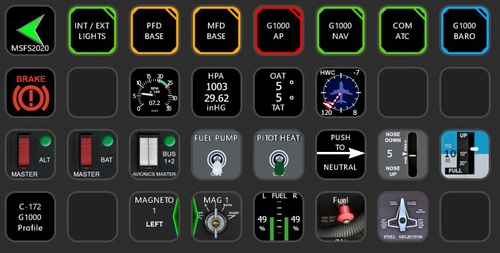
StreamDeck XL Profile for Cessna C-172 G1000 Version
A comprehensive StreamDeck XL profile for the Cessna C-172 G1000 version, tailored for pilots using the Asobo Cessna 172 Garmin 1000 model. Features include various pages such as Lights, G1000 PFD, MFD, AP, Baro, NAV, and COM/ATC. Ensure to have the required plugins installed for optimal functionality. Adjustment for specific setups may be necessary, with support available through comments or the creators Discord channel.
by ChrisG9111
Log in to join the discussion
Log InComments(19)
7 months ago
7 months ago
Rgds
Chris
11 months ago
Thank you as always.
The strobe light switch and turn switch work together.
11 months ago
Thx
Chris
10 months ago
Thanks.
6 months ago
over 1 year ago
over 1 year ago
almost 2 years ago
almost 2 years ago
almost 2 years ago
Rgds
Chris
almost 2 years ago
almost 2 years ago
Rgds
Chris
almost 2 years ago
almost 2 years ago
rgds
Chris
about 2 years ago
almost 2 years ago
https://de.flightsim.to/file/26761/streamdeck-xl-profile-for-fbw-a320neo
over 2 years ago
over 2 years ago