
Description
BLS uses Beyond ATC logs to keep a record of all interactions between you and the tower and all frequencies used.
It might encourage beginners to try out phraseology used by the automatic copilot.
It aims to help anyone interested in analysing a flight, particularly when there is an issue you may want to report,ie
vectoring or a choice of runway.
It also hopes to address some of the questions raised in the forum:
How can I check the metar changes throughout the flight?
How can I track the vectoring logic?
How can I highlight any speech which ATC failed to understand?
Note
ALWAYS RUN AS ADMINISTRATOR
Where are BATC logs ?
BLS automatically locates the logs for you;they are always kept in:
:\users\\AppData\LocalLow\Skirmish Mode Games, Inc\BeyondATC\player.log
Note:
some log files contain no interaction between pilot and ATC; this happens when an error in BATC has occurred.
Player.log is contains information about your last flight . When you start BATC this file gets wiped and replaced
Player-prev.og covers the previous flight. BATC always overwrites logs unlike FSLTL.
BLS gives you the option to copy and rename your logs so they don't get overwritten by BATC.
What does it do?
Supports latest CPDLC features and includes additional comments when sending message was unsuccessful.
There are several 'options'
BATC
The BATC tab attempts to provide a look,similar to Beyond ATC. However, it includes new icons representing a change of frequency or metar data.
Metar data shows the reason why a certain runway has been selected - often ignoring local knowledge.
In addition, a new icon has been used when you as a pilot take over from the copilot.
Analysis
It analyses pilot's communications logged by BATC using various colours - this option can be disabled.
ATC : YELLOW
ATC not understanding response : ORANGE
ATC Warning : RED
Pilot's response: PURPLE
Automatic Pilot's response : CYAN
The more confident you are communicating with ATC , the more purple you will see.
When Speech recognition fails
The Issues tab shows where speech recognition fails and helps you diagnose why ATC failed to understand what you said.
For example , cases where 'nine' and/or 'niner' are not understood in frequencies or callsigns.
cases where '2' is transcribed as 'to' again when repeating frequencies and or callsigns.
when a pilot's phrase has not been added to ATC's idiom.
When the text is in CYAN, the issue is a bug worth submitting to BATC.
ATC tab
Here all ATC conversations are listed and colour coded according to the various stages of a flight ie
departure, cruise, descent,arrival and landing
There are still cases when ATC unexpectedly speaks with a non regional accent; ie Dutch for Manchester Radar .
Click this tab to check out languages
Traffic
Traffic is show as a separate tag. Recently logs do not contain information regarding types of aircraft and flightnumbers. Initially, logs did contain such info shown in BLS.
What else does it do?
Show ATIS being updated in mid-flight.
Print out communication
Export communication as a txt file
Search
Copy & rename logs
Show SimBrief flightplan
(Loss of) Frequencies
Frequencies are included so possible issues are quickly identified.
When BATC fails to connect to the flight simulator in mid stream it is important to note your current frequency else BATC looks blank when you restart in 'cruise' mode.
You can obtain such data by loading the Player-prev log - File , Open Own Logs,Player-prev.log
Coming Next
GSX
Show any GSX information included in a log.
List All your GSX profiles and all parking facilities includig parkingsystems
More Info
https://www.pinns.co.uk/osm/batc.html
New Version:
Complete overhaul of mapping tab with maps that can be dragged etc.
Beyond ATC LOG Scanner
Analyze your BeyondATC logs to review vector/descent /speech recognition issues and much more. Added limited support to end of Feb BATC update.


User Reviews
5 reviews
Version History
Refined call sign capture logic, ensuring clearer separation between ATC and pilot communication streams - logs are not making it easy. Various bug fixes.
Related
AIG Model Checker 3.1
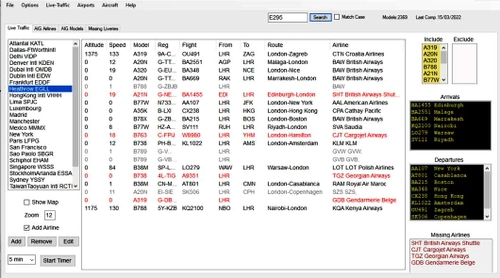
AIG Model Checker 3.1 offers a detailed solution for managing and selecting essential aircraft models within Microsoft Flight Simulator. With live traffic examination at various airports, users can easily track and manage downloaded models. The tool allows for customization of live traffic parameters, compiling AIG data, and creating VMR files, enhancing the overall flight planning experience. Explore missing liveries, check airline and model data, and log live traffic efficiently with this comprehensive add-on.
by WilbikFS
GSX Mapper Visualising GSX Profiles
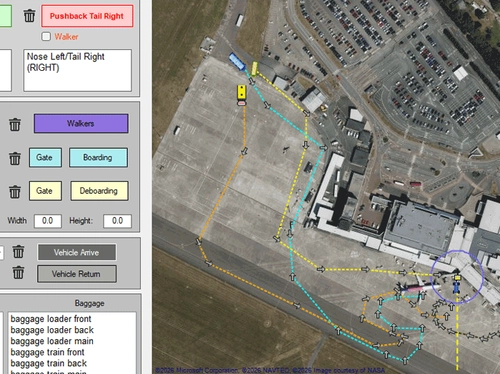
GSX Mapper is a Windows tool that displays all items and routes in a GSX profile, making it easier to choose stands and gates. It lets users rotate, move, and adjust objects without the GSX editor, and includes a simple editor for creating or modifying boarding, deboarding, and walking routes.
by WilbikFS
Log in to join the discussion
Log InComments(44)
about 12 hours ago
-at start , i have 'loadat error: l'index se trouve en dehors des limites du tableau' ; il i do OK, the tool open normally,
-if i click on My Log' button, an another error is displayed for my player.log file : 'la conversion de la chaine "" en type "double" n'est pas valide'
about 5 hours ago
3 months ago
3 months ago
3 months ago
6 months ago
6 months ago
6 months ago
Never seen this before.
6 months ago
7 months ago
7 months ago
7 months ago
7 months ago
8 months ago
8 months ago
8 months ago
You can send the log to me via email found at bottom of www.pinns.co.uk/osm/batc.html.
Here I post the latest update before .to
8 months ago
https://pastebin.com/v70UKCPG
Not sure if there's a way you can tell which version is being used and parse accordingly?
Currently with the experimental version the ATIS doesn't show in the ATIS tab.
8 months ago
METAR EGGD 051620Z 15023G34KT 1600 +RA BKN008CB 07/07 Q0993 at EGGD
ATIS updated to Bristol Airport information Whiskey..
one six tree zero zulu.. wind one five zero at two tree , gusts tree four. Heavy rain.. Ceiling eight hundred broken.. Temperature zero seven.. Dewpoint zero seven.. QNH zero niner niner tree.. Landing and departing runway zero niner.. Transition level zero seven zero.. Advise on initial contact you have information Whiskey.. at EGGD
METAR EGPH 051620Z 11013KT 9999 FEW031 07/03 Q0991 at EGPH
ATIS updated to Edinburgh Airport information Bravo..
one six tree zero zulu.. wind one one zero at one tree. Visibility one zero miles or more.. Few clouds at three thousand one hundred.. Temperature zero seven.. Dewpoint zero tree.. QNH zero niner niner one.. Landing and departing runway zero six.. Transition level zero seven zero.. Advise on initial contact you have information Bravo.. at EGPH
Clicking Flight Information gives you the log version:Yours is 'Version: 1.7.3.Experimental'
8 months ago
Below is a sample of the ATIS lines:
[ATIS] METAR updated to METAR NZAA 170300Z AUTO 23009KT 9999 NCD 25/17 Q1009 at NZAA
[ATIS] ATIS text updated to NZAA ATIS P 0317Z 21009KT 9999 NCD 25/17 Q1009 RWY 23 LEFT IN USE TRANSITION-LEVEL FL150 BIRD ACTIVITY REPORTED ACKNOWLEDGE RECEIPT OF INFORMATION P AND ADVISE AIRCRAFT TYPE ON FIRST CONTACT at NZAA
[ATIS] ATIS spoken updated to Auckland Airport information Papa.. zero tree one seven zulu.. wind two one zero at niner. Visibility one zero miles or more.. No clouds detected.. Temperature two five.. Dewpoint one seven.. QNH one zero zero niner.. Landing and departing runway two tree Left .. Transition level one five zero.. Bird activity in vicinity of airport.. Advise on initial contact you have information Papa.. at NZAA
[ATIS] Refreshing ATIS for NZWN if required
NZWN runway status: 34 Tailwind, 16 Headwind
[ATIS] METAR updated to METAR NZWN 170300Z AUTO 17020KT 9999 FEW023/// 17/11 Q1017 at NZWN
[ATIS] ATIS text updated to NZWN ATIS B 0317Z 14520KT 9999 FEW023 17/11 Q1017 RWY 16 IN USE TRANSITION-LEVEL FL150 TEMP FLIGHT RESTRICTIONS IN EFFECT FOR NZWN ACKNOWLEDGE RECEIPT OF INFORMATION B AND ADVISE AIRCRAFT TYPE ON FIRST CONTACT at NZWN
[ATIS] ATIS spoken updated to Wellington Airport information Bravo.. zero tree one seven zulu.. wind one four five at two zero. Visibility one zero miles or more.. Few clouds at two thousand three hundred.. Temperature one seven.. Dewpoint one one.. QNH one zero one seven.. Landing and departing runway one six .. Transition level one five zero.. Temporary flight restrictions are in effect for Wellington.. Advise on initial contact you have information Bravo.. at NZWN
8 months ago
Thanks again! Will look at it in a few days