
Flightsim.to
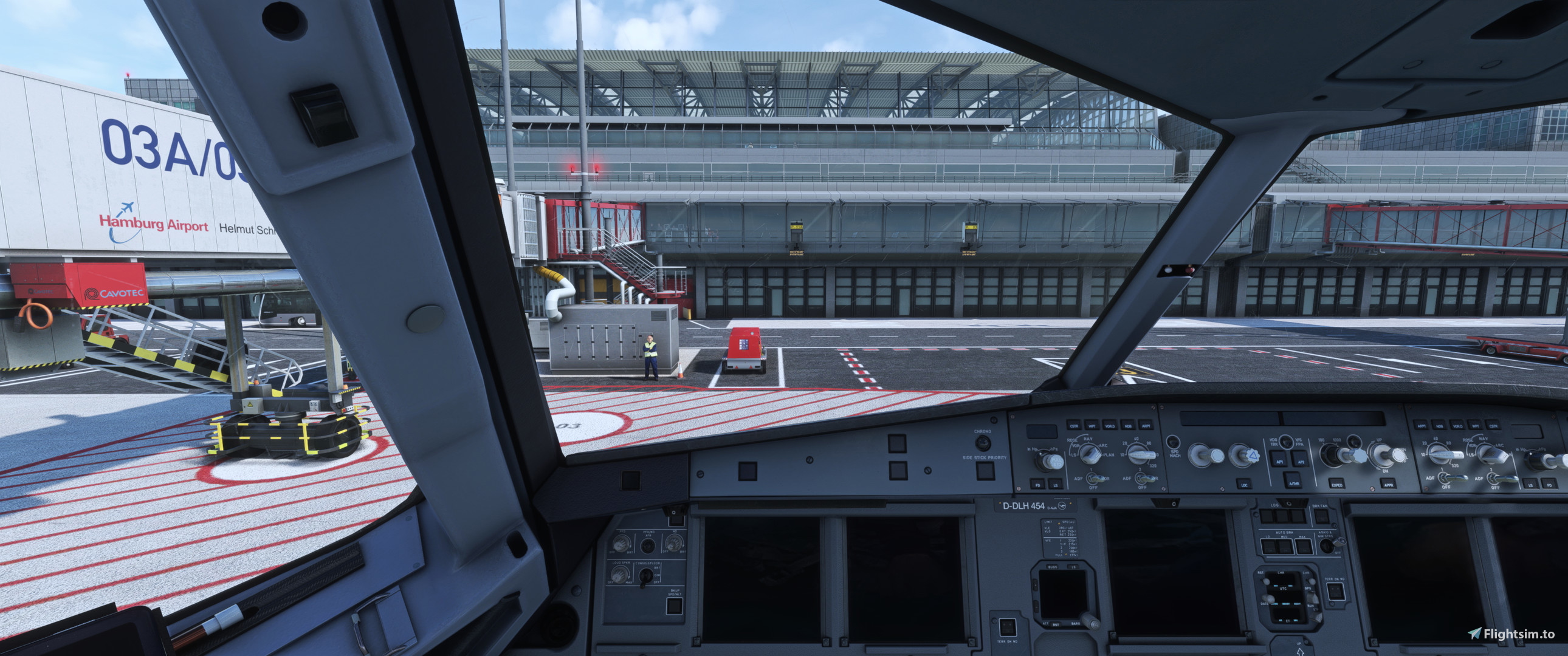
    FBW A32NX Custom Views - Image 1

    Description

    Hi guys,
    these are my custom camera views for the A320neo by FlyByWire
    Custom View 1: Default View
    Custom View 2: GoPro
    Custom View 3: Overhead
    Custom View 4: FMC
    Custom View 5: EFB
    Custom View 6: Left Wing
    Custom View 7: Left Engine
    Custom View 8: Right Wing
    Custom View 9: Right Engine

    INSTALLATION:
    To install place the "camera.cfg" contained in the zip archive in the following directory
    C:\Users\[USER]\AppData\Local\Packages\Microsoft.FlightSimulator_8wekyb3d8bbwe\LocalCache\SimObjects\Airplanes\FlyByWire_A320_NEO
    If this directory does not exist you can create it or spawn the plane in the simulator once!

    Have fun!

    Comments(6)

    Log in to join the discussion

    Log In
    s

    over 1 year ago

    i cant find the folder in the description should i just put the mod into the community folder in the MicrosoftFlightSimulator folder?
    i play on steam so that could be why.
    T
    Tim001Author

    over 1 year ago

    I think the folder for steam users is different... It should be something like Users/Appdata/Roaming/MicrosoftFlightSimulator/Simobjects/Airplanes
    A

    almost 2 years ago

    Is it ok it asks to replace the file? in appdata......
    T
    Tim001Author

    almost 2 years ago

    yes thats normal because it overwrites your saved views to these, I recommend to create a backup before using incase u want to switch back
    S

    almost 2 years ago

    Excellent views!!! where did you get that cockpit remodeling mod, that is not the default one.
    T
    Tim001Author

    almost 2 years ago

    I think its in the development version of the FBW320, not sure though I didnt touch msfs for a few months
    MSFS 2020MSFS 2024

    FBW A32NX Custom Views

    Enhance your A320neo experience with FBW A32NX Custom Views! This addon provides 9 custom camera views, including GoPro, Overhead, FMC, EFB, and engine-specific angles. Easily install the custom views by placing the "camera.cfg" file in the specified directory. Enjoy a new perspective on your flights with these tailored views!


    Downloads1K
    Version1.0
    File Size1.32 KB
    Published2 years ago
    Updated2 years ago

    More Information

    Simulator
    MSFS2020
    CategoryUser Content
    Sub-CategoryCustom Views
    Affiliation
    FlyByWire A32NX
    Rating0.0 (0)

    Version History

    No version history available.
    Related