
Description
Currently implemented ICAOs: EDDK, EDDP, EDDS, EGLL, EHAM, ESSA, LSZH, LXGB, KLAX, KSEA, NZMF, YSSY
Here's the dilemma. You've deleted one of the Asobo/Microsoft handcrafted airports to avoid a conflict with a payware mod, but some freeware sceneries reuse objects from those handcrafted airports to create new airports. If you do not have the Asobo airport installed, there will be missing buildings or textures and things will look pretty odd. There used to be a workaround in content.xml but this stopped working several years ago.
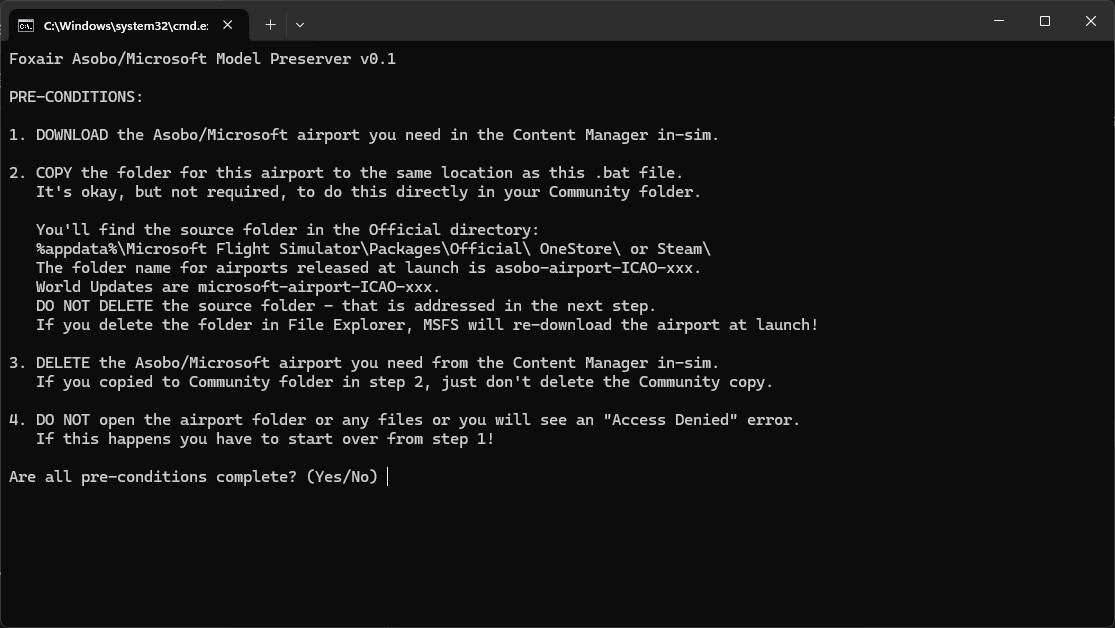
This script applies a tweak to the Asobo airport package to remove the airport but keep the models. Currently it can mod EGLL (if you own it), KSEA, and YSSY. So you can use a freeware airport that reuses objects from those 3 airports and still enjoy the iniBuilds EGLL, BMW/Amsim KSEA, and FlyTampa YSSY.
How to use: Just run foxair-asobo-model-preserver.bat and follow on-screen instructions.
Re-download the airports from Microsoft if they are changed in a Sim Update/World Update and re-apply this mod to a fresh copy or you may run into problems.
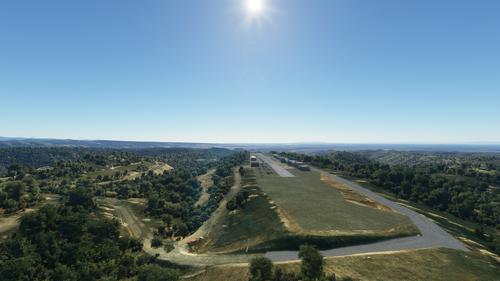
The screenshots are taken from the (nicely done) scenery mods here on Flightsim.to:
The method in this script seems to work for me. However, I am releasing it as experimental so that other users can try it. Please don't download if you aren't willing to risk being disappointed and undo the mod. I would appreciate any feedback, good news or bad, on impacts noticed to the freeware airports as well as any issues that you run into with the duped payware airports. I also take requests for new ICAO's as long as they are Asobo handcrafted airports.
Comments(39)
Log in to join the discussion
Log In11 months ago
I need it for the freeware addon UK-VOR-NDB https://flightsim.to/file/75408/uk-vor-ndb
I am currently using a payware version of Farnborough so I need to extract the required object from the default MSFS version for use in the UK-VOR-NDB addon.
Functional test can be carried out by going to EGCW Welshpool Airfield and looking for the WPL NDB beacon. (See attached photo).
TIA
11 months ago
about 1 year ago
11 months ago
over 1 year ago
over 1 year ago
over 1 year ago
over 1 year ago
over 1 year ago
over 1 year ago
over 1 year ago
over 1 year ago
over 1 year ago
over 1 year ago
over 1 year ago
And then I have a few folders in there, but none are folders of airports. I can only find the airports installed by Asobo/Microsoft as the .dat files located in \LocalCache\SceneryIndexes
Asobo Handcrafted Airports Model Preserver (2020)
A script to tweak Asobo handcrafted airports, preserving models while removing the actual airport, ensuring compatibility with freeware sceneries. Currently supports EGLL, KSEA, and YSSY. Run the script and follow instructions to enhance your simming experience with third-party airports reusing these models. Remember to reapply the mod after sim updates to prevent issues.

User Reviews
4 reviews
Version History
Add LSZH. I do not have the payware so please let me know if this one works properly.
11 months ago
After reading through your batch file I was able to successfully create a tweaked airport package by hand once I figured out which .BGL file needed to be deleted.
For Farnborough there are two, one in the eglf-modellib subfolder and one in the eglf-scene subfolder. The second one eglf-scene\eglf-scene-airport.bgl is the one to delete.
Meanwhile I also modified the batch file in case I want to use it again later:
I added this to the jump list:
if /I %icao%==eglf GOTO eglf
and then I added this subroutine for EGLF:
:eglf
cls
echo Foxair Asobo/Microsoft Model Preserver v0.7
echo.
echo EGLF - Farnborough
if exist "microsoft-airport-eglf-farnborough\Scenery\airport-eglf-farnborough\eglf-scene\eglf-scene-airport.bgl" (
del microsoft-airport-eglf-farnborough\Scenery\airport-eglf-farnborough\eglf-scene\eglf-scene-airport.bgl
if errorlevel 1 (
echo ERROR - Access Denied. Start over.
pause
exit
)
ren microsoft-airport-eglf-farnborough aaa-library-microsoft-eglf-farnborough
if errorlevel 1 (
echo ERROR - Access Denied. Start over.
pause
exit
)
echo "Mod complete!"
pause
goto yes
)
echo ERROR - Important file(s) not found for this airport, unable to mod.
pause
exit