
![Fenix A320 V2 B2 [CFM&IAE] Camera Views - Image 1](https://cdn.flightsim.to/images/26/fenix-a320-v2-b2-cfm-camera-views-333111-1713767619-_6EhU.jpg)
Description
This is a custom camera views for the Fenix A320 V2 Block 2 CFM and IAE Variant.
It includes a total of 9 custom views inspired by real views you would see from different seats.
For CFM & Steam MSFS 2020
Paste the file in the "C:\Users\'Your Profile Name'\AppData\Roaming\Microsoft Flight Simulator\SimObjects\Airplanes\FNX_320_CFM"
For IAE & Steam MSFS 2020
"C:\Users\'Your Profile Name'\AppData\Roaming\Microsoft Flight Simulator\SimObjects\Airplanes\FNX_320_IAE"
Make sure you know the custom views keys to show custom view before giving any rating and any bad comments. The file is 100% working.
Thanks & Regards!
Fenix A320 V2 B2 [CFM&IAE] Camera Views
Experience realistic cockpit views with the Fenix A320 V2 Block 2 CFM and IAE Variant Camera Views add-on. Featuring 9 custom views inspired by real perspectives, this mod is compatible with CFM & IAE models on Microsoft Flight Simulator 2020. Simply paste the file in the designated folder and enjoy enhanced visuals during your flights.


User Reviews
6 reviews
Version History
- fixed views with cabin on. - updated views/fixed incorrect views after recent update
Related
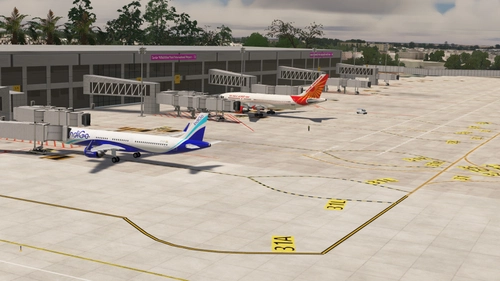
VAAH - Ahmedabad Sardar Vallabhbhai Patel Intl Airport
Explore a detailed rendition of VAAH - Ahmedabad International Airport in Gujarat, India with this custom add-on. Enhance your sim experience with proper taxiways, signs, lighting, and accurate gate placements. Stay updated as the airport evolves to match real-world changes. Simply extract the files to your MSFS community folder for easy installation and enjoy a more immersive flight environment.
by Kritik Varma
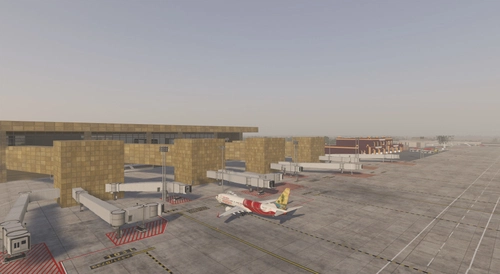
VILK - Lucknow Chaudhary Charan Singh International Airport
Enhance your sim experience with the VILK - Lucknow International Airport add-on, featuring customizations such as proper taxiways, signs, and up-to-date gates and parking stands. This mod also includes working ILS, runway lights, and dedicated service roads for ground vehicles, promising a more realistic airport environment for your flights in Microsoft Flight Simulator.
by kritikv
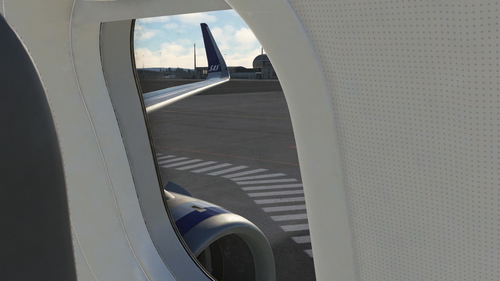
IniBuilds A320 NEO Custom Camera Views
Experience realistic in-flight perspectives with IniBuilds A320 NEO Custom Camera Views, featuring 10 custom views inspired by real seating positions. Enhance your Microsoft Flight Simulator experience by downloading and installing these custom views to immerse yourself in a more authentic cockpit environment. Simply follow the provided instructions to set up the custom views and enjoy a new level of realism in your flights.
by kritikv
![PMDG 777-300ER Custom Camera Views [Instruments + Paxs Views]](https://cdn.flightsim.to/images/26/pmdg-777-300er-custom-camera-views-instruments--paxs-views-333111-1719654154-OeMfw.jpg?width=500)
PMDG 777-300ER Custom Camera Views [Instruments + Paxs Views]
Enhance your PMDG 777-300ER experience with this custom camera views add-on featuring 10 realistic perspectives inspired by actual seat views. Ensure to follow the installation instructions to enjoy the new visual options seamlessly in Microsoft Flight Simulator 2020.
by kritikv
Log in to join the discussion
Log InComments(15)
about 2 years ago
over 2 years ago
All is working perfectly !
over 2 years ago
I also tried putting the camera.cfg file in the correct path for the MS Store version of MSFS (not Steam), which is:
%localappdata%\Packages\Microsoft.FlightSimulator_8wekyb3d8bbwe\LocalCache\SimObjects\Airplanes\FNX_320_CFM
but also i don't think it worked
over 2 years ago
in your msfs keyboard control settings, please search for Load custom camera keybinding. the keybindings there will load my custom views
over 2 years ago
over 2 years ago
over 2 years ago
over 2 years ago
over 2 years ago
over 2 years ago
over 2 years ago
over 2 years ago
over 2 years ago
over 2 years ago
over 2 years ago