
Description
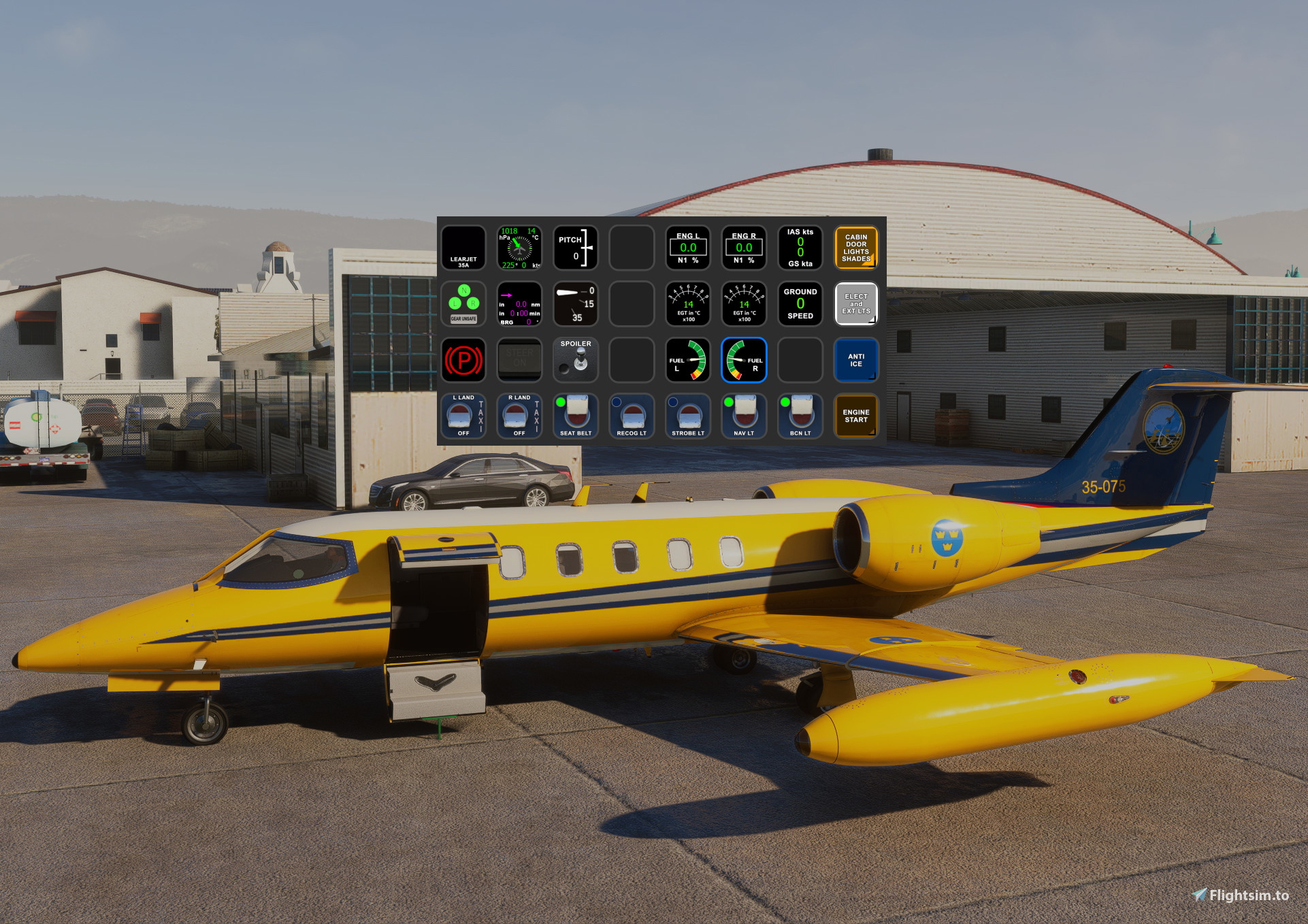
Flysimware Learjet 35A AAO Scripts & StreamDeck XL Profile & StreamDeck+ Profile
I created this Streamdeck XL profile and Streamdeck+ profile for the Flysimware Learjet 35A with basic functionality for now. I borrowed some images and functionality from the outstanding work that have been created by Guenseli. This profile is released with his permission (THANKS Guenseli!)
https://flightsim.to/profile/Guenseli
You need LORBYs AAO and its StreamDeck Plugin to run this StreamDeck profile.
For FS2024 you need LorbyAxisAndOhs_MSFS2024 v4.50 or later and its StreamDeck Plugin to run this StreamDeck profile.
ATTENTION!
PLEASE READ CAREFULLY!
- When you import SD profiles, make sure to delete the old ones, otherwise you'll get profile copies.
- Make sure to always have the latest AAO and AAO StreamDeck plugin versions!
- Please ask myself and Guenseli if you want to use parts of this SD profile or images in your own SD profile.
- Install the SD XL profile by double clicking the file "Learjet 35A.streamDeckProfile"
- Install the SD+ profile by double clicking the file "PLUS Learjet 35A.streamDeckProfile"
- Import the AAO script "Learjet_35A.AxisAndOhsScripts.xml" according to the AAO manual
- Import the AAO script "DropTop_Views-AxisAndOhsScripts.xml" according to the AAO manual. This is for the Views page on the SD+
This profile is a work in progress. Please toss me any issues you find or requests in the comments section. Thanks!
Flysimware Learjet 35A AAO Scripts & StreamDeck XL Profile & StreamDeck+ Profile
Customize your Flysimware Learjet 35A experience with this AAO Scripts, StreamDeck XL Profile and StreamDeck+ Profile. Enhance your simulator setup with basic functionality and imagery from the talented Guenseli, all with proper permissions. Make sure to have LORBYs AAO and its StreamDeck Plugin to utilize this profile effectively.


User Reviews
3 reviews
Version History
Added NAV source button to the AP page for both Streamdeck XL and Streamdeck+ to make it easier to toggle the NAV source between GPS and VOR without having to search for the button in the cockpit.
Related
FlightFX Cirrus SF50 Vision AAO Scripts & StreamDeck XL Profile & StreamDeck + Profile
Enhance your Cirrus SF50 Vision experience with this FlightFX add-on, including AAO Scripts and StreamDeck profiles. This package requires LORBYs AAO and its StreamDeck Plugin. Please note the installation instructions and known issues before use.
by 02DropTopM3
MG HJET HA420 StreamDeck XL Profile, AAO Scripts, StreamDeck+ Profile
Enhance your HJet HA420 experience with this StreamDeck XL Profile, AAO Scripts, and StreamDeck+ Profile. Designed for the new G2 version of the HJet with Auto-throttle and VNAV functionality, this release is a collaboration with Guenseli. Ensure to follow installation instructions for a seamless integration.
by 02DropTopM3
iniBuilds Airbus A320neo v2 AAO Scripts, StreamDeck XL Profile and Stream Deck + profile
Enhance your iniBuilds Airbus A320neo v2 experience with this StreamDeck XL profile and StreamDeck + profile, complete with AAO Scripts for a seamless integration. Created with permission by Guenseli, this profile maintains a familiar layout while optimizing it for the iniBuilds A320. Follow the installation instructions for a smoother flight simulation session. See the description for important details and updates.
by 02DropTopM3
Cows Diamond DA-42 AAO Scripts, StreamDeck XL Profile and StreamDeck+ Profile
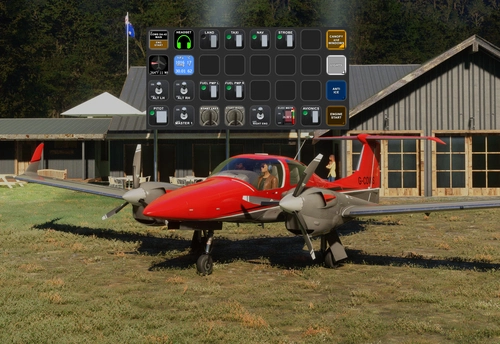
Enhance your flight simulation experience with the Cows Diamond DA-42 AAO Scripts & StreamDeck XL and + Profile. This Streamdeck XL profile offers basic functionality for the DA-42 aircraft, with images and script ideas from Guenseli. Ensure you have LORBYs AAO and its StreamDeck Plugin for compatibility. Discover a user-friendly installation process and note features like easy control of instrument and glarescreen lights. Continuous updates and feedback are welcomed for an evolving experience.
by 02DropTopM3
Log in to join the discussion
Log InComments(16)
9 months ago
9 months ago
Any change to upgrade this great profile for the Learjet 2024 version?
Some changes where made and not all is working anymore.
Greetings, Harald
about 2 years ago
almost 2 years ago
about 2 years ago
about 2 years ago
about 2 years ago
about 2 years ago
According to the docs, these are the names of those switches:
Yoke Left Side:
AILERON/PITCH TRIM
AUTOPILOT PITCH REF
CONTROL WHEEL MASTER SWITCH
Yoke Right Side:
MANUVER ROLL PITCH SWITCH
PITCH SYNC SWITCH
about 2 years ago
about 2 years ago
I assume that you Press Nav to Arm the Loc... that goes fine... but when I press GS to Arm it... it loses localiser tracking. Just wonders off.
about 2 years ago
The NAV button on the AP page will navigate to either GPS, or VOR, depending on which source you have enabled.
You can toggle the source either in the Garmin unit(s) by pressing the CDI button, or there is a button on the panel labeled VOR / GPS that will also switch between the two.
So, for ILS, you need to dial in the correct ILS Frequency and set the Course according to your charts, and then once you within VOR range, switch the NAV source to from GPS to VOR.
I decided to go ahead and add a NAV source button to the AP page on both the Streamdeck XL and the Streamdeck+ to make it a little easier to set the source without hunting around the cockpit for the button. I'll update the profiles tonight.
over 2 years ago
over 2 years ago
over 2 years ago
over 2 years ago
over 2 years ago