
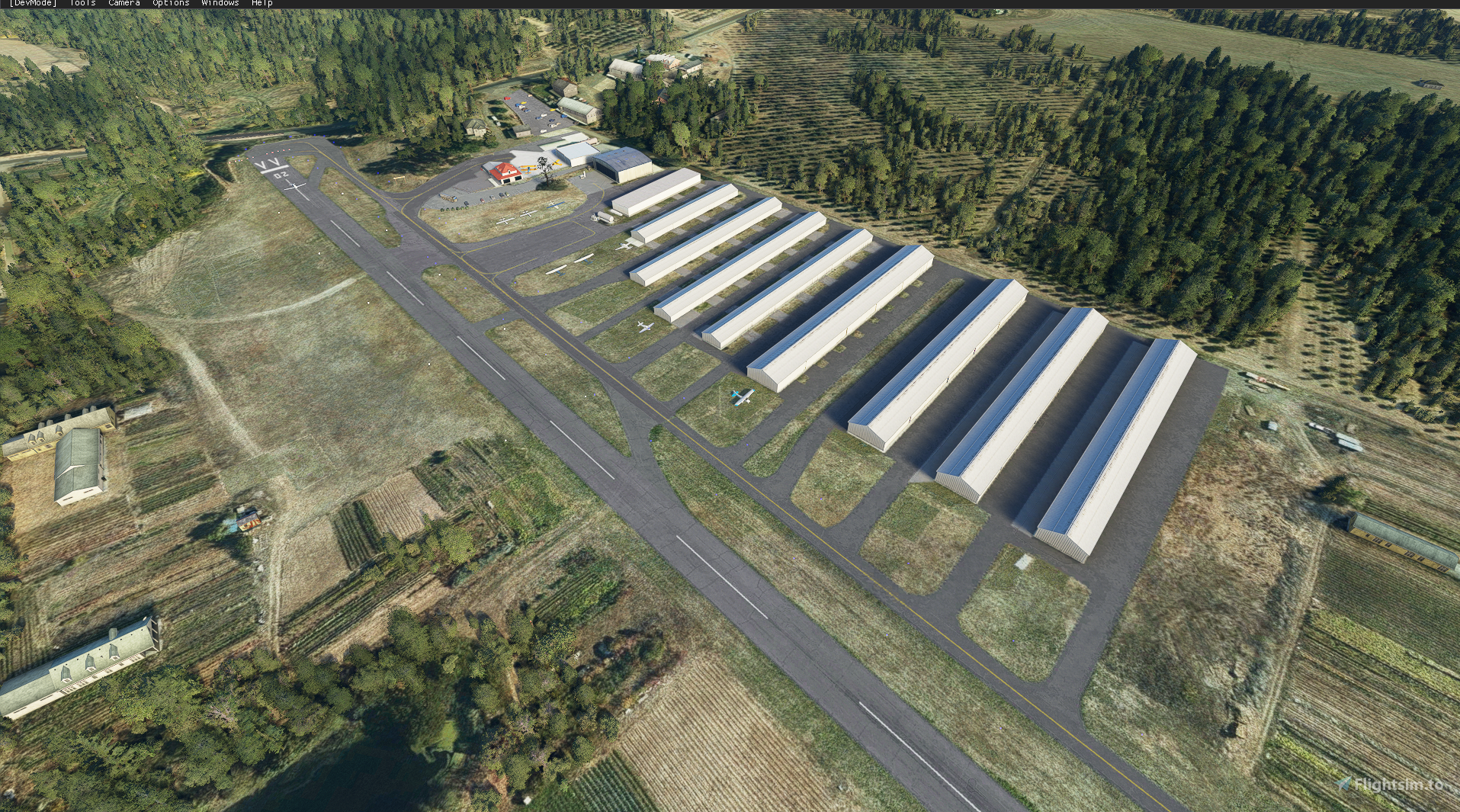
Description
NOTE:
Note sure why everyone is complaining... I have done a fresh install of the sim, installed the libraries listed below and everything is showing up just fine for me. Even downloaded the file for the airport from Flightsim.to to see if I can replicate your problems. Works just fine... Anyway here's the tea:
Small family owned airport in Hillsboro, OR. Located just a few miles away from Portland-Hillsboro Airport and a few miles from Portland Intl Airport. I noticed the airport in game was really poorly put together so I tried my first attempt at the SDK. I'm still figuring out the Terraforming but appearance wise, the buildings and stuff look WAY better.
I used library's from these developers... Not sure if you need to download in order to see everything in game. But doesn't hurt!
https://flightsim.to/file/6072/sdr-scenery-pack-v1-0
https://flightsim.to/file/5806/fisherman-dave-s-seaplane-base-object-library
https://flightsim.to/file/5452/dave-s-3d-people-library
https://flightsim.to/file/4696/dave-s-crooked-library
https://flightsim.to/file/1923/mikea-at-assetpack
https://flightsim.to/file/854/common-airport-objects
Location
7S3 - Stark's Twin Oaks - Hillsboro, OR
Small family owned airport in Hillsboro, OR. Located just a few miles away from Hillsboro Airport and a few miles from Portland Intl Airport. I noticed the airport in game was really poorly put together so I tried my first attempt at the SDK. I'm still figuring out the Terraforming but appearance wise, the buildings and stuff look WAY better.

User Reviews
7 reviews
Version History
Added Readme --PLEASE READ-- Moved some stuff around. Verified all is working properly as complaints were coming in.
Featured in Collections(1)

Related
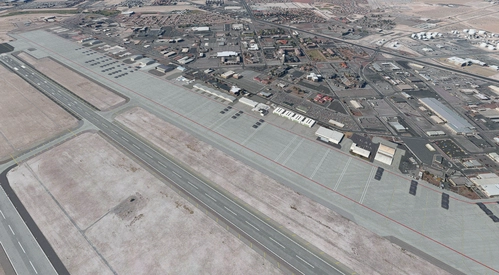
Nellis AFB - KLSV - Quick Update
Enhance Nellis AFB with this quick update, injecting life into the airbase with added hangars and more. Stay tuned for future updates aiming to replicate every building accurately, including the Thunderbird Headquarters. Compatible with various mods for a more immersive experience.
by BIG_FAT_MIKE
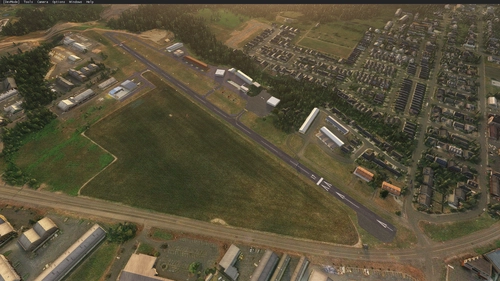
2S6 - Sportsman Airpark - Newberg, OR
Explore the scenic Sportsman Airpark in the heart of Oregons wine country, near Newberg and just 28 miles southwest of Portland International Airport. This add-on enhances the airports appearance with improved buildings, offering a more realistic flying experience. Dont forget to download additional libraries recommended by the developer for an even more visually immersive experience.
by BIG_FAT_MIKE
Log in to join the discussion
Log InComments(36)
about 1 year ago
over 2 years ago
To anyone with it not showing up... you MUST have the libraries linked in the file description installed to your Community folder.
almost 3 years ago
almost 4 years ago
Thanks Mike. I'm learning to fly and I'll be training out of Twin Oaks so this is super helpful!
Edit: this absolutely will not install correctly. Nobody bother with this because the missing textures pretty much ruin it.
over 3 years ago
Hey Chadneu, I wasn't aware of your edit. I just recently reinstalled my operating system. I downloaded this with the repositories it needs and see no problem what-so-ever at the airfield. Make sure you download the right ones. They are located in the description of this file. I will let you know, I have hired a few developers to create custom 3D models of this airport and will be releasing an extremely high quality version of this airport in the next 3-6 months.
over 4 years ago
Hey, nice work. Do you plan on doing Hillsboro Airport(KHIO). If so, I can send some reference images of buildings as I plane spot there ('KHIO Spotter' on YouTube).
over 4 years ago
Hey Eman! Thank you for the kind words. I plan on doing an update on KHIO. Unfortunately I won't be able to get 1:1 buildings as I don't have that skill of 3D rendering yet. So I'll be using already made products and implementing them in there. I live near Tualatin and have flown out of KHIO a few times. 7S3 is actually my home airport. I wouldn't mind any photos you do have... Discord?
about 5 years ago
I installed all the dependencies, but the hangars are missing (surface texture only).
Made a second attempt, going down the list of all the mods very carefully. The ModelLib one isn't a mod? It seems to be something that the author should use in their source files; it has no manifest, etc. I installed the others into my Community folder. Loading up the sim now... exact same thing: https://forums.flightsimulator.com/uploads/default/original/4X/c/0/5/c052531fb5c8702cbdecdad7f2c0dcaa9d2090a6.jpeg
I can only assume something changed in one of the dependent mods or in the base simulator?
[Updated: giving 2 stars; the bits that work are nice, but developer refuses to help debug the issue with missing hangars and other buildings.]
about 5 years ago
Note sure why everyone is complaining... I have done a fresh install of the sim, installed the libraries listed below and everything is showing up just fine for me. Even downloaded the file for the airport from Flightsim.to to see if I can replicate your problems. Works just fine..
about 5 years ago
Testing it out again with fresh copies of everything, hopefully I just unpacked one of the archives wrong... :D However, I see the same thing -- no hangars except the first, smallest one next to the fuel station. :(
I can't upload screenshots here I guess but I can probably link to one elsewhere in a bit.
Note that the "common airport objects library" does *NOT* appear to be user-installable. It contains scenery objects that you're supposed to put in your project while you're creating it, from what I can tell. How exactly are you installing it into the final project? Should I drop them *inside* the 7s3 folder? Or is that something you do while making the scenery? There's no directions for user installation; here's the entire readme.txt file:
-------
[v1.0]
Please place all folders into your ModelLib folder of the current Scenery you are working on.
Please link: https://flightsim.to/profile/Hoynedawg if you wish to use these objects and release them in your own freeware scenery
By Elijah Hoyne.
--------
There is no "ModelLib" folder in the 7s3 directory as distributed.
So if the hangars come from that library, maybe it's missing from your compiled scenery output, but it's working on your computer for some reason because you have it installed in your project? I really don't know the answer, I just now that I'm following the directions as best as I can. :)
about 5 years ago
Trying just dropping the ModelLib folder into 7s3\scenery... no change.
about 5 years ago
I'm looking at the debug console in dev mode now; there's a bunch of errors like this:
Loading object from BGL FAILED: {BE801415-62E3-4D17-ACE6-422A63349F69}
at LLA: 45.429073?X - -122.940063?X - 0.000000
with source identifier: 'GetRegion Qmid(L:11, U:243, V:253) pck=7s3'
about 5 years ago
Ok, trying one more time re-extracting all the .7z and .rar files fresh with the current beta of 7-zip in the hopes it will be more consistent...
No change. Are you sure the hangar models are included in one of the linked scenery packs, and not some other scenery pack you have installed? :(
about 5 years ago
I really have no idea what's going on with your system. I just had my friend install this airport the way he normally does and everything loads up correctly.
about 5 years ago
Can you at least tell me which scenery mod the hangar models come from so I know which one to check is installed correctly? That would really help. Thanks!
about 4 years ago
I too just tried to install this airport and I also can confirm I am missing hangers like you showed in your picture.
I really wanted this airport too.