
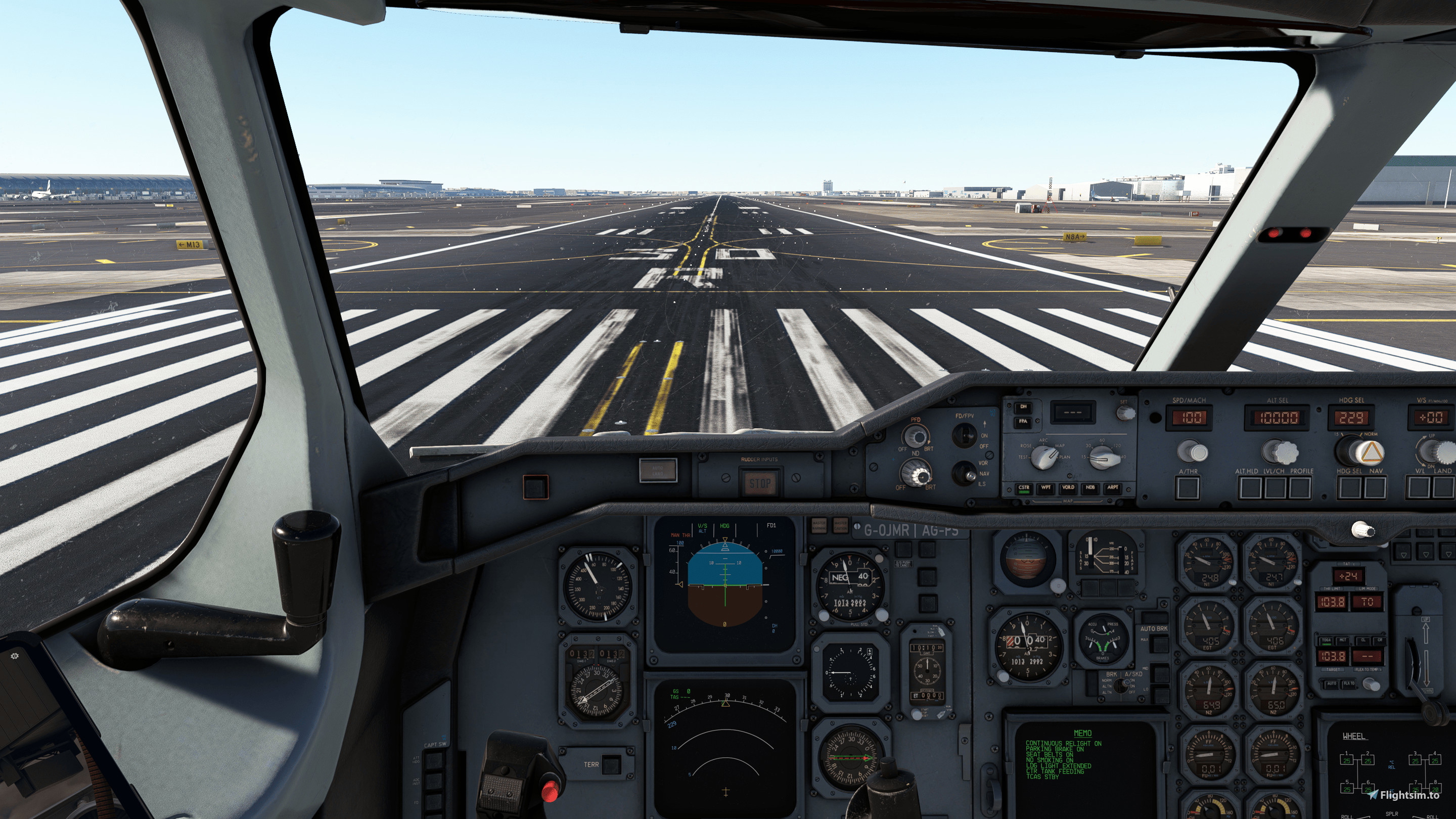
Description
Custom Camera Views for the iniBuilds A300-600R 2020 + PW (PAX) and -600F + PW (Freighter/Cargo)
The views are set on the number pad as shown below:
Camera 1: Captain's Seat
Camera 2: Lower Centre Console
Camera 3: Tablet
Camera 4: Left Engine View
Camera 5: FMC
Camera 6: Right Engine View
Camera 7: Left Wing View
Camera 8: Overhead
Camera 9: Right Wing View
Camera 0: Cabin/Cargo Hold View
Installation Instructions:
Before doing anything else, make a backup of the inibuilds-aircraft-a306r and inibuilds-aircraft-a306f folders as to not lose your own custom views. Unzip the downloaded A300 Camera Views Folder, inside you will find a folder for both varients. Inside each folder, copy the camera.CFG file into the airplanes directory with the correct paths as below depending on where you bought your version of MSFS2020.
Microsoft Store:
Pax File Path:
C:\Users\[UserName]\AppData\Local\Packages\Microsoft.FlightSimulator_8wekyb3d8bbwe\LocalCache\SimObjects\Airplanes\inibuilds-aircraft-a306r
C:\Users\[UserName]\AppData\Local\Packages\Microsoft.FlightSimulator_8wekyb3d8bbwe\LocalCache\SimObjects\Airplanes\inibuilds-aircraft-a306r-pw
Cargo/Freighter File Path:
C:\Users\[UserName]\AppData\Local\Packages\Microsoft.FlightSimulator_8wekyb3d8bbwe\LocalCache\SimObjects\Airplanes\inibuilds-aircraft-a306f
C:\Users\[UserName]\AppData\Local\Packages\Microsoft.FlightSimulator_8wekyb3d8bbwe\LocalCache\SimObjects\Airplanes\inibuilds-aircraft-a306f-pw
Steam:
Pax File Path:
C:\Users\[UserName]\AppData\Roaming\Microsoft Flight Simulator\SimObjects\Airplanes\inibuilds-aircraft-a306r\inibuilds-aircraft-a306r
C:\Users\[UserName]\AppData\Roaming\Microsoft Flight Simulator\SimObjects\Airplanes\inibuilds-aircraft-a306r\inibuilds-aircraft-a306r-pw
Cargo/Freighter File Path:
C:\Users\[UserName]\AppData\Roaming\Microsoft Flight Simulator\SimObjects\Airplanes\inibuilds-aircraft-a306f
C:\Users\[UserName]\AppData\Roaming\Microsoft Flight Simulator\SimObjects\Airplanes\inibuilds-aircraft-a306f-pw
Dont forget, if you want to adjust these views after then you just need to do it in the usual way. This will give you a good base to start from if you want slightly different angles.
Enjoy!
IniBuilds A300 Both Engine Variant's Custom Camera Views
Custom Camera Views for the IniBuilds A300-600R 2020 + PW (PAX) and -600F + PW (Freighter/Cargo) variants. Easily switch between different cockpit and exterior camera angles for a more immersive flight experience. Detailed installation instructions provided for seamless setup. Enhance your simulation with these custom views tailored for the IniBuilds A300 models.

User Reviews
1 reviews
Version History
Added PW engine Variant Views
Related
Kuro 787 Custom Views
Customize your flight experience with Kuro 787 Custom Views, offering various cockpit and external camera angles including captains seat, wing views, and more. Easily accessible via number pad shortcuts, these views provide a detailed perspective for your flights in Microsoft Flight Simulator.
by Mercian87
Custom Views For The Fenix A320 IAE/CFM56
Camera config for the Fenix A320, which includes captain seat, separate cabin wing views. Enjoy! For Steam users drag and drop the cameras.cfg file to your %AppData%\Microsoft Flight Simulator\SimObjects\Airplanes\fnx320 For non-Steam users drag and drop the cameras.cfg file to your C:\Users\Username\AppData\Local\Packages\Microsoft.FlightSimulator_8wekyb3d8bbwe\LocalCache\SimObjects\Airplanes\fnx320 folder
by Mercian87
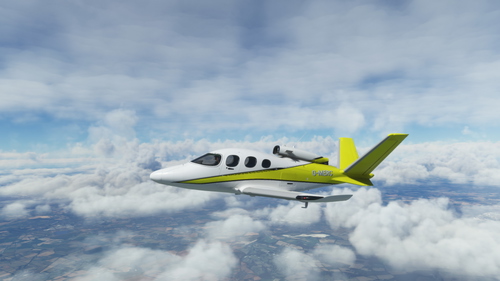
Custom Camera Views SF50 Vision Jet G2
Camera config for the SF50 Vision Jet G2, which includes captain seat, separate cabin wing views. Enjoy! For Steam users drag and drop the cameras.cfg file to your %AppData%\Microsoft Flight Simulator\SimObjects\Airplanes\visionjet For non-Steam users drag and drop the cameras.cfg file to your C:\Users\Username\AppData\Local\Packages\Microsoft.FlightSimulator_8wekyb3d8bbwe\LocalCache\SimObjects\Airplanes\visionjet folder
by Mercian87
Log in to join the discussion
Log InComments(6)
about 2 years ago
Thank you in advance
about 2 years ago
over 2 years ago
Thanks.
over 2 years ago
over 2 years ago
over 2 years ago