
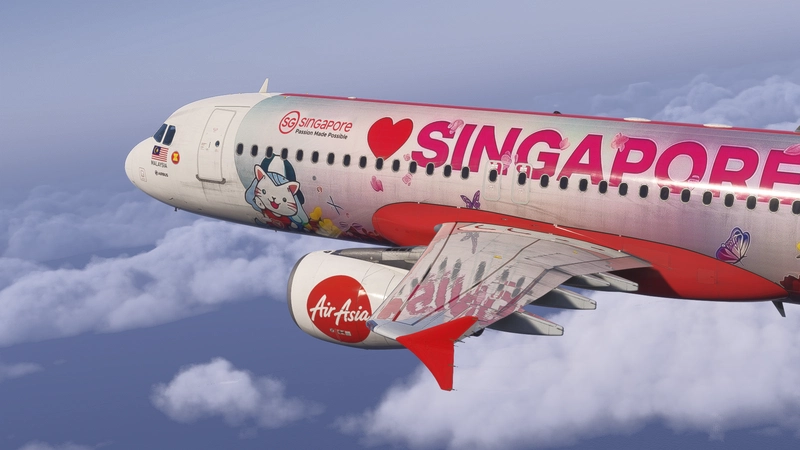
![Custom Camera Views [Horizon Sim Boeing 787-9] - Image 1](https://cdn.flightsim.to/images/26/custom-camera-views-horizon-sim-boeing-787-9-391209-1698414695-c6W1a.jpg)
Description
Custom camera views for Horizon Simulations Boeing 787-9 (ALL VARIANTS)
The custom cameras have been defined as follows:
Custom camera 0 - pilot view
Custom camera 1 - EFB
Custom camera 2 - GOPRO cockpit view
Custom camera 3 - central console
Custom camera 4 - left engine view
Custom camera 5 - overhead panel
Custom camera 6 - right engine view
Custom camera 7 - left wing view
Custom camera 8 - FMC
Custom camera 9 - right wing view
Installation instructions:
!!WARNING!!
The file (CAMERAS.CFG) needs to be copied in the main MSFS location, not the Community folder. Proceed only if you feel comfortable with the following instructions:
Locate the "Airplanes" folder in the main Microsoft Flight Simulator installation location. This folder contains sub-folders for each airplane for which you have already saved custom camera views. Inside each subfolder there is a CAMERAS.CFG file with the custom camera views for each airplane. If you haven't saved custom camera views, then the "Airplanes" folder might be empty, or not present.
For the Microsoft Store installation, the path is as follows:
C:\Users\[UserName]\AppData\Local\Packages\Microsoft.FlightSimulator_8wekyb3d8bbwe\LocalCache\SimObjects\Airplanes
For Steam installation the path is:
C:\Users\xxxxx\AppData\Roaming\Microsoft Flight Simulator\SimObjects\Airplanes
!!IMPORTANT!!
Make a backup of the "Airplanes" folder, in case you want to revert to your own saved camera views.
Unzip this package in a temporary location
Copy the "Airplanes" folder into the "SimObjects" folder
Launch the Microsoft Flight Simulator and make sure that you have assigned keys or buttons (on controllers) for the custom views. You do this in OPTIONS > CONTROLS
Thanks for downloading . If you encountered any problem, feel free to message me :)
Brandon
Custom Camera Views [Horizon Sim Boeing 787-9]
Enhance your Horizon Simulations Boeing 787-9 experience with custom camera views for all variants. This addon provides various defined camera angles including pilot view, EFB, cockpit, engine, and wing views. Follow the detailed installation instructions to set up the custom cameras and elevate your flight simulation experience.

Version History
No version history available.
Related
![Custom Camera Views [PMDG B777-300ER]](https://cdn.flightsim.to/images/26/custom-camera-views-pmdg-b777-300er-391209-1719362407-6Py43.jpg?width=500)
Custom Camera Views [PMDG B777-300ER]
Enhance your PMDG B777-300ER experience with custom camera views including pilot, EFB, GOPRO cockpit, and various other angles. Follow detailed installation instructions to set up the custom cameras in the main MSFS directory. Reach out to the developer for any troubleshooting needs. - Brandon
by Brandon
![Custom Camera Views [iniBuilds A320neo]](https://cdn.flightsim.to/images/26/custom-camera-views--inibuilds-a320neo-391209-1700286775-5vZY_.jpg?width=500)
Custom Camera Views [iniBuilds A320neo]
Enhance your viewing experience with custom camera views for iniBuilds A320neo, featuring various cockpit perspectives such as pilot view, EFB, engine views, and more. Easily install the custom cameras by copying the provided file (CAMERAS.CFG) into the main MSFS location following the detailed instructions provided. Tailor your flight experience with these customized camera angles to suit your preferences.
by Brandon
![Custom Camera Views [FlyByWire Simulations A380X]](https://cdn.flightsim.to/images/27/custom-camera-views-flybywire-simulations-a380x-391209-1730427838-zPtRB.jpg?width=500)
Custom Camera Views [FlyByWire Simulations A380X]
This add-on provides a set of custom camera views for the FlyByWire Simulations A380X in Microsoft Flight Simulator. It includes diverse perspectives such as the pilots view, cockpit controls, engine views, and wing perspectives. The add-on requires replacing the CAMERAS.CFG file in the main installation folder of the simulator and offers specific installation guidance. Users are advised to back up their existing camera configurations before applying the new views.
by Brandon
![Custom Camera Views [IniBuilds Beluga XL]](https://cdn.flightsim.to/images/27/custom-camera-views-inibuilds-beluga-xl-391209-1732345731-wvfj7.jpg?width=500)
Custom Camera Views [IniBuilds Beluga XL]
This add-on provides a selection of custom camera views specifically for the IniBuilds Beluga XL in Microsoft Flight Simulator. Users can utilize nine distinct camera perspectives including pilot view, EFB, cockpit, and engine views. Installation requires modifying the CAMERAS.CFG file in the main MSFS directory, and users are advised to back up their existing settings. The customizable views enhance the simulation experience by offering varied perspectives during flight.
by Brandon
Log in to join the discussion
Log InComments(3)
over 2 years ago
over 2 years ago
over 2 years ago