
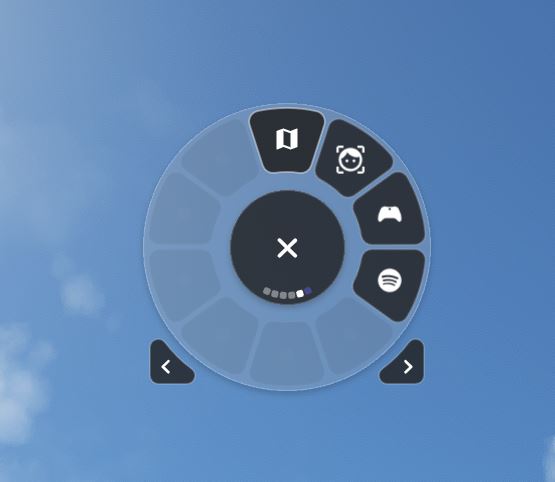
Description
A widget to launch any executable on your PC
(ex: little nav map, open track, vlc, ...)
- You can enter a name
- The full path to the application with the exe
- Choice of icon displayed (to see all available icons go to : https://pictogrammers.github.io/@mdi/font/6.9.96/
. Flow_LaunchAppli_Server.exe must be launched once MSFS has been opened and is contained in the :
Widget installation directory\Appli\Flow_LaunchAppli_Server.exe
. A window like this should open and immediately minimize itself to the taskbar:
. You can also automate the launch of Flow_LaunchAppli_Server.exe with exe.xml (see doc)
. Flow_LaunchAppli_Server.exe will close automatically when msfs is closed.
. Once configured, simply click on the newly created button to open the app of your choice, and click again to close it.
Some applications may not launch (mainly depending on the tool used to transform the code into an executable.
Flow Pro is required to use this addon.
Launch Any Executable File
Launch Any Executable File is a convenient widget allowing you to easily launch any executable application on your PC, such as little nav map, open track, or vlc. With the ability to customize the name, path, and icon of the application, this tool provides flexibility and ease of use. Automate the launch process and seamlessly open and close your preferred apps with just a click. Please note that Flow Pro is required for this addon.

User Reviews
3 reviews
Version History
- Possibility to change port ( Default port is now : 1200) - When the application is launched (Flow_LaunchAppli_Server.exe), it minimizes after 4s. (makes it easier to see the problems that may arise at the outset) - Scrolling up on the icon enlarges the window application and scrolling down minimizes the window in the taskbar. See updated documentation file for more details .net framework 5 required
Related
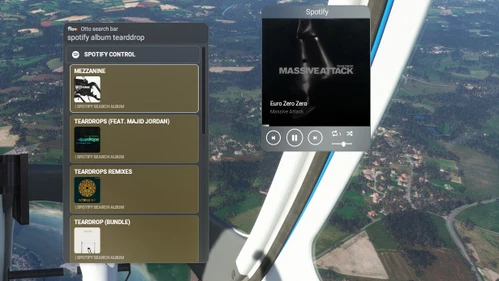
Flow Spotify Control
Control your Spotify music seamlessly while flying with this widget. Premium Spotify account required. Play/pause, skip tracks, adjust volume, and more. Search for artists, albums, playlists, and enjoy your favorite tunes during your flight. Check documentation for setup instructions.
by GizmoDeel
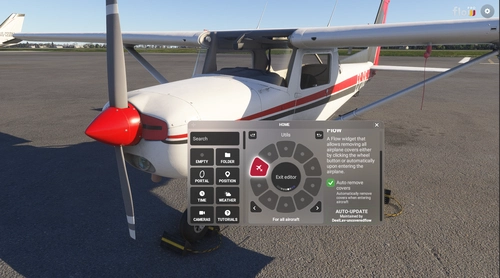
Uncovered Flow
Uncovered Flow is a Flow widget for Microsoft Flight Simulator 2024 that streamlines the management of aircraft protective covers, including pitot covers and engine inlets. It features one-click installation and removal of all covers, with an automatic removal option upon entering the aircraft. The add-on provides clear visual feedback regarding the status of the covers and ensures functionality is limited to compatible aircraft specifically designed for MSFS 2024.
by GizmoDeel
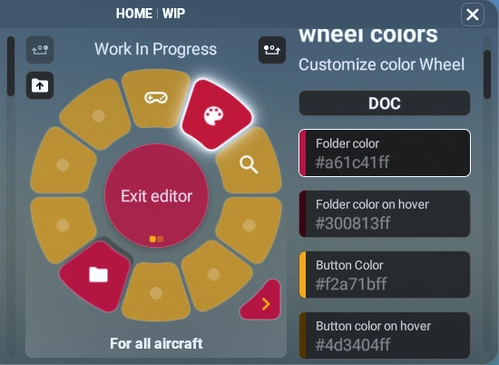
Custom Colors Wheel
Customize the colors of your wheel with ease using the Custom Colors Wheel add-on. This feature-rich mod allows you to change wheel colors, add background images, save, load, share, and import themes effortlessly. Experiment with different themes and colors to personalize your flight simulator experience to your liking. Share your creations with the community and enjoy endless customization options right at your fingertips.
by GizmoDeel
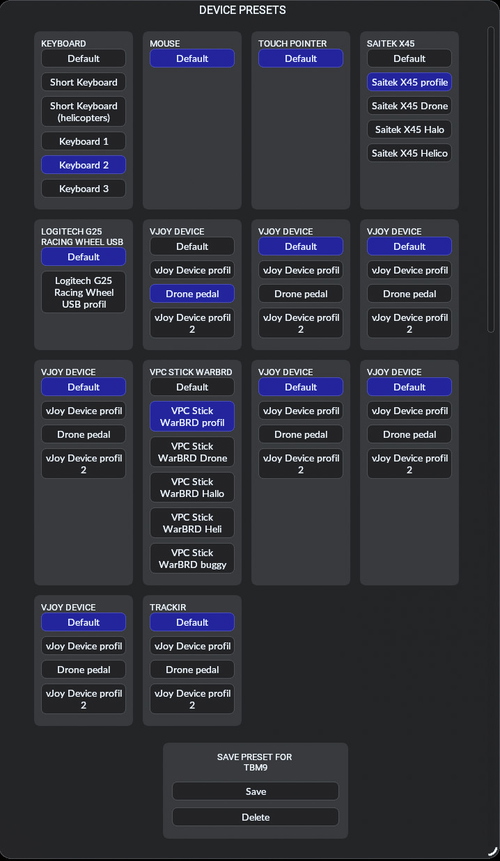
Flow Change Device preset
The Flow Change Device preset is a widget designed to simplify the process of switching between device presets in Microsoft Flight Simulator. It provides a streamlined interface to load presets automatically based on the selected aircraft and supports searching for presets using the device name. While the widget allows loading and switching between presets seamlessly, it does not have the capability to create or save new presets. Additionally, it includes a Flow API feature that enables users to execute custom commands for changing presets via scripting.
by GizmoDeel
Log in to join the discussion
Log InComments(16)
over 1 year ago
over 1 year ago
I am running msfs 2020 steam version
The widgit apperas in my flow pro and I was able to add the button
The button goes green when selected
BeyondATC does not open unless I do so manually.
Thanks!
over 1 year ago
So I tested it myself, no problem.
Yes, the 1200 port is correct, unless it's already in use by your PC.
Otherwise you have to enter the full path with the .exe
Example:
C:\BeyondATC\BeyondATC.exe
If you still have a problem, there should be a Flow_LaunchAppli_Server.exe window open,
What does this window say ?
If Flow_LaunchAppli_Server.exe not open, it's because :
you haven't launched it,
or it's crashing, perhaps because port 1200 is already in use, or because .net framework 5 isn't installed on your machine.
almost 3 years ago
almost 3 years ago
If you don't see it in the widgets, you probably don't have the right version of flow Pro.
The latest version is v2023.33.3.18
almost 3 years ago
about 3 years ago
about 3 years ago
about 3 years ago
about 3 years ago
about 3 years ago
I'll post on the Discord channel as well 9in case you don't monitor posts here that often.
about 3 years ago
about 3 years ago
Try this Launch Windows Explorer and navigate to the Flow_LaunchAppli_Server.exe directory and type cmd in the address bar,
then type Flow_LaunchAppli_Server.exe and enter. The window should be minimized, but not closed.
Enlarge it again and send me a screenshot of the window.
On the Parallal 42 discord in u2u-Widget there's a topic about this widget or in PM on flightsim.to
I have a new version coming where the communication port can be selected. But before deploying it, to make sure there are no other problems, some feedback would be useful.
Thanks
about 3 years ago
about 3 years ago