
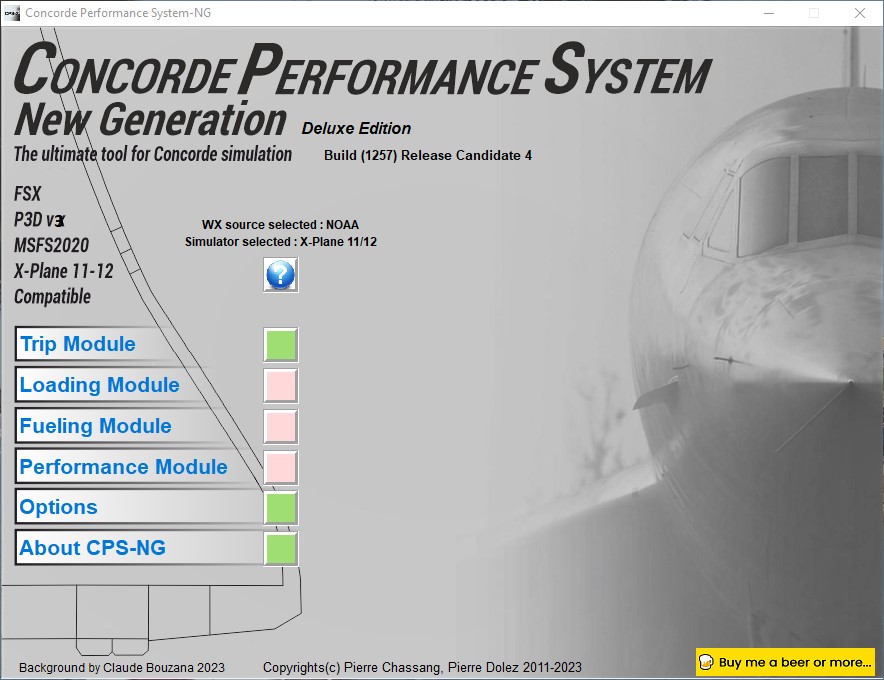
Description
CONCORDE PERFORMANCE SYSTEM
NEW GENERATION
Do not forget this sofware is a donationware
(See page bottom right for donate)
CPS-NG (Concorde Performance System New Generation) is the successor to CPS-X, the essential flight preparation utility created in 2011
and discontinued in 2018.
Since the end of its development, still present on AVSIM despite a large number of unavailable functions, it has been downloaded more
than 3000 times.
This new CPS opus will satisfy the most demanding Concorde simulation enthusiasts.
CPS-NG now makes it possible to plan Concorde flights with the following simulators:
- FsLabs Concorde X for FSX, and P3D up to version 3.
- Colimata Concorde FXP for X-Plane and Gaston Reif's beautiful mod, Heritage Concorde Avionics Package.
With these simulators, CPS-NG can export waypoints to INS, payload and fuel to aircraft.
Like its illustrious predecessors, CPS-NG uses authentic Air France data and charts.
It offers a map of the flight including the navigation points, the points to protect from the supersonic bang, on departure and on
arrival.
The flight preparation stages are done in a user-friendly way.
the subsonic steps are configurable, the anti-noise procedures are calculated as in reality. The aircraft loading is modifiable by
the user in order to obtain the ideal centering.
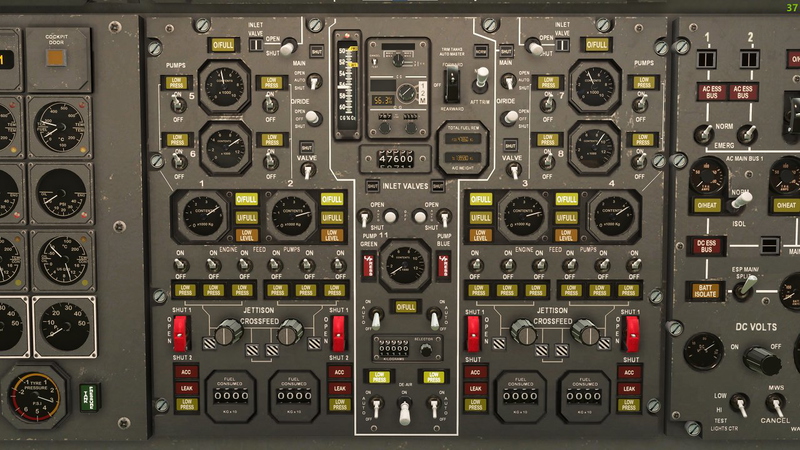
The fuel is calculated as in reality and its distribution in the 11 tanks of Concorde complies with the filling law of Air France and
British Airways.
CPS-NG like its previous version also offers the user a flight report in the form of a PDF document which contains all the elements
necessary for the preparation of the aircraft.
it also offers Concorde-specific settings such as
- Initial climb angle.
- Time to anti noise procedure.
- Throttle levers angle during anti noise procedure.
- Fuel flow.
- Maximum pressure in P7 compressor.
- Trim adjustment and everything a pilot and flight engineer could want for a perfect flight.
CPS-NG also offers in the flight report, Take-off and landing forms in accordance with the real documents and the user has the choice
between the Air France form and the British Airways one.
Finally, CPS-NG allows the use of real-time weather from NOAA, personalized weather or the one generated by Active Sky 2016,
Active Sky for P3D, MSFS and Active Sky for X-Plane 11 or 12 .
In summary, here you have the ultimate tool for Concorde simulation.
You dreamed it, we did it!
Break the sound barrier.Concorde Performance System New Generation
Experience the ultimate Concorde simulation tool with CPS-NG (Concorde Performance System New Generation). Plan your flights with authentic Air France data and charts, including subsonic steps and anti-noise procedures. Calculate fuel distribution, customize settings, and generate detailed flight reports. Compatible with FsLabs Concorde X, Colimata Concorde FXP, and more.

Supporters

User Reviews
10 reviews
Version History
Version 6.0.0.058: - New flight report format no longer using Fast report. Now The report is HTML. - Fix Active sky for MSFS 2020 / 24 message.
Related

Fenix A320 V2B2 AIR CHILD tablet wallpaper
Add a touch of personality to your cockpit with this AIR CHILD tablet wallpaper designed specifically for the Fenix A320 V2B2 aircraft. Personalize your simulator experience and enjoy the view!
by Concorde95

FENIX A320 V2B2 IAE Air Child entire fleet
A variety of liveries for the FENIX A320 V2B2 IAE Air Child fleet, including registrations such as D-AAAL and D-AAVM. Add these liveries to your MSFS Community folder to enhance your virtual flying experience with different paint schemes.
by Concorde95

FENIX A320 V2B2 CFM Air Child entire fleet
Add-on Summary: FENIX A320 V2B2 CFM Air Child liveries pack including liveries for D-AAAS, D-AALL, D-AAPL, D-AAPV, and D-AASS aircraft. Simply unzip the liveries into your MSFS Community folder to add a touch of fun to your flights. Fly for children with this colorful fleet!
by Concorde95
Log in to join the discussion
Log InComments(111)
about 1 month ago
about 1 month ago
about 1 month ago
You have to know that DC Design is the worst Concorde fligth model.
about 1 month ago
about 1 month ago
about 1 month ago
I will have a look on this.
about 1 month ago
Let me know
4 months ago
3 months ago
LFPGGOOYxx.PLN or LFPG-GOOYxx.PLN wherexx is a nuber between 00 and 99
3 months ago
3 months ago
Author
3 months ago
The pln file must be named :
XXXX-ZZZZ00.pln
XXXX = Départure ICAO code
ZZZZ = Destination ICAO code
00 = A number between 00 and 99
Other File name does not work
3 months ago
3 months ago
LFPG-GOOY01.PLN or LFPGGOOY01.PLN
3 months ago
3 months ago
3 months ago
3 months ago
I got the pln's files.
I'm working on it...
3 months ago
This is a valid and functional PLN file, but it is not identical to the official template.
What is compliant:
Basic XML structure (SimBase.Document → FlightPlan.FlightPlan)
Required elements are present: Title, FPType, CruisingAlt, DepartureID, DestinationID, AppVersion
The ATCWaypoint elements with ATCWaypointType, WorldPosition, ATCAirway, ICAO/ICAORegion/ICAOIdent follow the expected schema correctly
Differences from the official template:
Incomplete root tag — the SDK expects:
xml
AceXML Document
Your file only has without Type/version attributes, and without the element.
Missing id attribute on the elements—the official documentation states that “all waypoint elements should have [an id] attribute” (usually equal to the ICAOIdent). Here, no waypoint has an id="..." attribute.
Missing optional elements: DepartureLLA, DestinationLLA, DeparturePosition, DepartureName, DestinationName — these are not blocking issues, just missing.
AppVersionMajor = 12 — according to the documentation, MSFS 2020 only requires ≥ 10, but the value 12 actually corresponds to the format that Little Navmap generates for MSFS 2024. This generally doesn’t prevent the map from loading in MSFS 2020, but it isn’t the “canonical” 2020 value (which is actually 10/11).
In practice
This is a typical Little Navmap export—the SDK documentation itself warns that maps generated by third-party tools “will require some editing before they are 100% compatible” with MSFS, particularly regarding ICAO/id tags. In the vast majority of cases, MSFS 2020 loads this type of file without any issues because the engine is tolerant of missing elements—but this isn’t strictly the SDK’s reference format.