
Description
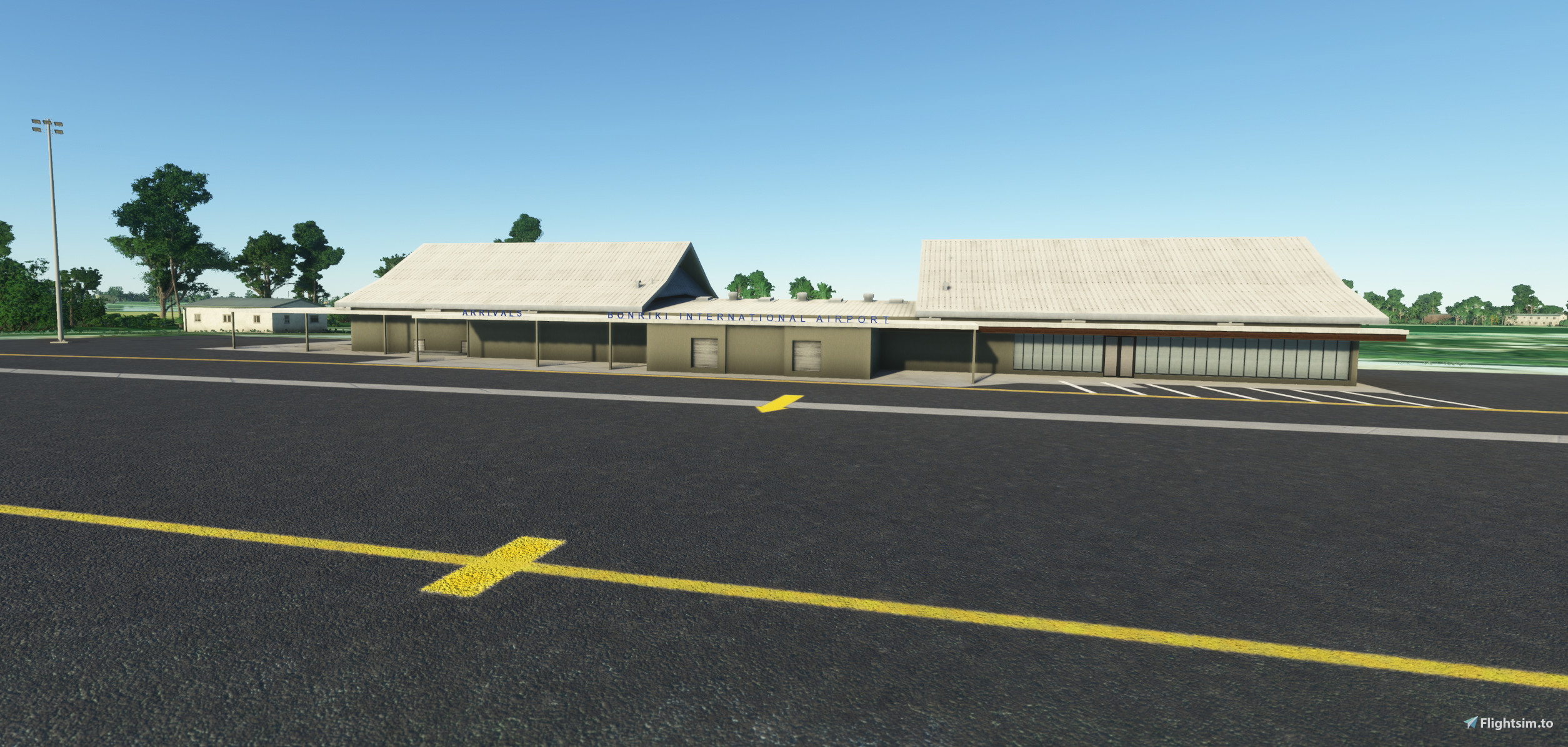
A very basic rendition of Tarawa Airport in Kiribati. I hope to add some more details, but at the moment it is useable.
Bonriki International Airport (IATA: TRW, ICAO: NGTA) is an international airport in Kiribati, serving as the main gateway to the country. It is located in its capital, South Tarawa, which is a group of islets in the atoll of Tarawa in the Gilbert Islands, precisely on Bonriki.
Fiji's national carrier, Fiji Airways connects Kiribati with Nadi, which is Fiji Airways' hub and Fiji's main international gateway. Nauru Airlines flies to Nauru International Airport, continuing to Honiara, the capital of Solomon Islands, and further to Brisbane, Australia.
The airport is the hub of the only two Kiribati airlines, flag carrier Air Kiribati and the 2009-established Coral Sun Airways, with both airlines mainly flying domestic routes within the Gilbert Islands. Air Kiribati and Coral Sun Airways both serve all 16 other airports in the Gilbert Islands, but not all these destinations are flown directly from Tarawa. Coral Sun Airways is considering buying another, larger aircraft, capable of flying to the Phoenix Islands and Line Islands.
Location
NGTA - Bonriki International Airport
A very basic rendition of Tarawa Airport in Kiribati. Bonriki International Airport (IATA: TRW, ICAO: NGTA) is an international airport in Kiribati, serving as the main gateway to the country. It is located in its capital, South Tarawa, which is a group of islets in the atoll of Tarawa in the Gilbert Islands, precisely on Bonriki.
User Reviews
3 reviews
Version History
fixed bay 1 alignment added handful of static objects around terminal fixed fuel farm
Related
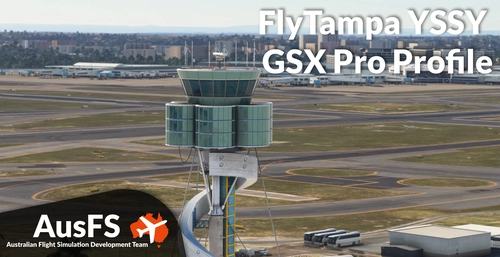
GSX Profile - YSSY Sydney (FlyTampa)
Enhance your ground handling experience at YSSY Sydney Airport with this GSX Pro Profile for FlyTampa. This profile includes detailed customization for the International Terminal, Domestic Terminals, and Stand-Off Bays, with added features like accurate pushback procedures and custom vehicle locations. Ensure seamless installation by following the provided steps, and enjoy improved ground services with accurate stop positions and catering per gate. Discover a PDF guide for pushback points and troubleshoot known issues for a smoother airport experience.
by AusFS - tcastest
GSX Profile - YMML Melbourne (ORBX)
This GSX Pro Profile is designed for ORBXs YMML Melbourne airport, featuring detailed configurations for international and domestic terminals, as well as stand-off bays, including cargo areas. It includes updated airline parking positions, accurate ground handling procedures, and customized vehicle placements. The add-on provides essential tools for proper operation at the airport, such as a PDF outlining pushback disconnect points and guidance for installation and troubleshooting.
by AusFS - Pionsix / tcastest
GSX Profile - YBBN Brisbane (ORBX)
GSX Pro Profile for ORBX YBBN. https://orbxdirect.com/product/ybbn-msfs Included in this profile are the GA Apron, Domestic and International Terminal, including all standoff bays, and the Logistics Apron. Installation 1. Copy the downloaded file, YBBN-AusFS.ini, and place in your MSFS GSX directory, located at %AppData%\Virtuali\GSX\MSFS 2. Ensure there are no other YBBN user-customisation files. Feature List Updated airline parking positions Accurate ground handling and catering per gate Accurate pushback procedures within the GSX limitations VDGS/Stopping positions Customised vehicle locations Customised bays with rear stair placement Customise fuel hydrant placement Customised walk-in paths for applicable bays
by AusFS
GSX Profile - YBCG Gold Coast (ORBX)
Enhance your ground handling experience at ORBX YBCG Gold Coast with this GSX Profile add-on. Enjoy accurate pushback procedures, customized vehicle locations, bays with stairs placement, fuel hydrant placement, and walk-in paths for all bays. Simply follow the installation instructions to get started!
by tcastest
Log in to join the discussion
Log InComments(7)
6 days ago
10 months ago
over 1 year ago
over 2 years ago
almost 3 years ago
about 3 years ago
Warm regards!! Rafael
about 3 years ago
Cheers,
SD