
Description
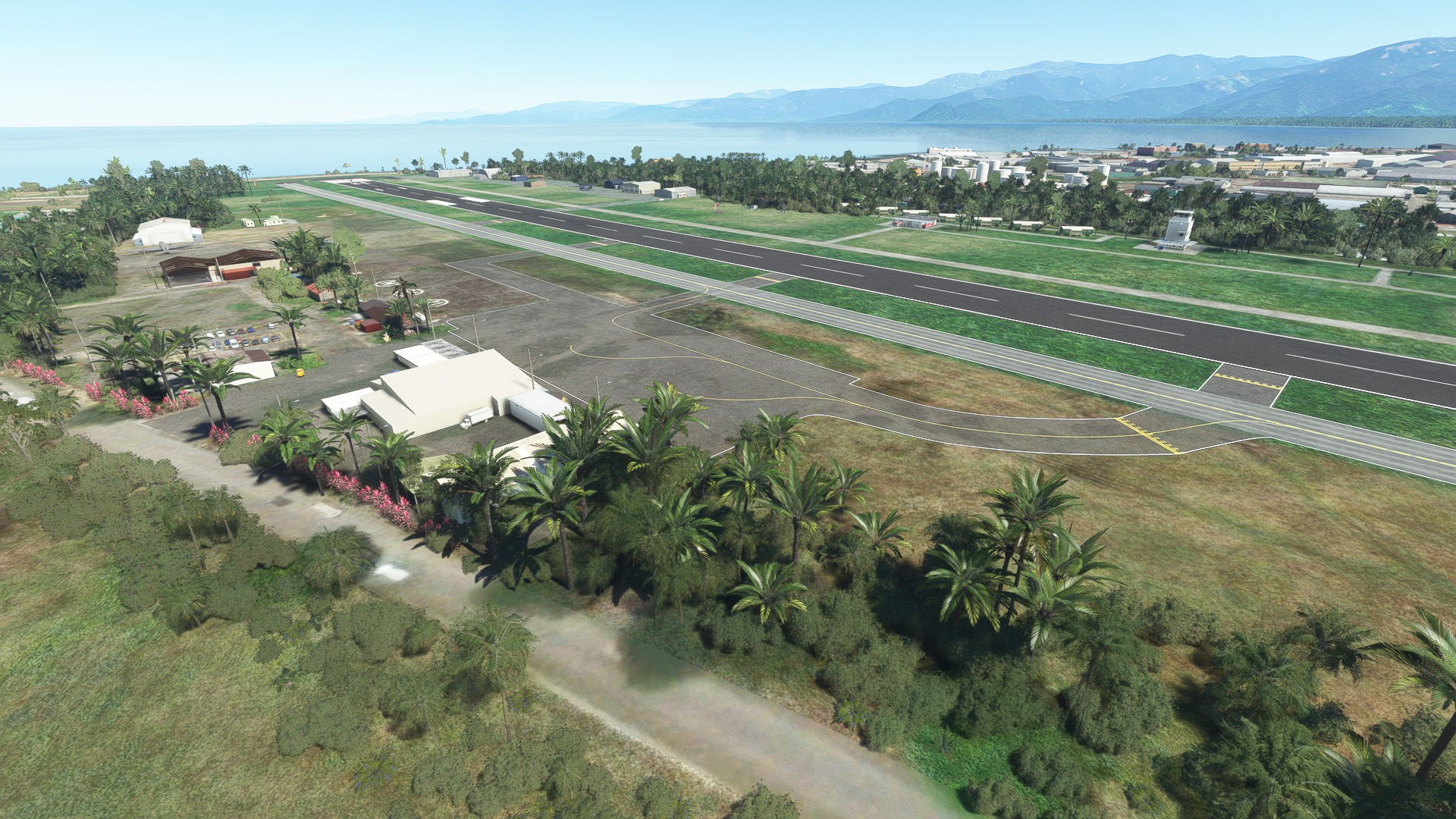
Lae City airport NGLA Version 3.3
Another of my "Zombie" fields raised from the dead
Served the city of Lae until replaced by Nadzab in the late 70s. This beautiful airport on Huon Gulf was abandoned and became an eyesore. This scenery effectively re-opens Lae City with updated runway, approach and vasi lighting however retains the look of 60s and 70s when it was a busy hub
NOTE: This is my 3rd (+3) version of Lae. Among other minor fixes this amendment includes a more accurate wreck of "Tenyo Maru" and the cemetery at Rwy 14. Update 3.2 changes some textures for more accuracy and includes some "cosmetic" amendments. Adds Superspud's human objects for a "fun factor" (optional) removes static A/C from front of maintenance hangar and fixes incorrect centre-line on taxiway
NOTE: No dependencies required. Make sure you have all world updates installed including WU13 Oceania for objects to appear correctly. For the wreck of "Tanyo Maru" you will need superspud's excellent Moving Boats 3D library https://flightsim.to/file/27908/moving-boats-3d-model-library
Also thanks to totof for hid static A/c library https://flightsim.to/file/17182/totof-aircraft-library-v1-1
NOTE: This scenery is free. If you don't like it just delete it
Thanks to all who download my bunch of PNG sceneries
Lukim yu ol wantok
Cheers
Location
AYLA Lae City Version 3.3
Explore the revived Lae City airport in version 3.3, bringing back to life this once abandoned hub on Huon Gulf. Retaining its 60s and 70s charm, enjoy updated features such as runway, approach, and vasi lighting. Discover the accurate wreck of "Tenyo Maru" and other enhancements in this scenery, no dependencies required. Download for free and immerse yourself in the nostalgia of Lae City.


User Reviews
8 reviews
Version History
minor fixes: Removes static aircraft from front of maintenance hangar. Changes taxiway centre line marking
Related
YPCC (CCK) Cocos Keeling Islands Australia (v2 20)
Explore the remote Cocos Keeling Islands in Australia with this detailed scenery mod for Microsoft Flight Simulator. Experience the unique atmosphere of West Island and Bantam on Cocos Atoll, complete with support for Qantas Link, Virgin Australia, and RAAF operations. Make sure to have the necessary world updates installed for the full immersive experience.
by Mountainair
PAOM Nome AK Version 3 20
Another complete rebuild of my PAOM scenery
by Mountainair
YPXM Christmas Island Intl Australia (v2 20)
YPXM Christmas Island International Airport in Australia, serving the communities of Christmas Island. Compatible with GSX and free to download. Ensure all world updates are installed for optimal experience.
by Mountainair
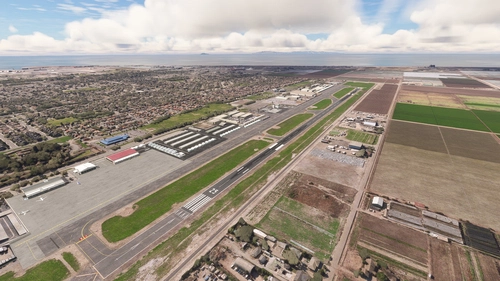
KOXR Oxnard (v3 20/24)
Enhance your flying experience with the KOXR Oxnard CA (lite) add-on, a clean-up and lite make-over for Oxnard KOXR airport. Built solely from Asobo & MSFS objects, this scenery is an improvement over the default without requiring any additional dependencies. Simple and straightforward, this add-on offers a better visual experience for virtual pilots exploring Oxnard.
by Mountainair
Log in to join the discussion
Log InComments(34)
4 months ago
almost 2 years ago
almost 2 years ago
almost 2 years ago
Give Gus a pat for me!
D
almost 2 years ago
almost 2 years ago
Thanks and cheers
almost 2 years ago
Also, I'm a little confused as to the multiple icao codes. The title on this page uses AYLA, while the scenery folder indicates is AYLE and the .bgl file is named NGLA which is the actual one used in the MSFS map. Thanks for including the animated humans. This always makes the location look more alive.
almost 2 years ago
As for the codes, In real life a long time ago I used to fly into Lae often. Code was AYLA then of course. When I first constructed the scenery a few years ago the SDK was dodgy and wouldn't allocate AYLA so I used NGLA which isn't accurate but it worked. Somewhere I did an update and changed it to AYLE. The rest (like the airport) is history!
Cheers and safe flying
almost 2 years ago
almost 2 years ago
almost 2 years ago
Cheers mate
over 2 years ago
over 2 years ago
My bad!
Cheers
over 2 years ago
over 2 years ago
Lukim you
about 3 years ago
Great, thanks. Cheers.
over 3 years ago
Your work in PNG is just awesome, Thank you very Much.
over 3 years ago
Thanks. Much appreciated!
over 3 years ago
Thank you!