
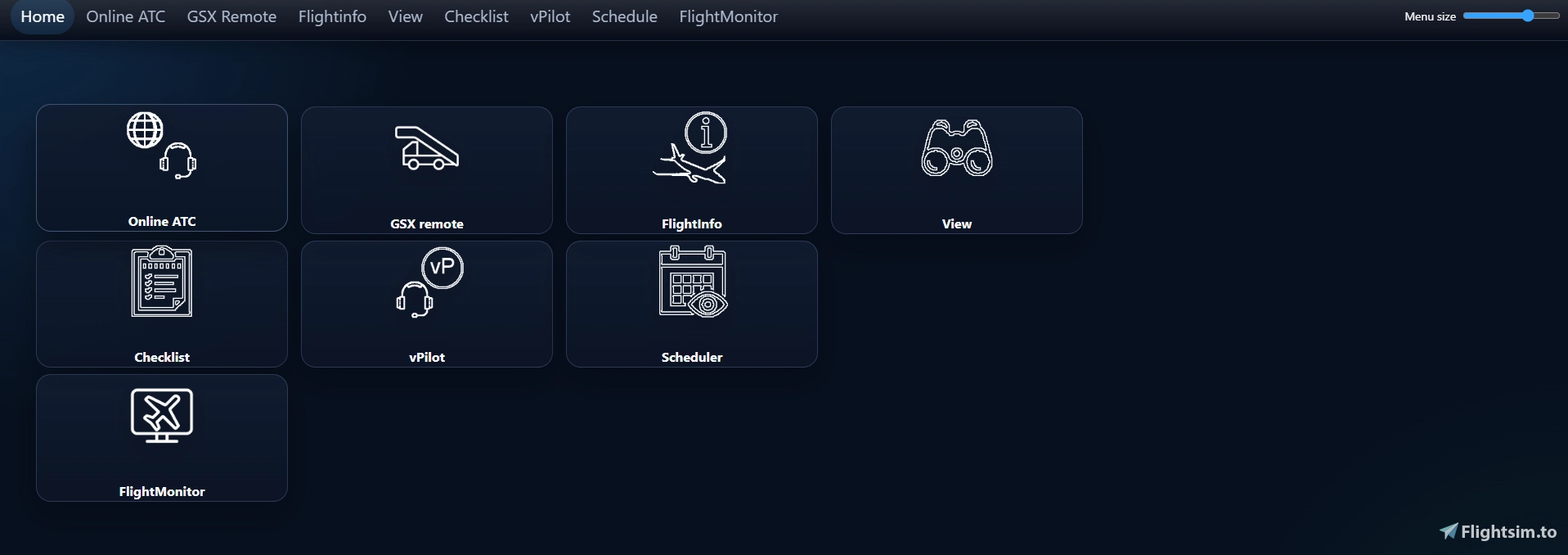
Description
Due to a faulty link assignment, the update to version 2.0.3.1 no longer works automatically. Please download the latest version from Flightsim.to and overwrite the old files. Your settings will be retained and do not need to be reconfigured. I apologize for any inconvenience!
FlightSimServer V2
Important Notice:
Completely reworked code. No more need of IIS express.
Current functions in V2:
- Online ATC with weather and SID/STAR informations
- Enroute ATC overview
- SimBrief import
- Flight informations with values for FMC settings
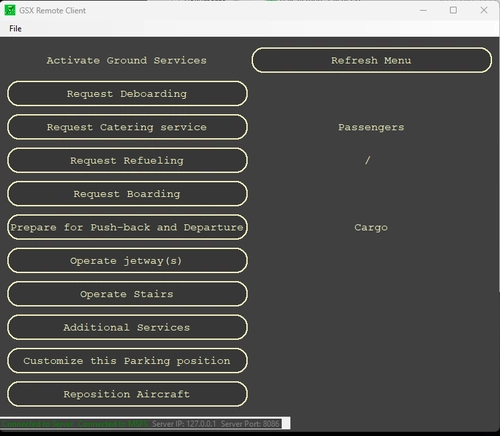
- GSX-Remote control
- vPilot control
- SayIntentions.AI comlink included
- Prosim communication
- GSX doorsync
- automation to load passengers, fuel and cargo regarding SimBrief flight plan
I also implemented an updater, so new version can be downloaded and installed automatic.
Installation: just extract the zip archive and run the FlightSimServer_V2.exe (as Admin)
IMPORTANT! before you run V2 for the first time, make sure you have an active simbrief flightplan!!!
FlightSimServer
Application includes Online controller information, GSX remote control, electronic checklist, flight informations regarding SimBrief flightplan, autoload function to load and refuel your aircraft on ground. The Server is installed on your simulator pc, acess via any client with a installed webbroser connected to your local network.


Supporters
User Reviews
20 reviews
Version History
V2.0.3.1 - added manual V2.0.3.0 - Changed WedDesign and reworked html code - GSX remote page completely overhauled - Switched to GSXRemote communication (GSX4.0.5 or higher required!!!) - various code adjustments V2.0.2.12 -Fixed an issue that could cause GSX deboarding to start during the first flight under certain conditions - added option to disable updates V2.0.2.11 - added Button to show GSX Fuel Receipt (GSX 4.x) - added Engine state to prevent GSX service automation when engines are running V2.0.2.10 - Fix: GSX menu items were automatically selected even when GSX automation was disabled. Please note! GSX 4.0 has its own automation. To disable it, you must turn off certain settings in the GSX settings menu. V2.0.2.9 - added GSX automation (GSX tab) V2.0.2.8 - removed summary alert - added live/summary tab to FlightInfo page V2.0.2.7 - multiple display of flight summary resolved. - bug fixes and optimizations - added option to disable GPU automation for ProSim Aircraft (ProSim tab) V2.0.2.6 - added debug messages to vPilot plugin dll - added slider to change menu font size - added button to check all Checklistitems (bottom of each checklist) - fixed not working private- and radio messages in vPilot V2.0.2.5 - added city of departure and arrival to Fligtmonitor phase(s) - small bug fixes - changes in PoKeys fire handling (fire test does not enable fog)
Log in to join the discussion
Log InComments(231)
2 months ago
2 months ago
2 months ago
2 months ago
3 months ago
2 months ago
4 months ago
Is this a known issue? On my simulator PC where the server is running I can access it using my browser, so the server is up and running.
EDIT: Fixed it by making a rule only for ports, but not tied to the .exe itself. Which process is responsible for the server and could possibly be tied to that rule? Now the ports are open for every program, but would be preferred only to have it for the process responsible for the server of course.
4 months ago
Regards,
Matthias
5 months ago
4 months ago
4 months ago
If that does not work please contact me again.
Regards
Matthias
5 months ago
5 months ago
If you need help setting up FSS I send you a private message.
Regards,
Matthias
6 months ago
6 months ago
5 months ago
For windows firewall:
- Click new rule
- select Port
- select TCP and lokal Ports
- enter 8085, 8086
- select allow conections
- select Domain, private and public
- enter the name of the rule (FlightSimServer_V2)
Then it should work also in your network
If you need support please contact me again.