
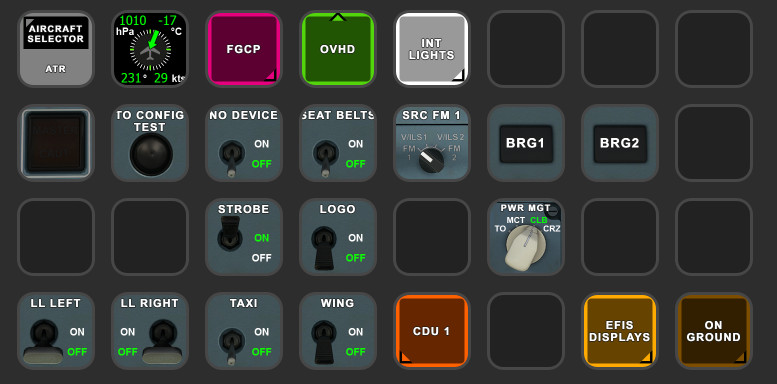
Description
MS ATR StreamDeck XL & PLUS profile and AAO Scripts
by Guenseli
You need LORBYs AAO and its StreamDeck Plugin to run this StreamDeck profile.
NO FURTHER DEVELOPMENT!
Sorry, this bird is still full of bugs and it doesn't make fun for me to fly it. Therefore, please do not await any further development of this profile.
ATTENTION!
PLEASE READ CAREFULLY!
- When you import SD profiles, make sure to delete the old ones, otherwise you'll get profile copies.
- Make sure to always have the latest AAO and AAO StreamDeck plugin versions!
- Make sure the AAO InGame/FIP Panel is active!!!
- I just create the SD profiles! For any connection issues, SD plugin not working, Buttons show "?" or nothing, no reaction of the SD etc., please contact the developer of AAO! And please read the AAO Manual or the short Troubleshooting PDF
- It is - as the title says - just for the StreamDeck XL (!). Please do not ask for a 15 button conversion. This will not happen as this will more than double the amount of development and support for me as I do not have a 15 button SD. Sorry.
- Please ask if you want to use parts of my SD profiles, icons or AAO scripts or whatever! And please ask everytime you start a new project! You have to credit and link me in your description! If you use my work, you are then not allowed to beg for own donations!
Installation:
Install the SD profile by double clicking at ATR.streamDeckProfile
Install the SD PLUS profile by double clicking at ATR PLUS.streamDeckProfile
Import the AAO script AxisAndOhsScripts_ATR.xml according to the AAO manual
Import the ATR MCP Combo.tmpl for the VRInsight MCP Combo II according to the AAO manual
You can use the AAO scripts of course for other hardware, too!
Donations are welcome!!! it is a lot, really a lot of work, and some donations make future projects easier ;) thx!
MS ATR StreamDeck XL & PLUS profile and AAO Scripts and MCP Combo II Template
Enhance your MS ATR experience with Guenselis MS ATR StreamDeck XL & PLUS profile and AAO Scripts, designed for LORBYs AAO and StreamDeck Plugin. Note that no further development is planned due to existing bugs. Ensure to follow careful instructions for importing profiles and using AAO scripts for optimal performance. Donations to support future projects are appreciated.

Supporters



User Reviews
23 reviews
Version History
Changed layout to my "more modern style" Fixed HYD AUX GND CTL button
Related
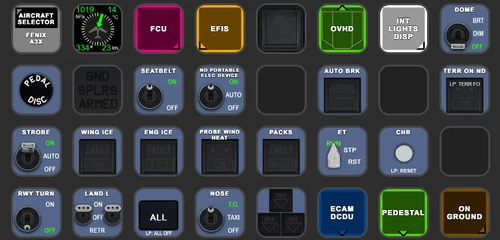
FENIX A3XX AAO Scripts & StreamDeck XL & PLUS Profile
Customize your Microsoft Flight Simulator experience with FENIX A320 AAO Scripts & StreamDeck XL Profile by Guenseli. This add-on offers a seamless integration with LORBYs AAO and StreamDeck Plugin for optimal performance. Explore the detailed installation instructions for enhanced functionality with a VRInsight MCP Combo II. Elevate your simulation setup with this meticulously crafted add-on.
by Guenseli
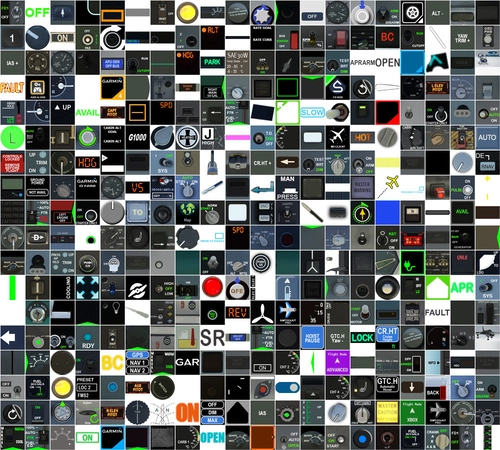
Icon Pack for Elgato StreamDeck
A collection of over 3500 icons designed for Elgato StreamDeck and similar devices, created by Guenseli. Ideal for personal use with a disclaimer against commercial usage. Icons are detailed and diverse, providing a variety of options for customization. Credits required if used in public projects, with a suggestion for donations to support the creators work.
by Guenseli
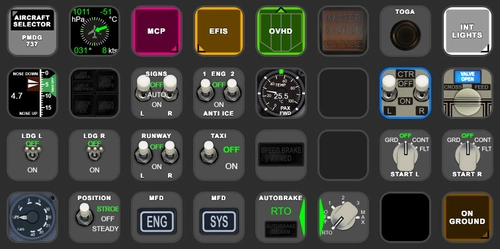
PMDG 737 AAO Scripts & StreamDeck XL & PLUS Profile
Enhance your PMDG 737 experience with the PMDG 737 AAO Scripts & StreamDeck XL & PLUS Profile by Guenseli. Make sure to update your Elgato Software to version 6.0 or higher for compatibility. This profile is specifically designed for the StreamDeck XL and requires LORBYs AAO and its StreamDeck Plugin to run smoothly. Get ready to elevate your cockpit with this detailed and user-friendly add-on.
by Guenseli
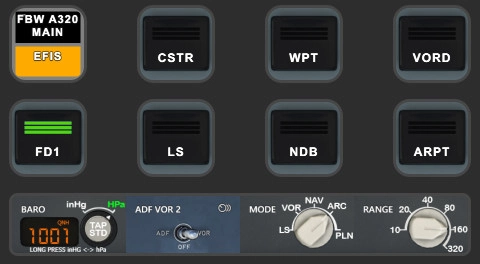
FBW A320 AAO Scripts & StreamDeck XL & PLUS profile and MCP Combo template
Enhance your FBW A320 experience with tested AAO Scripts and StreamDeck profiles for XL & PLUS versions. Ensure to delete old profiles before import and always use the latest plugin versions for seamless integration. Contact AAO developer for any connection issues and give credit if using parts of these profiles in your projects. Install scripts and profiles for an immersive flight simulation experience.
by Guenseli
Log in to join the discussion
Log InComments(79)
2 months ago
2 months ago
thanks
7 months ago
about 1 year ago
At the other hand: it is still usable in 2020 as well as in 2024. I did not discover any difference up to now.
over 1 year ago
Will you please reconsider?
Would $20 motivate you to update it for 2024
over 1 year ago
Would gladly donate for your time 😁
over 1 year ago
over 1 year ago
I found a profile with Flight Panels
over 1 year ago
over 2 years ago
over 1 year ago
Maybe if Asobo/Hans Hartmann decides to make a bug free product.
over 2 years ago
- Button to start Chrono
- Button for Flight Attendant call (CALLS ATTND in overhead)
almost 3 years ago
almost 3 years ago
Thanks a lot for your hard work.
about 3 years ago
about 3 years ago
here ...