
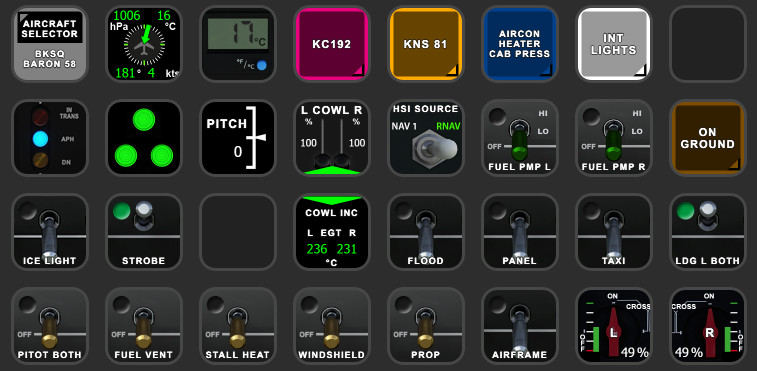
Description
BlackSquare B58 StreamDeck XL & PLUS profile and AAO Scripts
by Guenseli
You need LORBYs AAO and its StreamDeck Plugin to run this StreamDeck profile.
Sorry, I do not use that addon any more on a regular basis. Therefore, there isn't currently any further development of this StreamDeck profile.
ATTENTION!
PLEASE READ CAREFULLY!
- When you import SD profiles, make sure to delete the old ones, otherwise you'll get profile copies.
- Make sure to always have the latest AAO and AAO StreamDeck plugin versions!
- I just create the SD profiles! For any connection issues, SD plugin not working, Buttons show "?" or nothing, no reaction of the SD etc., please contact the developer of AAO! And please read the AAO Manual or the short Troubleshooting PDF
- It is - as the title says - just for the StreamDeck XL (!). Please do not ask for a 15 button conversion. This will not happen as this will more than double the amount of development and support for me as I do not have a 15 button SD. Sorry.
- Please ask if you want to use parts of my SD profiles, icons or AAO scripts or whatever! And please ask everytime you start a new project! You have to credit and link me in your description! If you use my work, you are then not allowed to beg for own donations!
Installation:
Install the SD profile by double clicking at BKSQ Baron 58.streamDeckProfile
Import the AAO script AxisAndOhsScripts_BKSQ_B58.xml according to the AAO manual
For the SD PLUS, install the SD profile by double clicking at PLUS BKSQ B58.streamDeckProfile
If you see little numbers on some icons, these are the page numbers linking to my Standard Avionics Suite.
You can use the AAO scripts of course for other hardware, too!
Donations are welcome!!! it is a lot, really a lot of work, and some donations make future projects easier ;) thx!
If you want to donate directly as friend without a PayPal fee, then use this adress, please: www.paypal.com/paypalme/GuenterSteiner
BlackSquare B58 StreamDeck XL & PLUS profile and AAO Scripts
Enhance your simulation experience with BlackSquares B58 StreamDeck XL & PLUS profile and AAO Scripts by Guenseli. This add-on requires LORBYs AAO and its StreamDeck Plugin to operate effectively. Ensure to follow the installation instructions carefully for seamless integration. Explore the included AAO scripts for potential use with other hardware configurations.

Supporters


User Reviews
4 reviews
Version History
Fixed internal lights after the last BKSQ update added further internal lights changed layout to my "more modern" StreamDeck profile style
Related
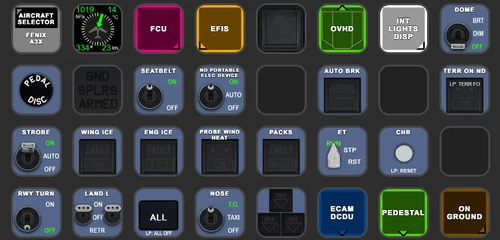
FENIX A3XX AAO Scripts & StreamDeck XL & PLUS Profile
Customize your Microsoft Flight Simulator experience with FENIX A320 AAO Scripts & StreamDeck XL Profile by Guenseli. This add-on offers a seamless integration with LORBYs AAO and StreamDeck Plugin for optimal performance. Explore the detailed installation instructions for enhanced functionality with a VRInsight MCP Combo II. Elevate your simulation setup with this meticulously crafted add-on.
by Guenseli
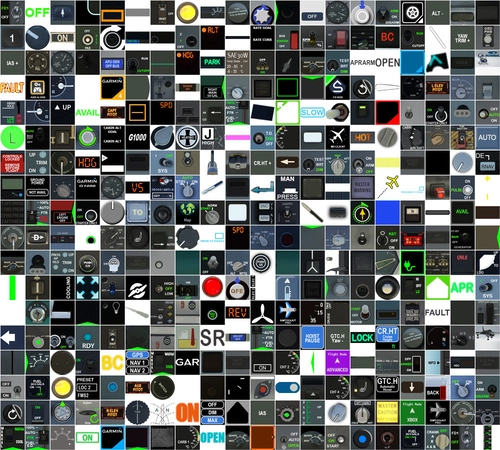
Icon Pack for Elgato StreamDeck
A collection of over 3500 icons designed for Elgato StreamDeck and similar devices, created by Guenseli. Ideal for personal use with a disclaimer against commercial usage. Icons are detailed and diverse, providing a variety of options for customization. Credits required if used in public projects, with a suggestion for donations to support the creators work.
by Guenseli
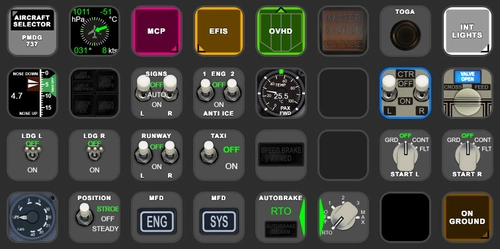
PMDG 737 AAO Scripts & StreamDeck XL & PLUS Profile
Enhance your PMDG 737 experience with the PMDG 737 AAO Scripts & StreamDeck XL & PLUS Profile by Guenseli. Make sure to update your Elgato Software to version 6.0 or higher for compatibility. This profile is specifically designed for the StreamDeck XL and requires LORBYs AAO and its StreamDeck Plugin to run smoothly. Get ready to elevate your cockpit with this detailed and user-friendly add-on.
by Guenseli
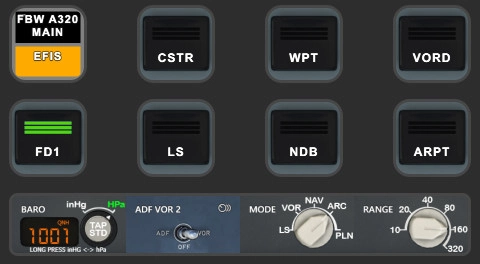
FBW A320 AAO Scripts & StreamDeck XL & PLUS profile and MCP Combo template
Enhance your FBW A320 experience with tested AAO Scripts and StreamDeck profiles for XL & PLUS versions. Ensure to delete old profiles before import and always use the latest plugin versions for seamless integration. Contact AAO developer for any connection issues and give credit if using parts of these profiles in your projects. Install scripts and profiles for an immersive flight simulation experience.
by Guenseli
Log in to join the discussion
Log InComments(29)
over 3 years ago
If you have greyed out buttons, no reaction of the StreamDeck, exclamation marks etc, that means you have connections issues between AAO and the StreamDeck.
94% of all support request are due to no proper connections or outdated versions of AAO and/or the AAO SD plugin.
Check ports, check the troubleshooting PDF, contact AAO support.
My Streamdeck profiles work (beside from probably little bugs). If you have such issues, I can't help you, sorry! Support requests can't not solved by me as I'm not the developer of AAO!
Make sure the AAO InGame/FIP Panel is active!!!
10 months ago
10 months ago
So patience, please
10 months ago
over 2 years ago
Is there anyway I can include the Engine Condition guage like you have in the other two profiles?
Or will you be updating this in the near future to include that as well?
over 2 years ago
BlackSquare uses the same variables as far as I can say, so it should work probably
over 3 years ago
Thank you for this fantastic profile. I seem not to be able to engage the KC192 Autopilot HDG, Nav etc buttons. Any help would be appreciated. Everything else works well.Thank you. StreamdeckXL
over 3 years ago
Are you sure the AAO InGame/FIP Panel is active?
over 3 years ago
yes, two green lights lit bottom right AAO. Able to get them working by reassigning the variables. Ex. : AP_HDG_HOLD for heading etc.
over 3 years ago
Thank you very much for this professional profile.
over 3 years ago
Thank you for sharing! Awesome. In the plus!-Profile KC192 the vs-knob works fine but the display is showing the selected Altitude not the VS-Rate. minor luxury problem;)
over 3 years ago
I changed
A: value
AUTOPILOT ALTITUDE LOCK VAR, Feet
to
AUTOPILOT VERTICAL HOLD VAR, Feet/minute
of course i steel it from your other profiles
over 3 years ago
thank you very much for the hint. Fixed for the next update
over 3 years ago
Klasse, Danke Dir!
over 3 years ago
Hi.
Any chance of one for the Black square Bonanza ?
Thnx
over 3 years ago
Sorry, no