

Description
This is a simple info bar to display some flight parameters with Flow Pro.
Attention, please read carefully.
That works perfectly in both versions (MSFS 2020 and MSFS 2024). However, I’m not continuing development of this bar. I’ve created a new Infobar instead — a bit more modern, more dynamic, with greater potential and better customization options. Interested users can find it here: https://flightsim.to/file/101246/flow-infobar-adjustments
- Installation: Unzip to the community. The next time you start the sim, you should be able to find the widget under "Community/Hud". From there, move the info bar into the circle.
- Update: Remove the previous version from the community folder and also deactivate and delete the (old) widget from the circle.
If you have already customised a layout yourself, simply save the CSS text and insert it back into the widget after updating it. - Customize layout: Size, background color, transparency and placement of the info bar as well as font color and size can be adjusted relatively easily in the CSS section of the addon. Feel free to experiment here. See further notes at the end.
I will continue to work on this widget. I am not a programmer and not an IT specialist. The code seems clean and it works. So please don't rip it apart, but rather give constructive hints.
If you have any questions, I'm happy to help. :-)
Special thanks to "Funatic" from the german flusi-forum for the help.
Also thanks to \\42 Developper "SirGr3mlin" for the good support.
If you want to customize the layout or the position.
Here is some information on customising the layout and position of the menu bar:
- Move from top to bottom:
CSS Line 6: Change "top" to "bottom" - Transparency
CSS Line 8: Change the last value "0.8" to any value between 0.0 and 1.0 - Background-Colour
CSS Line 8: Change rgb - Text-Colour (generally)
CSS Line 15 - Text-Colour (individual)
CSS Line 26-33: Default column 13, 14 and 15 (Wind) is blue; column 16 (Time) is yellow - Text-Size
CSS line 19 for the first row, CSS line 23 for the second row - Spacing / column width
CSS line 12: Change 100px to desired value
For VR you should change text size and column width. See comments. Good values could be, for example:
td width: 300px
tr:first-child td front-sitz: 35px
tr:last-child td front-sitz: 50px
Again - feel free to experiment here. :-)
Info Bar for Flow
A simple info bar add-on designed for displaying flight parameters with Flow Pro. Customize layout easily with options for size, color, transparency, and placement in the CSS section. Currently in development, feedback and constructive hints are welcomed by the developer. Installation and update instructions provided for user convenience.





User Reviews
18 reviews
Version History
- Changed "position of the flaps" back to "flaps handle position - Unit of measurement for wind speed corrected - For future developments I have decided to offer only one layout (top-centre). It drives me crazy to have to change 6 layouts every time. You can change the layout as you like, help for this is in the description. Please also ask if you have problems with this. :-)
Related
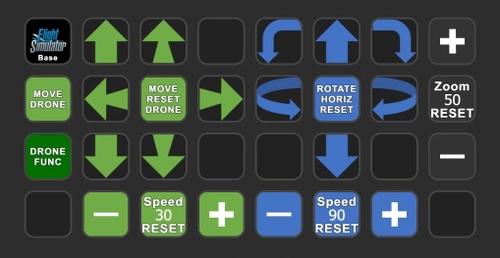
Drone control and drone camera - AAO Scripts & StreamDeck XL profile
Control your drone and drone camera with ease using AAO Scripts & StreamDeck XL profile. Requires Lorbys Axis and Ohs for MSFS, and Lorbys Stream Deck Plugin. Installation instructions included, ensuring a smooth setup process for optimal performance. Remember to set button assignments to Standard in the simulator for full functionality.
by plerzelwupp
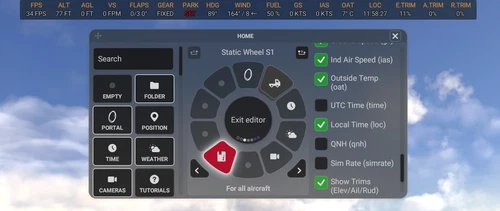
Flow Infobar Adjustments
This add-on adds a few visual tweaks to the original p42 Info Bar, with options like stacked or uppercase labels, centered alignment, and a dark background with adjustable transparency. It also includes small fixes and refinements, such as updated vertical speed labels and a corrected UTC time display. Feedback is welcome while I continue to improve it.
by plerzelwupp
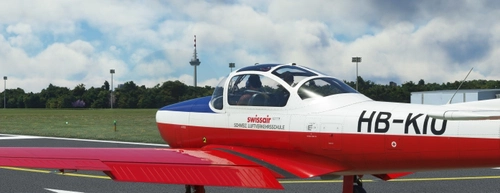
Piaggio P.149 Mod: Fix for invisible Pilot and adds simple AP-Function
Mod for the Focke-Wulf Piaggio P.149 (ATSimulations): Fix for invisible pilot in external view. It also adds simple and propiatary AP-functions to the Focke-Wulf P.149. Please read the description for installation and for a short guide how to use it.
by plerzelwupp
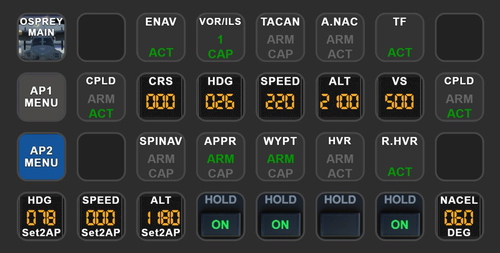
MV-22B Osprey Autopilot - AAO Scripts & StreamDeck XL profile
MV-22B Osprey Autopilot - AAO Scripts & StreamDeck XL profile. This works only with the MV-22B Osprey (Payware, Miltech Simulations). Packages includes only AP-Functions. You may use the scripts for other hardware also (f.e. the Behringer X-Touch mini)
by plerzelwupp
Log in to join the discussion
Log InComments(52)
10 months ago
10 months ago
10 months ago
10 months ago
How can I increase the size of the text? I have put the appropriate file into Notepad, but it's one huge block of text. Is there another editor I should be using?
10 months ago
10 months ago
almost 2 years ago
about 2 years ago
I used your informationbar as blueprint for my autopilot bar: https://flightsim.to/file/82318/flow-pro-widget-autopilotbar.
I hope this is for for you.
Thanks for your great work!
over 2 years ago
over 2 years ago
over 2 years ago
Es ist sowohl in 2D als auch VR sehr gut einsetzbar.
over 2 years ago
over 2 years ago
over 2 years ago
Yes, you can adjust the transparency by adjusting the opacity of the background - see the description (CSS line 8).
f.e.: 0.0 is no opacity - 0.5 is 50% - and 1.0 is full opacity
almost 3 years ago
almost 3 years ago
When I made the addon, the focus was on creating a generally valid bar. Many other issues are aircraft-related. ETE also depends on whether a flight plan is loaded. ETE is possible, I can do it for you. :-)
I'm just wondering how I should publish this. Unfortunately, I decided to offer a bar for each corner. I think I'll just continue to develop topcentre.
over 2 years ago
about 3 years ago
about 3 years ago
You can do this by changing the CSS of the widget. Often it is enough to change a word or a number. See previous comments.
Please tell me where you would like it to be and how big it should be, then I can make a concrete suggestion.