
Description
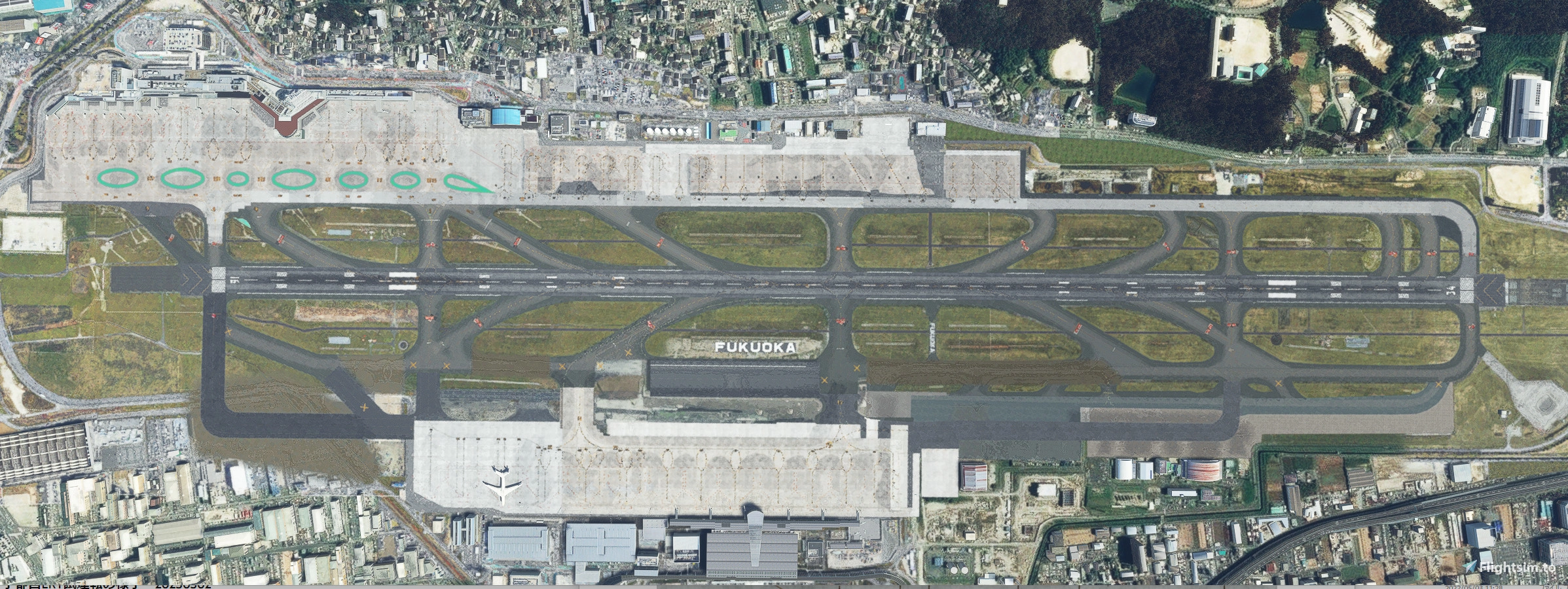
The taxiway and apron of Japan Fukuoka Wow released by SamScene3D have been modified to match the new Aerodrome Chart.
Japan Fukuoka Wow released by SamScene3D is required.
Additional libraries are required.
Download here. v0.1.2 or higher
It does not contain any data by SamScene3D. It is all newly created.
The taxiway edgelines are still default in most locations and will be corrected in the future.
The sceneries are produced based on satellite photos, but the satellite photos are old on the International Terminal side, so the changed taxiways, etc. are not accurate.
Changed
Taxiway centerline.
Taxiway center lights.
Taxiway guidance sign.
SURFACE PAINTED DIRECTION SIGN.
Taxiway on the International Terminal side.
Apron markings and tarmac positions have been changed to correct locations.
Corrected ATC taxiway where cross runways were occurring.
Added simple NHK radio tower (can be hidden by renaming or deleting RJFF_Tower.bgl).
Addition of breakwater.
Install
Please change the folder name to be after Japan Fukuoka Wow.
Example
airport-rjff-fukuoka-samscene
airport-rjff-fukuoka-z-enhanced
Move or rename the following files in Japan Fukuoka Wow's materialLibs to a different location.
This is to avoid double display in the apron image.
FUK_MARKS_CIRCLE.PNG.DDS
FUK_MARKS_CIRCLE2.PNG.DDS
FUK_MARKS_CIRCLE3.PNG.DDS
FUK_PARKING_MARKS2.PNG.DDS
FUK_PARKING_SIGN1.PNG.DDS
Optional files
airport-rjff-fukuoka-y-Exclusion.zip
Hides all objects that have been added outside of the airport.
Note the order in which the scenery is loaded, as it affects a large area of urban Fukuoka City.
Please download only if necessary.
Dependencies
Location
RJFF FUKUOKA Airport Enhanced
Enhance your Japan Fukuoka airport experience with this mod by SamScene3D, featuring updated taxiways, apron, and more. Additional libraries are required for installation. Includes corrections to taxiway markings, guidance signs, and ATC paths, as well as new additions like a radio tower and breakwater. Opt for optional files to hide added objects outside the airport area for a more focused simulation.
Downloads Stopped
The creator has temporarily stopped downloads for this addon. Please check back later.


User Reviews
7 reviews
Version History
Fixed two lines on the runway in some environments.
Related
RJFF Fukuoka Airport Domestic Terminal
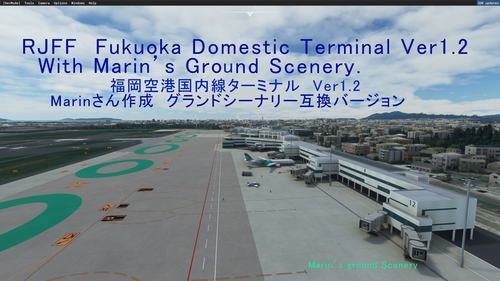
Experience the newly renovated RJFF Fukuoka Airport Domestic Terminal in FS2020 with this scenery add-on. Version 1.2 is now compatible with the precision-engineered Grand Scenery by Marin. Choose between the main file with terminal building data only or additional files featuring Ground Scenery data. Simply copy the rjff-dt folder to your Community folder and enjoy the enhanced visuals.
by Homohageki
![[RJFF] Fukuoka Airport](https://cdn.flightsim.to/images/15/Tm3GB9IO.png?width=500)
[RJFF] Fukuoka Airport
Fukuoka Airport add-on in alpha version focusing on ground editing only, excluding buildings. Compatible with Homohagekis Fukuoka Airport Domestic Terminal scenery. Updates planned to fix markings and lighting issues. AI aircraft spawning concerns noted.
by Marin
RJFF Fukuoka FSLTL Static Aircraft
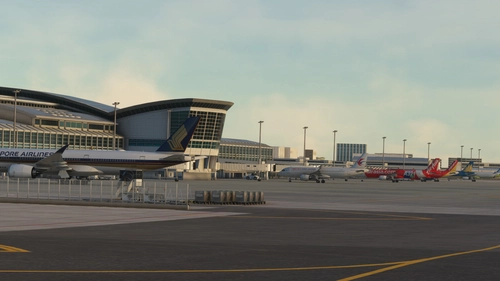
Enhance your Fukuoka airport experience with this Static Aircraft enhancement by StaticSceneries. Compatible with SNJ Sim and SamScene3D RJFF, this add-on uses FSLTL models to bring life to the airport without FSLTL Injector. Simply drop the folder into your community folder for a seamless and FPS-friendly upgrade. Please note, these models are static and may affect gate usability.
by StaticSceneries
RJFF AIG Static Aircraft (SNJ SIM)
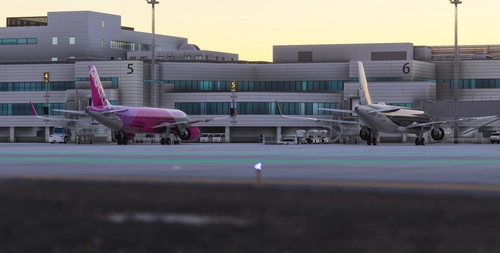
This add-on places static aircraft at RJFF airport in Microsoft Flight Simulator 2024 using AIG models. It requires AIG AI Manager models to be installed for proper functionality. FSLTL models are not used in this scenery. Enhances airport realism by populating ramps and gates with static aircraft.
by octopushadow
Log in to join the discussion
Log InComments(15)
over 1 year ago
https://samscene.com/products/japan-fukuoka-wow-rjff?_pos=1&_sid=29c88a3a0&_ss=r
It is also recommended by him to use this 3D map
I think this mod is incompatible now.
https://flightsim.to/file/16214/fukuoka-city-3d-map-south-for-msfs
over 1 year ago
https://flightsim.to/product/japan-fukuoka-wow?ref=fsaddoncompare
over 1 year ago
about 2 years ago
over 2 years ago
お手すきの時にでもお願いいたします。
almost 3 years ago
almost 3 years ago
Samscene recently updated, but the taxiway is still wrong.
Especially the end of runway 16 still does not match the chart.
So I reinstalled this version and some of the taxiway markings do not go away.
There is no FUK_PARKING_SIGN1.PNG.DDS file in the newly updated Samscene scenery.
Because of this, the markings appear double and the runway markings also appear double.
Any ideas??
almost 3 years ago
over 2 years ago
Thank you for answer.
I look forward to your great updates.
about 3 years ago
over 3 years ago
Excellent work.
over 3 years ago
nice work
over 3 years ago
ありがとうございます。☺!
over 3 years ago
Thank you!
over 3 years ago
Seems to be working fine, thanks!