

Description
Your best companion when flyinging online or using navigation apps.
Broadcast your position and attitude to:
- ForeFlight ForeFlight - Electronic Flight Bag and Apps for Pilots
- SkyDemon Welcome to SkyDemon, VFR Flight Planning Software and GPS Navigation
- MDFlight Garmin watch application MDFlight (@mdflight_watchapp) • Instagram photos and videos
Adjust the position of your aircraft:
- Rotate/Flip (mousewheel support)
- Move
- Teleport
- Fine/large control using control and shift keys
Save/Load in memory and to disk your preferred locations:
- Assign shortcuts to save/load from memory positions to fly your final approaches many times
- Save/load locations in plain text on your disk to start from personal locations
Installation and quick how to:
Install outside of MSFS folders. Create a shortcut to the executable MDAdjustAircraft.exe and launch it.
Using the tool is pretty straight forward and self-explanatory. Try it and you will learn quick !
If MSFS is already launched, the tool will connect automatically.
Click on Settings in order to set the multiplication factors when using mouse on the icons to move, rotate and flip the plane.
For fine control use control key, for bigger moves use ths shift key while using the mouse.
Edit the mdadjustaircraft.cfg file do add shortcuts to save/load positions. Do not touch the other settings.
Save/Load in memory and to disk your preferred locations:
Assign shortcuts to save/load from memory positions to fly your final approaches many times
Save/load locations in plain text on your disk to start from personal locations
Creating tools like this is time consuming, if you like it and find it very usefull, please consider contributing (a little/a lot!), this will help me making it better !
And do not hesitate to propose evolutions and features you would love to see in the future !
Happy flying !
Adjust position - Save Locations - Broadcast to ForeFlight/SkyDemon/MDFlight garmin watch app
Adjust your aircrafts position with ease, save locations, and broadcast your flight details to popular navigation apps with this handy tool for Microsoft Flight Simulator. Enhance your flying experience by fine-tuning your aircrafts location and attitude, saving preferred locations, and seamlessly connecting with ForeFlight, SkyDemon, and MDFlight Garmin watch application. Install outside of MSFS folders, set your preferences, and enjoy a more customized and efficient flight simulation experience.


User Reviews
14 reviews
Version History
Added capability to broadcast position and attitude to specific IP addresses comma separated
Related
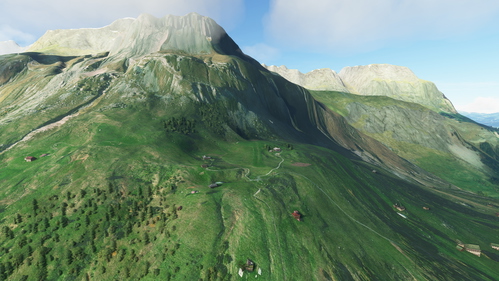
SAINT-ROCH MAYERES LF430 (MONT-BLANC altisurface)
Experience the breathtaking altisurface of Saint-Roch Mayeres (LF430) in the French Alps with this add-on. Explore the meticulously recreated airport and surrounding area, complete with important landing cues and realistic terrains. Keep an eye out for cows as you navigate this unique and challenging airport. A must-have for flight sim enthusiasts looking to test their skills in the mountainous terrain.
by themoonline
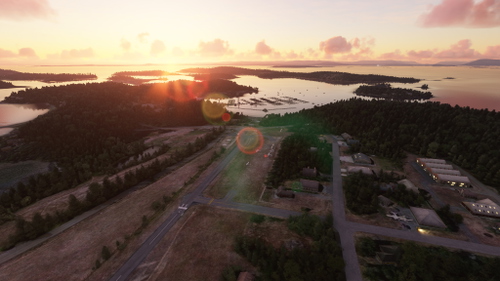
WA09 ROCHE HARBOR
Explore the Pacific Northwest paradise of Roche Harbor with this add-on. Download the meticulously crafted Roche-Harbor airport with 3D modeling and look forward to the upcoming enhancements to the harbor. Dont miss out on the custom KENMORE AIR livery and keep an eye out for future updates to this scenic destination.
by themoonline
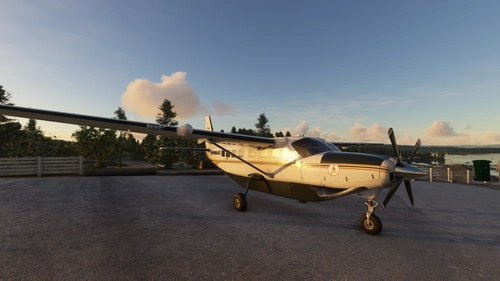
CESSNA 208 B - KENMORE AIR
A custom livery inspired by a 2019 flight on N426KM, designed specifically for the ROCHE HARBOR (WA09) scenery, adding a personalized touch to your Flight Simulator experience. View the livery and support future creations by donating to the creator.
by themoonline
Log in to join the discussion
Log InComments(78)
about 5 hours ago
Is this Mod still working well?
12 months ago
about 1 year ago
over 4 years ago
Hey, man.
The restore speed/pitch/bank feature no longer works with the latest version of the sim.
Can you please fix this feature cuz otherwise the plane will go all over the place after the restoring speed/pitch/bank.
almost 5 years ago
any chance of an autosave to disk every 5 minutes be a seriously great feature
about 5 years ago
How exactly I send ACFT position to my Skydemon on my iPad?
about 5 years ago
Hello ! Go into the settings and check send Position data to Foreflight/skydemon. If it does not work, enter the IP address of your device and check Specific IP checkbox. Status text in bottom right should turn green. In skydemon, click fly and then click use X-Plane.
about 5 years ago
Outstanding tool my friend.
Are you planning on adding some more features? like the AOA and VS that kind of stuff.
about 5 years ago
Please tell me exactly what you would like to have first ? :)
about 5 years ago
Thanks for the reply! I would say a V/S edit feature would be nice!
over 4 years ago
Hey, man.
The restore speed/pitch/bank feature no longer works with the latest version of the sim.
Can you please fix this feature cuz otherwise the plane will go all over the place after the restoring speed/pitch/bank.
over 5 years ago
Not working for me. Steps... (after loading MSFS & AP
1) Go to desired departure location
2) Save location to disk.
3) Shut down both apps.
4) Launch MSFS and then AP
5) Open saved file from disk.
6) Then teleport. Click Yes
Nothing happens. Still still on Maps screen, doesn't go to the location I saved as a startup point.
UPDATE: It does work, but ONLY if you are already on a runway. It was expecting it to load a location from the Map screen. Guess AP doesn't do that.
Thanks
over 5 years ago
Can you allso add arrows to controll the altitude?
over 5 years ago
OMG thats AWESOME😍😍😍
over 5 years ago
OUTSTANDING...good job
over 5 years ago
Thank you !
over 5 years ago
Is it someplace I have missed?
And if not. Can you write something short?
Main question now is: Should the programfolder be placed in Community or outside the MSFS directory?
If inside, how to start and stop it?
Thanks!
over 5 years ago
over 5 years ago
over 5 years ago