
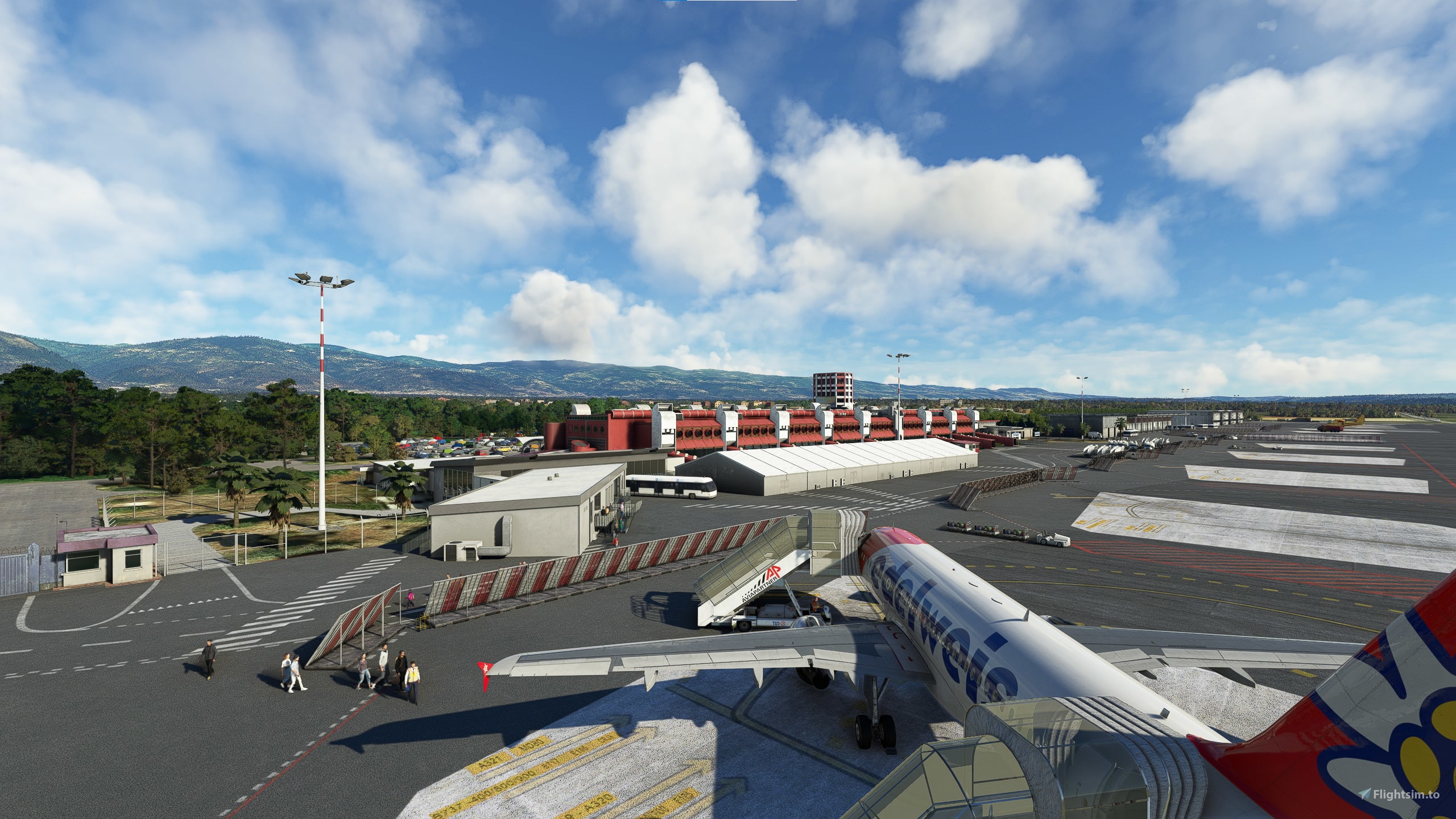
Description
GSX Pro Profile for LICA Lamezia Terme "Sant'Eufemia" by ORBX
- Custom parking and vehicle positions
- Custom ground handling company (Aviapartner)
- Custom boarding procedures with walk-in gates
When you spawn at a gate: go to "Reposition Aircraft" > "Reposition here at current gate" to have the right parking position.
Installation:
Extract the .zip file and move the .ini file to %APPDATA%\Virtuali\GSX\MSFS
Remarks:
- MSFS claims all gates are "small" when loading from startup; Gate 4 is the only widebody gate able to handle heavy aircraft.
- Removed pushback as an option to match real-world operations where all gates in LICA are self-maneuvering.
If you have problems loading the profile, try this:
Step 1: Boot up MSFS and go into the GSX menu. Press Customize Airport positions
Step 2: Copy the AFCAD path at the top and then turn off MSFS
Step 3: Go to %APPDATA%\Virtuali\GSX\MSFS and using a text editor, open up the .ini file you downloaded from me
Step 4: Replace the afcad_path with the one you copied from GSX
Step 5: Save and then boot up MSFS again. The profile should now load correctly!
GSX Profile - LICA Lamezia Terme (ORBX)
Enhance your ground handling experience at Lamezia Terme Airport with this GSX Profile add-on by ORBX. Enjoy custom parking positions, ground handling company (Aviapartner), and boarding procedures with walk-in gates. Ensure correct parking by following the reposition instructions provided for a realistic airport experience.


Version History
*NEW* Added realistic de-boarding and boarding procedures using the new GSX Feature: - Walk-in Boarding gates 4-6 now feature bus de-boarding. - Bus Boarding gate 8-9 now features walk-in de-boarding. - Gate 7 now features new custom walk-in paths depending on de-boarding or boarding.
Log in to join the discussion
Log InComments(3)
about 1 year ago
almost 3 years ago
almost 3 years ago