

Description
Replaces the Asobo default "GTN650."
TDS GTN Xi required: https://www.tdssim.com/tdsgtnxi
Drop folder 'tds-gtnxi-Asobo-CabriG2' into your Community folder.
Allows for ILS and RNAV(GPS) approaches with LPV minimums (vertical guidance).
Temporarily you may need to 'Right Click' the TDS interface in your Windows system tray area and then click Show Interface for some settings adjustments if using the early access WT GNS530/430 from the marketplace. Make sure the nav source is GTN 650xi unit 1 and see uploaded photo for Interface settings. TDS is working on the compatibility with WT GNS.
TDS GTN 650Xi Full Cockpit Integration Asobo Cabri G2
Enhance your Asobo Cabri G2 experience with the TDS GTN 650Xi Full Cockpit Integration mod. This add-on replaces the default "GTN650" with enhanced features such as ILS and RNAV(GPS) approaches with LPV minimums. Easily install by dropping the folder into your Community folder and enjoy improved navigation capabilities. Adjust settings as needed for optimal performance with additional marketplace add-ons.
User Reviews
4 reviews
Version History
Fixes for those with inop 3d buttons/knobs.
Related
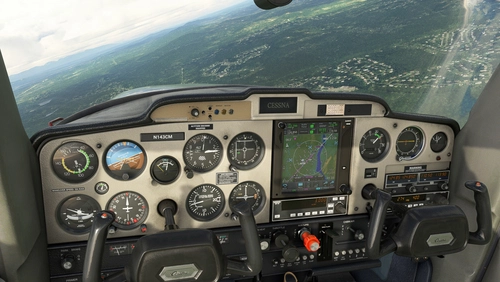
TDS GTN 750Xi Cockpit Integration / WBSim C152
Enhance your Cessna 152 experience with TDS GTN 750Xi Cockpit Integration, allowing you to use the tablet to access and select the GTN 750 option seamlessly. Requires C152 mod by JPLogistics and TDS GTNXi.
by ryanbatc

N108JN for FSW Learjet 35
Enhance your Learjet 35 experience with the N108JN add-on by ryanbatc, featuring stunning metallic properties and a beautiful interior by Archer. Updates continuously improve textures and fix minor issues for a more realistic flight sim experience. Simply extract the folder to your Community folder for seamless integration.
by ryanbatc
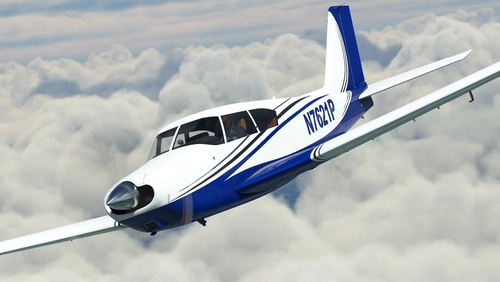
N7621P + Dynamic Livery + Interior for A2A Comanche
Experience a stunning rendition of N7621P PA24-250 Comanche for A2A in MSFS, including dynamic livery and custom interior. Updates include metallic shine, dynamic registration, and cockpit placard, enhancing your flight simulation experience. Special thanks to ryanbatc and Waffler11 for their contributions to this mod.
by ryanbatc
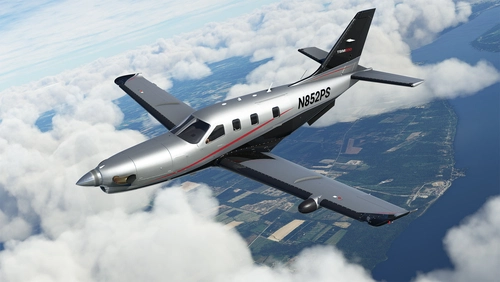
N852PS + Dynamic Registration and Interior for Black Square TBM 850
Enhance your Black Square TBM 850 with the N852PS livery featuring dynamic registration options and meticulously designed interior details. This livery, crafted with Adobe Photoshop and Substance Painter, replicates the real design and allows for easy customization of the tail number via in-sim changes or aircraft.cfg modifications. Add a touch of realism to your flights by placing the TBM_xxx files in your Community folder.
by ryanbatc
Log in to join the discussion
Log InComments(20)
12 months ago
about 3 years ago
about 3 years ago
9 months ago
almost 4 years ago
Am loving this so far, but would love for a feature if available.
I notice when the sim is not running, you can use the app much like a GPS practice app, but the moment the sim is started, it vanishes.
Is there some way to keep that up, or even just the screen portion so what is changed in the sim also displays on that?
The reason why I ask, is because I stream on Twitch in VR. For this helicopter, is is low and difficult to see, and would love to capture the practice app view with OBS Studio when I am messing with it in VR so the viewers could see it better.
almost 4 years ago
I don't think so. It actually uses the trainer itself when flying. You could run it standalone and have it on a second monitor but it wouldn't also show in your cockpit.
almost 4 years ago
Was a long shot, Just trying to get a better way for viewers to see it without having to change the camera view that places you 6 inches above it, is really disorienting in VR
Realized that they "had" popout windows in MSFS 2020, using right alt, but broke them being active for VR users in SU9, so seeing if they can fix that next!
almost 4 years ago
Is there any way to change the volume of the added voice when this is active? I can still turn ATC up and down, but the sink rate, height callouts are maxed and I do not see a volume slider anywhere
almost 4 years ago
Try Home Page/System/Audio
almost 4 years ago
great integration ! all knobs are working for me. thanks for sharing with the community.
almost 4 years ago
Nice one! Was going to knock this out today but you just saved me the trouble.
almost 4 years ago
All the knobs and clickspots should work. Let me know if you have issues with the VOR indicator. You may have to check the nav source once on the interface once in the sim. I think at the moment it defaults to 750 unit 1.
almost 4 years ago
I've had a few minutes to try it out... The HOME and D> keys don't work. The freq. knob does work, but the knob single-push doesn't work, so you can't tune the nav radio. Push and hold does flip the freq.
I think what's happening (just guessing) is that Asobo made new custom events for the Cabri 650. So that knob is doing something only because it's changing the frequencies in the sim and the TDS is reading that.
almost 4 years ago
Interesting. All the knobs and buttons are working for me. Do you happen to also have the PMS installed? Also did you see what your active source was in the TDS interface?
almost 4 years ago
No PMS, I tried it with and without the WT GNS installed. I have Garmin trainer 3.3.1.0 and TDS 1.0.2.0 installed. Both should be the latest ver. Maybe another mod conflict is at play. I set everything in the TDS tray app like you said.
almost 4 years ago
Ok thanks I'll get back to you hopefully tomorrow.
almost 4 years ago
Can't demonstrate a mod conflict. Cleaned my Community folder except for the TDS gauge folder and this mod. Interesting that you're getting a different result!
almost 4 years ago
It's not a big deal for me because the 650 mod does everything I would normally use in the Cabri, but hopefully someone else comes in with a report.
almost 4 years ago
I'm stumped. I've found one person with it totally working and one with it not working. Maybe a Windows permissions issue or something....
EDIT: updated to 1.1 - I've had one report that 1.1 fixes the issues.
almost 4 years ago
Yep, new version works! Thanks!