
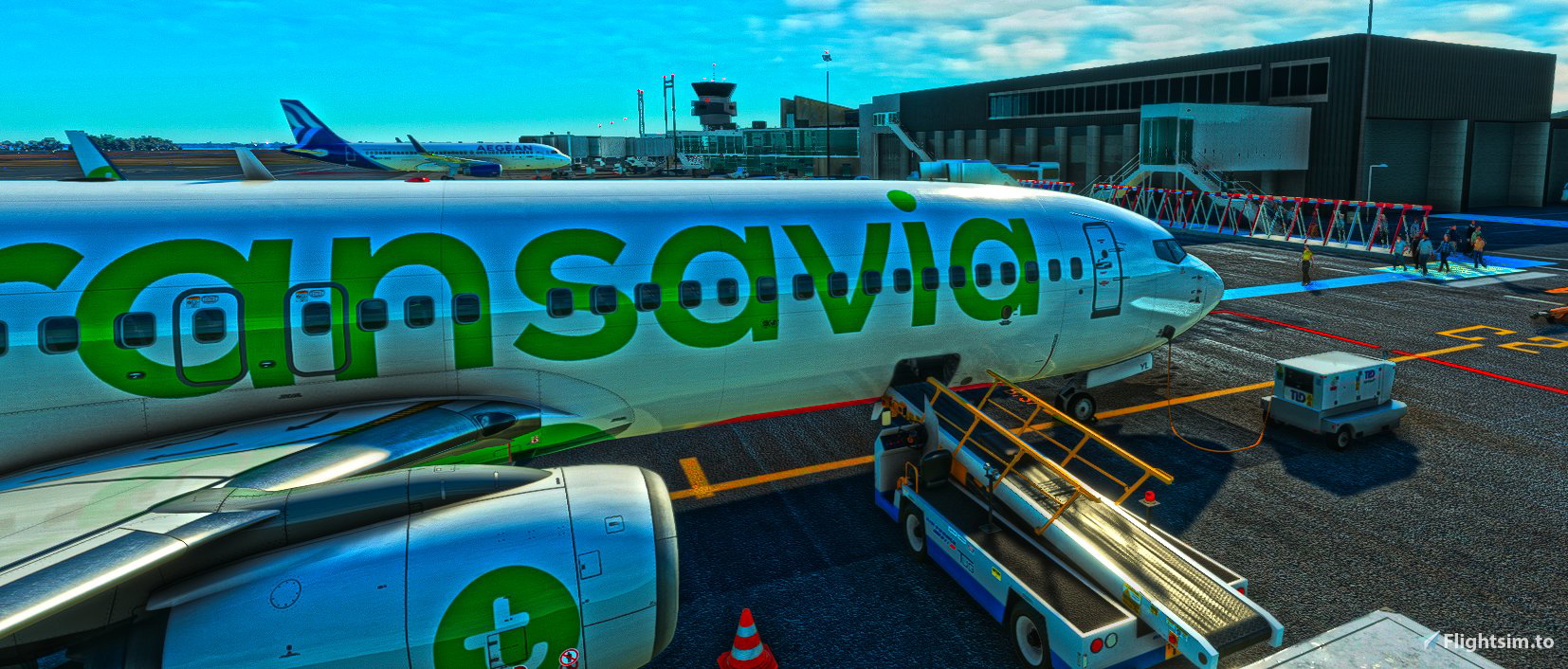
Description
Hello :)
GSX Pro profile for LFMT Montpellier Méditerranée from Pilot Experience Sim.
Honnestly : the way the scenery is built is not easy to manage with GSX (gates overlaping, misplaced object, weird jetways, etc).
I tried my best, tell me if you encounter any weird stuff and I'll try to correct it.
No work on GA positions. Tell me if you'd like them.
Custom vehicles location on every assumed gate with no vehicle clipping.
Custom Pushback on most of the Gates.
Made for A320/B738. Feel free to modify the parking and stop location if your aircraft does not fit well enough.
Just drag and drop in C:\Users\yoursessionname\AppData\Roaming\virtuali\GSX\MSFS
If it does not work, check the path to your scenery.bgl in the .ini file
Available parking :
- C1 / C2 / C3 (walk in)
- B1 / B2 (bus)
- B4 / B3 (walk in)
- D2 / D8 / D10 (custom pushback)
- D1 / D3 / D4 / D5 / D6 / D7 / D9 (walk in, custom pushback)
- Custom vehicle location on cargo apron (but unusual config there... feel free to adapt to your aircraft)
Enjoy, Flo
GSX Profile - LFMT Montpellier Méditerranée (Pilot Experience Sim)
Enhance your LFMT Montpellier Méditerranée experience with this GSX Profile from Pilot Experience Sim. Custom vehicle locations, pushback options, and tailored parking spots for A320/B738 aircraft. Ensure smooth operations by simply drag and drop installation. Explore various parking choices including walk-ins and custom pushback options.


Version History
Gate Fix : D4 now with Jetway D2 now with walking pax
Related
GSX Profile - EKVG Vàgar (MK Studios)
GSX Profile - EKVG Vàgar add-on from MK Studios offers custom vehicle locations, walk-in passengers, and specific parking options at the airport. Easily adjust stop positions for your aircrafts needs and provide feedback for any issues encountered. Simply drag and drop the profile file to enhance your ground handling experience in Microsoft Flight Simulator.
by Flo
GSX Profile - LFQQ Lille Lesquin (BMW)
GSX Profile for LFQQ Lille Lesquin adds custom vehicle locations on gates, designed for A320/B738 aircraft. Enjoy realistic parking positions with no vehicle clipping on various bus, ramp, walk-in, and cargo gates at the airport. Simply drag and drop the profile into the specified GSX folder for easy installation.
by Flo
GSX Profile - LFMP Perpignan Rivesaltes (France VFR)
GSX Profile - LFMP Perpignan Rivesaltes (France VFR) - This add-on offers a GSX Pro profile for LFMP Perpignan Rivesaltes airport from France VFR, featuring custom commercial apron modifications and precise vehicle locations at parkings. Includes two versions, one with a visible pushback truck and another without. Ideal for users wanting an enhanced ground services experience at this airport.
by Flo
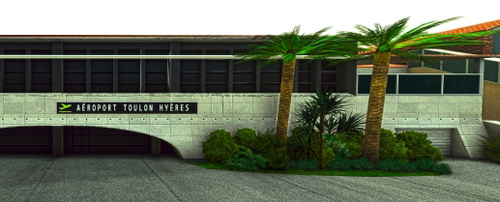
GSX Profile - LFTH Toulon Hyères Le Palyvestre (AzurPoly)
GSX Profile for LFTH Toulon Hyères Le Palyvestre from AzurPoly, featuring customized civilian apron with custom vehicles and pushback options. Calibrated for the B737, with available parking at specific gates for enhanced realism. Simply drag and drop the file into your GSX directory for easy installation.
by Flo
Log in to join the discussion
Log InComments(18)
over 2 years ago
Sur la D7 je n'arrive pas à lancer le boarding/deboarding.. comme si GSX ne reconnait pas cette gate. Avez-vous constaté ce soucis ?
over 2 years ago
A l'arrivée ou au départ ?
Si au départ, avez-vous essayer de repositionner l'avion sur la porte via le menu GSX lors du chargement ? J'ai réduit la marge d'erreur pour la détection du parking, si vous votre chargment vous a placé un peu trop loin alors ça n'ira pas. Repositionner règlera le souci.
Menu GSX > repositionner
over 2 years ago
Just purchased this scenery and there is a GSX profile included inside the download.
No offence intended, appreciate everything you guys do for our community but what is the difference between this profile and the 'official' version please?
over 2 years ago
I did not notice, may be it was not on 1st versions of the scenery. Anyway I did not try it so I couldn't tell. I'll test it. Use the one that best fits your liking :)
over 2 years ago
almost 3 years ago
Thank you.
over 2 years ago
Unfortunately, I tried using the jetway but it seems like GSX does not detect it. So it is visualy here, yes, but inop. I made walking pax so that you can still use it.
Let me know if you know a way to correct this jetway.
Still, while checking on your comment I noticed D4 had a jetway that I did not use and D2 did not. So I uptaded it. Now D4 Jetway and D2 pax.
Thanks.
over 2 years ago
almost 3 years ago
almost 3 years ago
Thank you for your feedback, i'll check soon and let you know :)
Florent
almost 3 years ago
Are you sure you're parked correctly ?
I downgraded the distance threshold to 3m on those gates because they are really close together. So if you park outside this threshold then you won't "be" on the gate.
If the issue is on loading, try reposition the aircraft on the gate via GSX menu before doing anything :)
over 3 years ago
Great job Flo, thanks for your work. :-)
almost 4 years ago
Unfortunately it seems impossible for GSX to distinguish between nearby positions. For example D1 and D2. I definitely parked at D2 (and told GSX that will taxi there). But GSX gave me stairs (and passenger walkways) as I had parked at D1.
So I guess a work around for the time being is to only customize one of the two positions.
almost 4 years ago
Hello, yes I wrote it in the decription, some gates are overlapping but there's nothing I can do to fix it, I believe.
I thinnk what you are suggesting would not work. GSX would still detect the two gates, whether it is customized or not. There's no way to disable a gate, from my understanding...
Maybe I could customize one of them and place it far far away to see it's GSX still pops it ?
almost 4 years ago
A dirty solution could also be, to give both positions the exact same data (regarding ground vehicle positions and passenger handling). But I don't know if the jetway is designed to reach D1.
almost 4 years ago
Ok, I may have found a solution.
Since an update early december, there's a 'distance threshold' you can define for every parking position. By default it's 25 meters (hence GSX can't separate the two positions). You can lower that to whatever amount is needed for a specific position.
I did set it to 3m for D1 and D2 and with a first try, it worked. You can do it in the GSX cusomization window for each parking position or in the ini file itself for the specific position with 'gatedistancethreshold = 3.0'.
Try it.
almost 4 years ago
Hello,
Thanks for your advice, I'll try it. For now I moved house so i'm on limited 4G. The tech guy should come to set up the fiberoptic in the new flat by the end of the month.
almost 4 years ago
Hello, I followed your advice, let me know what you think :)