

Description
Please replace ALL files with the newest version. If you have already downloaded the unified SayIntentions_AIFlow_AIGround_ConfigUtil_2100.zip file, you do NOT need to re-download this AIFlow update.
New for AIGround ver. 2100: I am honored to announce that SayIntentions.AI has acquired AIGround, AIFlow and the Configuration Utility. This version has been updated to reflect the new ownership. I will also develop for SayIntentions.AI. and their talented team. Working together, we will be able to build on AIFlow and AIGround to deliver even better solutions for the flight sim community than would be possible if I continued working individually. AIGround and AIFlow will remain free for the Microsoft Flight Simulator (MSFS) community, ensuring that flight sim enthusiasts continue to benefit from the tools’ renowned realism and enhanced simulation features
AIGround is a MSFS simconnect utility designed to improve AI taxi characteristics at the airport the user’s aircraft is located at.
AIGround holds the AI stationary on the tarmac after pushback for a more realistic amount of time before the AI begins its taxi out. The AI will optinally perform a more realistic pushback including a "L" turn (Force Taxi Out must be enabled).
AIGround can also limit the taxi out rate. AI can optionally be released after pushback at a specified rate. Useful to avoid a “rush” of AI taxiing out when an airport scenery is first loaded. Ensure no other utilities are removing stationary AI too quickly, e.g., the FSLTL “Blocked Aircraft Removal Time” should be set to a high value.
The AI will also perform control surface checks as they begin their taxi out (if control surface animations are supported by the AI model in use).
The user can also specify up to two runways for the AI to takeoff from (force taxi out mode) (e.g., AIForceTaxiOutRunway=KORD,27L,28R ), where selection is based on taxi distance to runway or alternatively upon user-specified probability weighthing. Multiple airports (ICAOs) can be active at the same time using a list. Rudimentary taxi out service for departing AI will then be provided from a more realistic pushback to takeoff. Basic AI-AI separation for both taxi out and taxi in AI will be enfored. The user can also control whether the AI uses the full length of the runway for the takeoff roll or a shortened length (e.g., taking off from KORD taxiway “TT” for 27L and “N5” for 28R). The user can also specify a preference for specific taxiways that the AI should use, such as AIForceTaxiOutRunway=KORD,27L,28R(B:V). The user can also use Force Taxi Out to assign AI types (e.g., a “Heavy”) to particular runways.
If both AIGround and AIFlow are running simultaneously and their Force modes are active for the same airport(s), then AIGround will communicate with AIFlow to perform automatic arrival/departure traffic load-balancing via a datalink at those airports. When load-balancing kicks in, in progress departures will be prioritized, pushback releases temporarily stopped and arrivals delayed.
AIGround can also optionally increase or decrease the AI’s taxi speed.
The user can also optionally reduce or extend the AI landing and takeoff ground rolls. Enabling the AI takeoff ground roll (default on) feature also reduces the problem of AI departing the airport at too low of an altitude. The AI will perform and initial takeoff climb at a user-specified climb rate (e.g., 3000 feet per minute) until a user-specified acceleration height at which height the AI will transition to cruise climb. Separate settings are available for piston propeller AI.
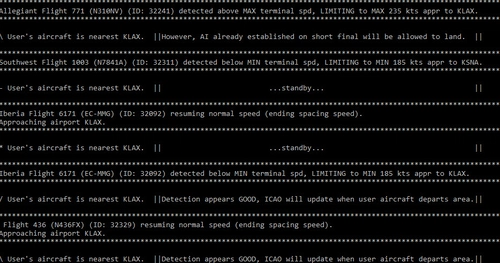
AIGround enforces better spacing between the user's aircraft and AI (both aircraft and ground vehicles) when the user is performing a taxi-out or taxi-in. AIGround does this by commanding the AI to temporarily stop in situations that the normal MSFS AI control program would miss.
When the user’s aircraft is parked at the gate (BOTH the beacons and engine are OFF), taxi incursion detection is disabled because the user has signaled an intention to stop the aircraft’s movement longer term (e.g., the user’s aircraft is parked at the gate). When the user’s taxi lights are OFF, taxi incursion detection for AI ground vehicles is disabled (if the option for controlling AI ground vehicles is enabled) so that ground service vehicles can closely approach the user’s aircraft to provide service (baggage, gpu, push-back vehicles, etc). Note however regardless as to whether user-AI separation is disabled, the native MSFS AI taxi control program may continue to stop AI independently of AIGround (except for AI in Force Taxi Out mode, which is fully under the control of AIGround).
In situations where the user might want AI that stopped for the user and that is generally in FRONT of the user to RESUME taxi (e.g., the user gives way at an intersection), the user can enter a custom resume taxi squawk code or flash the landing lights or strobes (which may be more cumbersome in certain aircraft) off-on-off as a signal to the AI to continue the taxi. Note however that the native MSFS AI taxi control program may continue to stop AI independently of AIGround (except for AI in Force Taxi Out mode, which is fully under the control of AIGround).
The user can also ZAP (remove) AI traffic (both aircraft and ground vehicles) that has become stationary (stuck) and is blocking the user’s path by entering a custom zap squawk code. Alternatively, the user can turn the landing lights on, then flash the strobes off-on-off (which may be more cumbersome in certain aircraft).
AIGround also reduces the problem of AI departing the airport at too low of an altitude. AI will perform and initial takeoff climb at a user-specified climb rate until a user-specified acceleration height, at which height the AI will transition to cruise climb. Separate settings are available for piston propeller AI.
AIGround does not require a configuration file to run, however the configuration file AIGround.ini is included, which contains several parameters that the user may change to suit personal preferences.
AIGround is designed to compliment the default MSFS AI program and thus is fully compatible with it. Thus, AIGround is compatible with any AI-related program that places AI mostly under control of the default AI program (SU15), such as MSFS live traffic, MSFS off-line traffic and external AI injection programs that mostly rely upon the default AI program after injection.
AIGround operates externally via simconnect and thus makes NO changes to the MSFS sim.
See the included readme.txt and readme.pdf for additional details.
AIGround
AIGround is a MSFS simconnect utility designed to improve AI taxi characteristics. AIGround: (1) holds the AI stationary on the tarmac after pushback for a more realistic amount of time, (2) perform control surface checks as they begin their taxi out, (3) increase or decrease the AI’s taxi speed, (4) prevents the AI from spinning while stationary at the threshold, (5) reduce or extend the AI landing and takeoff ground rolls, (6) ZAP (remove) AI traffic that has become stationary and is blocking the user’s path on ground or in air, (7) enforces better spacing between AI and the user’s aircraft when the user is performing a taxi-out or taxi-in. AIGround can be configured to suit user preferences. AIGround operates externally via simconnect and makes NO changes to MSFS.

User Reviews
60 reviews
Version History
(1) versioned for SayIntentions.AI.
Log in to join the discussion
Log InComments(394)
about 1 month ago
7 months ago
7 months ago
about 1 month ago
8 months ago
over 1 year ago
over 1 year ago
over 1 year ago
over 1 year ago
over 1 year ago
over 1 year ago
almost 2 years ago
almost 2 years ago
almost 2 years ago
almost 2 years ago
almost 2 years ago
To be sure you get further updates be sure you subscribe over at
https://flightsim.to/file/86782/aiflow-and-aiground
almost 2 years ago
Why bothering always updating both files? Why not close one and rename the other one?
almost 2 years ago
61e3242c47cd4b8a5dc52fbbdac44799bd7e499bf323b2df9656fd84e704c88f