
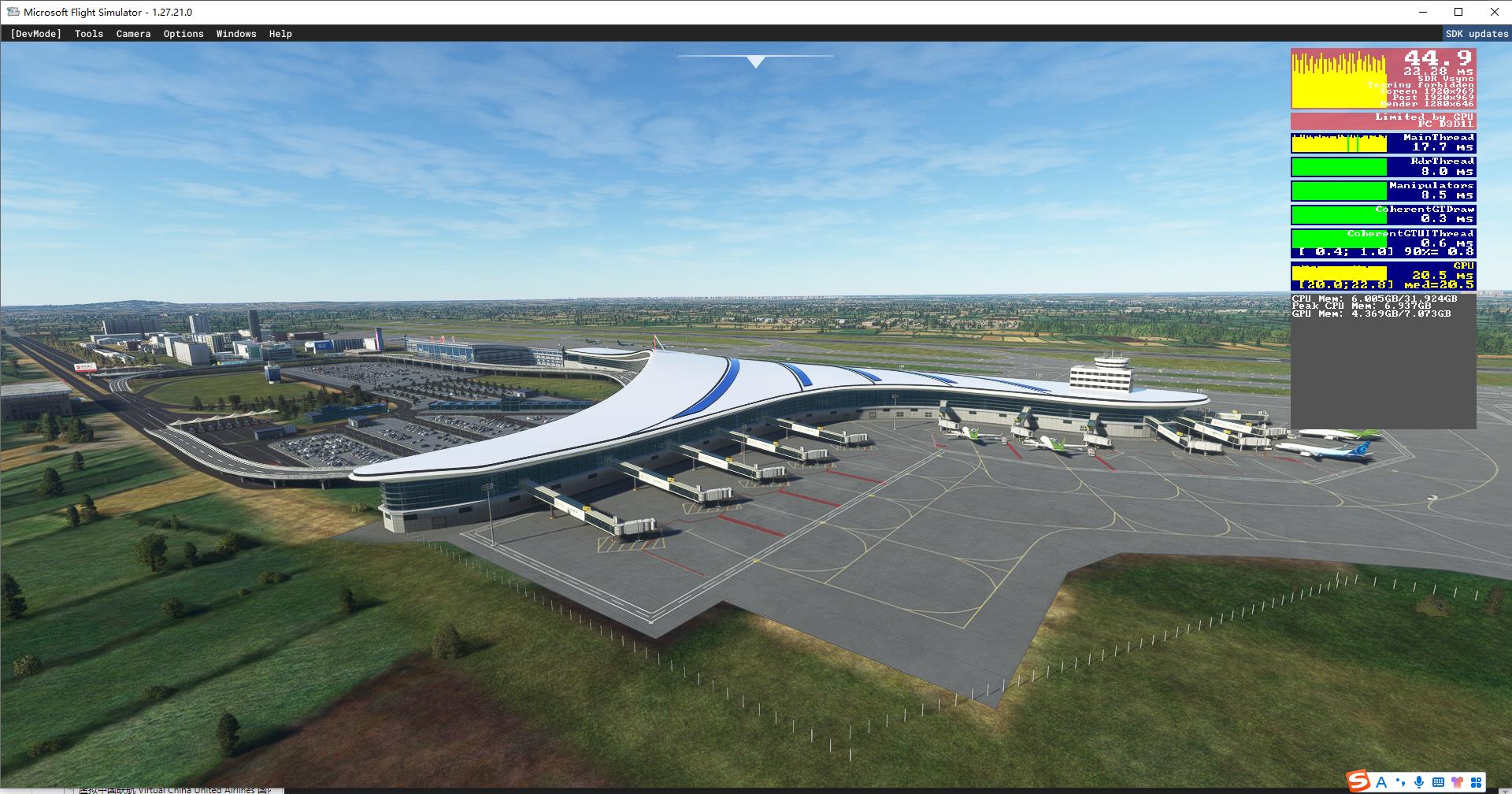
Description
开发龙嘉机场的本意是为了解决一些被MSFS遗忘了的国内机场,一个人利用业余时间做了大约20个月,不料Asobo未按套路出牌,近期竟然更新了此机场,更让人恶心的是,大房身竟然鸠占鹊巢占用了ZYCC代码!这...?
每次开发机场都离不开K44大佬的地景基础文件 https://bbs.sinofsx.com/forum.php?mod=viewthread&tid=186600&highlight=ZYCC,如果龙嘉机场算是个成果的话,那也是巨人给了我高度!
终于赶在长春龙嘉机场2号航站楼正式启用(2018.10.28)四周年前夕制作完成了,期间虽有巨大的工作量所困扰,但也不乏浓浓的乐趣伴随,您的认可就是所有开发者的动力!
安装方法:解压后放入您的Conmmutily文件夹
The original purpose of developing Longjia Airport is to solve some domestic airports that have been forgotten by MSFS. One person spent about 20 months in his spare time. Unexpectedly, Asobo did not follow the routine and recently updated the airport. What's more disgusting is that the big house occupied the ZYCC code! This?
Every time the airport is developed, it is inseparable from the landscape basic documents of K44 https://bbs.sinofsx.com/forum.php?mod=viewthread&tid=186600&highlight=ZYCC If Longjia Airport is a result, it is also a giant that gives me height!
The production was finally completed on the eve of the fourth anniversary of the official opening of Changchun Longjia Airport Terminal 2 (October 28, 2018). Although there was a huge workload, there was no lack of fun. Your recognition is the driving force for all developers!
Installation method: unzip it and put it into your Communily folder
ZYCC Changchun Longjia International Airport
f the first load is not displayed, you need to exit MSFS and restart. This operation is not required later. As the ICAO code is occupied by DA FANG SHEN, you will display ZYCC DA FANG SHEN instead of ZYCC LONG JIA when selecting the airport, which does not affect the use of aircraft or airport navigation


User Reviews
15 reviews
Version History
如果发现和默认地景叠加,请删除备份或修改后缀名X:\Microsoft Fight Simulator\Official\OneStore\fs-base-genericairports\scenery\1002\下的APX81160.bgl文件 If it is found to overlap with the default landscape, please delete the backup or modify the APX81160.bgl file under the suffix X: Microsoft Fight Simulator Official OneStore fs base genericairports scene 1002 包裹内有详细说明 There are detailed instructions in the package
Log in to join the discussion
Log InComments(56)
about 1 year ago
over 1 year ago
over 1 year ago
over 1 year ago
over 1 year ago
8 months ago
8 months ago
over 1 year ago
over 2 years ago
over 2 years ago
almost 3 years ago
almost 3 years ago
about 3 years ago
你们的机场是我见过的 MSFS 最好的免费软件机场之一。小细节、内饰、纹理、定制树木、道路上的检查站,这个 ZYCC 机场可能是一个 15 美元的付费软件机场,我会买它,很多人也会买。这是一件非常棒的艺术品,我非常感谢你制作它。太棒了。
about 3 years ago
over 3 years ago
期待zppp昆明长水机场
over 3 years ago
大佬,你就是额滴神
over 3 years ago
非常漂亮!安装的是最高版,感觉没大影响。特前来支持!希望有更多的中国机场。
over 3 years ago
It's too bad Asobo forget to include this airport. What amazing piece of work you've made. Love the detail. Can't wait to see further updates. Thank you for sharing. FYI - the ILS needs some tuning and is a little low. Still 5 stars from me. Thank you.