

Description
FS-2020 UserCfg Editor
V0.9.7.BETA
- Load, change, safe your UserCfg.opt
- Export, Import your UserCfg.opt
- Load presets with the game settings
Not finished yet!
- Multi-Monitor Support is missing
Lets you set your graphics settings outside of the FS-2020.
Enables exclusive Fullscreen.
Start the FS-2020 UserCfg Editor.
It will find the UserCfg.opt file and opens it.
Make your changes.
File -> Save. This saves the changes to the UserCfg.opt and sets the file to Read Only!
FS2020 - UserCfg Editor
FS-2020 UserCfg Editor V0.9.0.BETA Not finished yet! Lets you set your graphics settings outside of the FS-2020. Enables exclusive Fullscreen. Video Tab is working. Graphics Tab not working. GraphicsVR still to come. Start the FS-2020 UserCfg Editor. It will find the UserCfg.opt file and opens it. Make your changes. File -> Save. This saves the changes to the UserCfg.opt and sets the file to Read Only!


User Reviews
4 reviews
Version History
- Load, change, safe your UserCfg.opt - Export, Import your UserCfg.opt - Load presets with the game settings - VR now fully implemented
Related

Kit Fox 2 Stage 3 - Suicide Fox
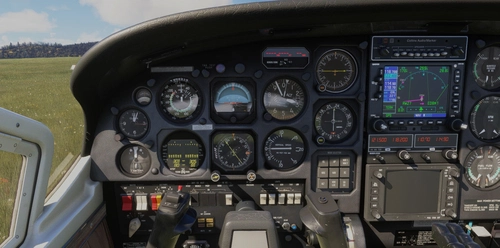
Introducing the Kit Fox 2 Stage 3 - Suicide Fox add-on, a daring experience for skilled pilots. With enhanced features like 300+ HP and revised flight model, this beast demands caution in the skies. Brace yourself for a challenging ride with added flap stages, unique horn sound, and eye-catching paint scheme.
by EnsiFerrum
Garmin Navigation Suite Fixes
The Garmin Navigation Suite Fixes add-on addresses the navigation unit updates for select aircraft in Microsoft Flight Simulator 24, enhancing them with the latest G430, G530, and G3X-Touch variants. This package includes various Carenado aircraft along with others like the Flying Iron Spitfire and DHC4 Caribou. It enables full functionality, including all pages and flight plan imports from the EFB. The installation process is streamlined, taking under 10 minutes to complete.
by EnsiFerrum
FS-24 UserCfg Editor
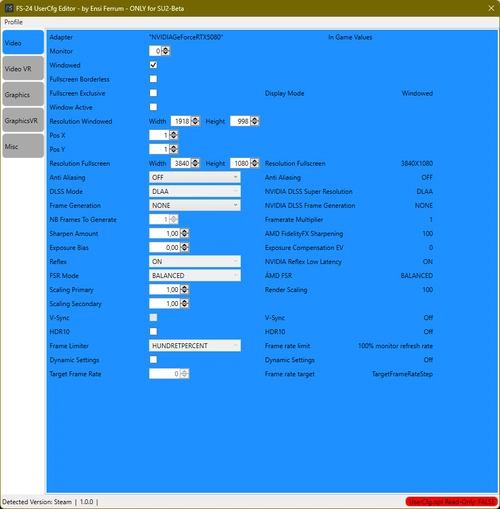
The FS-24 UserCfg Editor is a tool designed for configuring graphics settings outside of Microsoft Flight Simulator 2024. It allows users to enable exclusive fullscreen, manage user-defined presets, and easily import or export specific sections of the UserCfg.opt file. The utility provides a streamlined way to adjust settings for both standard and VR modes, facilitating quick transitions between profiles while ensuring a backup is made upon initial use.
by EnsiFerrum
X-Cub G3X Package
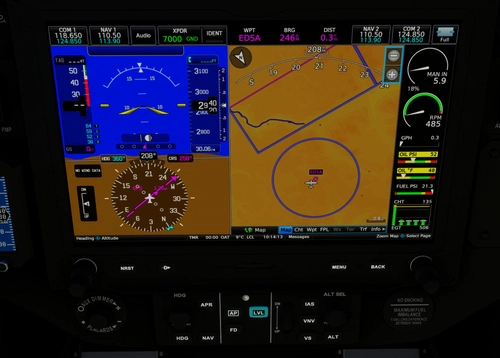
Enhance your X-Cub experience with this mod package, featuring the Garmin G3X system for various X-Cub variants including Standard, Floats, Skis, and NX-Cub. Correcting configuration errors from Asobo, this mod adds aileron and rudder trim functionality and fixes annunciator issues. Explore improved trim controls and warning systems for a more realistic flying experience. Special thanks to STEU3R for contributions to the X-Cub Red Bull model.
by EnsiFerrum
Log in to join the discussion
Log InComments(29)
over 2 years ago
about 3 years ago
Great little utility!!
I Think some settings are missing for todays version of the sim, but it still works!
Thanks
about 3 years ago
Currently I am not sure if I have
- time
- mood
- joy
developping this app any further.
over 3 years ago
Is this a development version, or has the author already stopped developing the program? The last update of this add-on was five months ago. I ask because MFS 2020 after updates, new options are coming.
almost 4 years ago
Looks like an useful utility, but got an Inmediate CTD after changing one single parameter in the Graphics section (Supersampling) at the MSFS next startup. Good idea is to have a backup of this file at all times
almost 4 years ago
Forgot to mention, sorry.
You have a backup in C:\Users\[User_Anme]\AppData\Roaming\Microsoft Flight Simulator\
It is called UserCfg.BKP
Simply delete or rename the UserCfg.opt and rename UserCfg.BKP to UserCfg.opt
almost 4 years ago
Yes, correct. That BKP file is very useful, but I also had another backup just in case... Thanks
almost 4 years ago
What exact lines/parameters is changed to get "Fullscreen Exclusive"?
almost 4 years ago
Line 5 and 6:
Windowed 0
FullscreenBorderless 0
Both lines 0 -> Exclusive fullscreen.
almost 4 years ago
I can't get exclusive fullscreen to work even if I change those values and make the file "read only". How can I see if it is in Exclusive fullscreen?
about 4 years ago
Thank you, that's a very handy tool. Not only for modifying values, but also for looking them up. Quite often when writing in a forum I have to lookup certain settings which required a logish startup of MSFS so far.
about 4 years ago
Thank you for this possibly helpful utility.
Unfortunately I'm not able to use it since it gives "File not found - File does not exist" message when trying to launch it.
I'm in store version (Italian).
about 4 years ago
You have the newest version (0.9.3.BETA)?
about 4 years ago
Yes I do and also double checked Netframe 4.8 installed.
Thank you for your help.
about 4 years ago
OK, thanks.
Then I will implement another approach.
about 4 years ago
Indeed here too, file not found.
about 4 years ago
Working fine with latest version. Thank you very much!
about 4 years ago
Thanks for the info.