
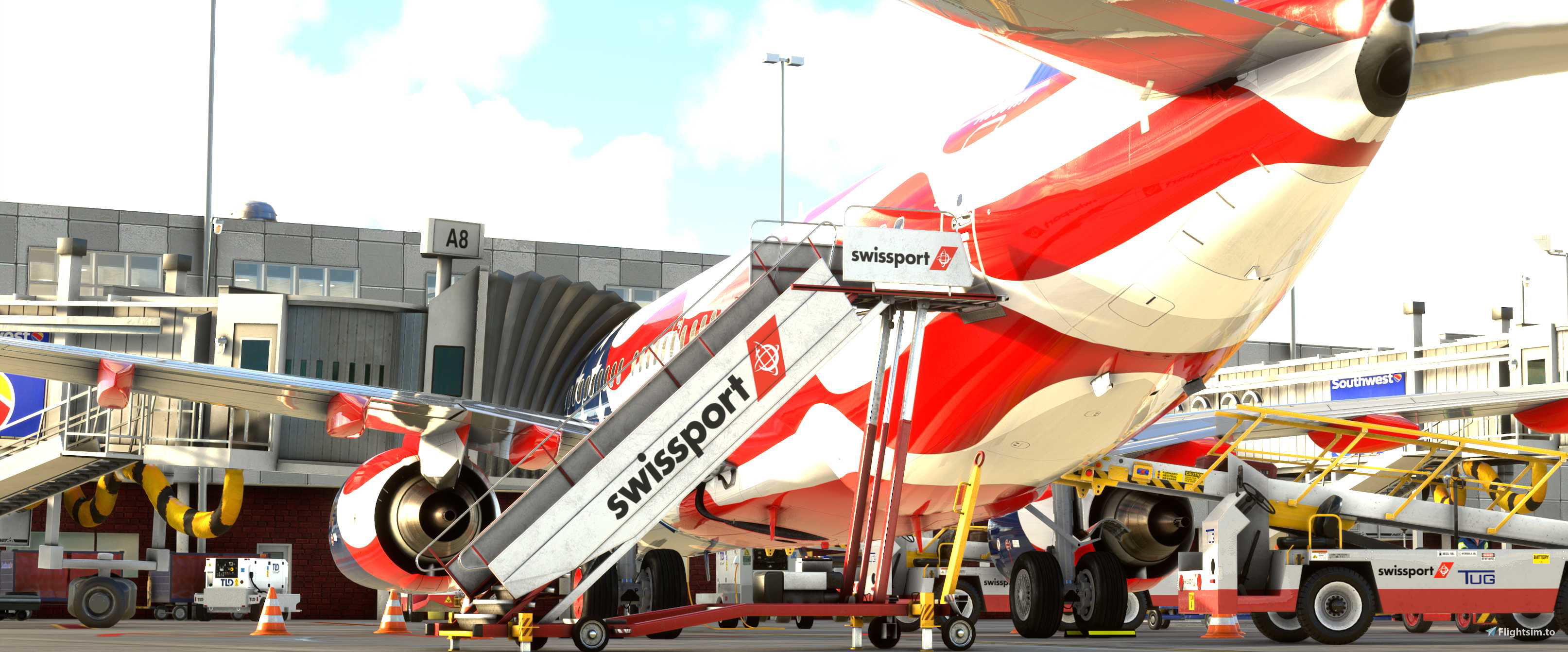
Description
San Antonio International Airport
Works ONLY with Ksat by Iniscene !
At Commercial terminal A & B, all ground support equipment moved to realistic positions (only gates positions have been set)
Installation:
Extract the .zip file and move the .ini file to %APPDATA%\Virtuali\GSX\MSFS
If you still have problems try this:
1. open MSFS and go to a random gate at KSAT
3. move some of the ground vehicles somewhere, do this to create a ini file at %APPDATA%\Virtuali\GSX\MSFS.
4. go to %APPDATA%\Virtuali\GSX\MSFS en find KSAT.ini file.
5. open the new KSAT.ini file you just made, check timestamps to make sure its the one you just made. Copy the AFCAD-path of your file KSAT.ini file
6. paste this AFCAD path into the KSAT.ini file that comes with this package
7. save and exit
8. restart MSFS and you are good to go
this should make it work. If it still dont work comment on flightsim.to download page.
Best Regards
William "Denzel" Withaker
Comments(1)
Log in to join the discussion
Log InGSX Pro Profiles KSAT by Iniscene
GSX Pro Profiles KSAT by Iniscene, To use with great FsDreamTeam GSX PRO Addon, San Antonio International Airport Works ONLY with Ksat by Iniscene ! At Commercial terminal A & B, all ground support equipment moved to realistic positions (only gates positions have been set)

More Information
Version History
No version history available.
almost 2 years ago