

Description
Hello all,
I created three profiles for the DHC6 Twin Otter; two are passengers’ version where you can access thru the main passenger door or the service door and another for the cargo version.
All profiles require, in order to start boarding or loading the cargo, that the doors should be activated by opening and closing them clicking the doors handles. A description how it works are on the videos.
Passenger Profiles
To use the main passenger door or auxiliary passenger door you will have to select the files you want. Unfortunately, you cannot select them both in game so I will leave the profiles for you to select. The Sky Diver plane is the only one using the auxiliary door.
There are five airplanes with this configuration: the DHC-6-100 Wheels pax, DHC-6-300 Amphibian pax, Tundra pax, Wheel pax and Wheels Skydiver. The cargo operation in the passenger profiles is not active, since this plane model is for short hops mostly so crew and passenger will vary their own bad and stow them in the plane.
To access the files, download the main compressed file named GSX_DHC6_PROFILES.RAR and extract the folders to any location.
If you want your passengers to use the main door, then copy the profiles from the folder named DHC6_PAX_MAIN_VERSION.
If you want your passengers to use the auxiliary door, then copy the profiles from the folder named DHC6_PAX_AUXILIARY_VERSION.
Copy the plane profiles you want or all of them using the following path
%appdata%\virtuali\airplanes, assuming you have your GSX program installed in C: drive.
Cargo Profiles
There are also five airplanes with this configuration: the DHC-6-100 Wheels Cargo, DHC-6-300 Ski Cargo, Tundra Cargo, Wheel Cargo 3-blade and Wheel Cargo 4-Blade.
To access the files, download the main compressed file named GSX_DHC6_PROFILES.RAR; The profiles are in the folder named DHC6_CARGO_VERSION.
Copy the plane profiles you want or all of them using the following path
%appdata%\virtuali\airplanes, assuming you have your GSX program installed in C: drive.
Remember that these are configuration for a specific plane and not for any airport; that should be done customizing the parking position you want to start. I used TNCS (Juancho Yurasquin) airport since it is a small and only has two parking spots which I customized
I uploaded in youtube two videos of how the profiles work
GSX Pro profiles for the Twin Otter, Cargo and Passenger in MSFS2020
Two profiles for the DHC6 Twin Otter; one is a passenger version and the other a cargo version. Both profiles require, order to start boarding or loading the cargo, the doors should be activated by opening and closing them, by clicking in the doors handles.


Version History
Added both access for passenger boarding using the main door or auxiliary door.
Related
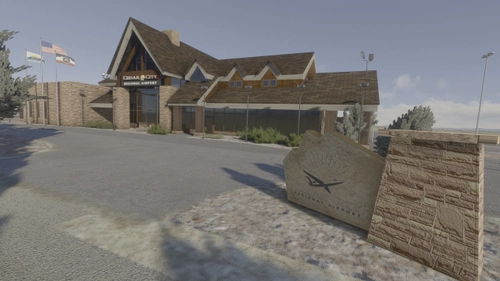
Cedar City UT Regional Airport (ICAO KCDC)
Cedar City regional airport serves Cedar City, in southwest Utah. with direct flights to Salt Lake City; also it is the location of the Southwest Utah University Flight School, and serves as a hub for multiple charter and private planes. A new terminal created in Blender, using Physical Base Rendering materials.
by Ev1lT1ck
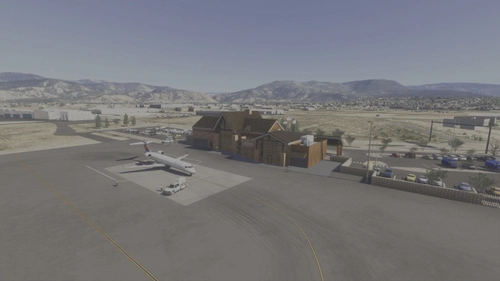
KCDC - Cedar City Regional Airport
Cedar City Regional Airport (KCDC) is a detailed add-on that enhances the representation of the airport serving Cedar City, Utah. The model features an accurately designed terminal, incorporating modern PBR textures and reflecting a planned expansion for 2025. Improvements include organized car parking, redrawn taxiways, and updated lighting, alongside the inclusion of firefighting and military aircraft operations. Users can expect an enhanced experience with realistic airport features and updated environmental aspects.
by Ev1lT1ck
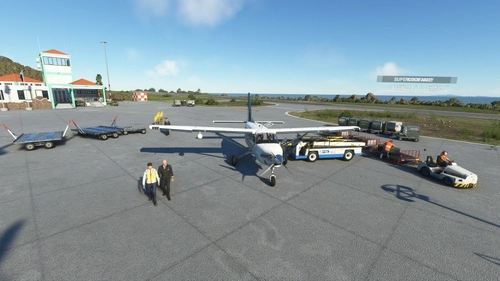
GSX Pro Profiles for the Kodiak 100
GSX profiles for the Daher Kodiak 100 for each of the stock liveries in their four configurations, depending on their tundra and cargo pod characteristics, and are assigned depending on if they serve as passenger only, cargo only or mixed operations.
by Ev1lT1ck
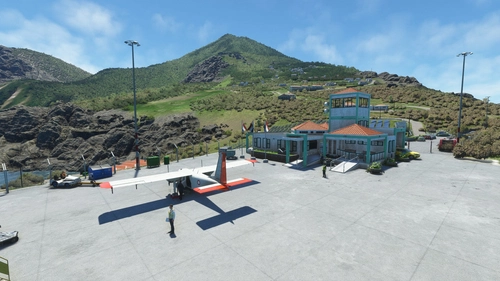
GSX Pro profiles for the Blackbox's BN2 Islander
Profiles for the all BN2 Islanders; depending on the type it will board passengers, cargo or both. To activate the process, select “request boarding” from the GSX menu and follow the requests shown in the top left corner of your screen, by the GSX program. Activate the switches to open or close the doors and panels to complete the processes and continue with the taxi, push and start up
by Ev1lT1ck
Log in to join the discussion
Log InComments(7)
about 4 years ago
Is there any way to stop the pax floating up into the sky?
about 4 years ago
Actually that happened to me, using the DHC6 on a 3rd party vendor airport, specifically MHLM, by Sierrasim simulations. Could be the airport; GSX tend to be twitchy with those airports. If you can tell me which one you are having problems.
Try another airport and let me know. I'll make some tests from my side but, all y all depends on GSX.
Thank you
about 4 years ago
It was at SuperSpuds Exeter and it was a walk in gate. I don’t think it’s an issue with 3rd party airports, I think it’s something to do with gsx and planes with self loading stairs. Seems to be an issue with all the planes with their own stairs.
about 4 years ago
I believe it is the Exeter scenery. The bulidings are a non contact scenery piece (try to put your camera inside of the building - it forces the camera above the building).
about 4 years ago
Why do the passengers board via the emergency exit?
about 4 years ago
I really appreciate your feedback. I already created a new set of profiles using the main passenger door.
Thank you
about 4 years ago
Thanks for update.