

Description
GSX PRO PROFILE FOR YOUR 3x5 STREAMDECK
This is a profile for your Streamdeck (3x5 Version only) to use GSX Pro without using the Menu in FS. For installation advisory check out the README.txt inside this archive. Make sure you have the latest version of AAO at least (V2.50) and the latest AAO Streamdeck plugin. Get it from here. This version is adapted from the XL version to fit on the small SD. Get the XL version from here.
Operation:
Actually it is pretty selfexplanatory if you used GSX already.
RED REFRESH MENU BUTTON: To refresh the Menu you have to push the red "REFRESH MENU" button to get actual items shown in the GSX Menu (this changes when you pushed an item from the list).
YELLOW BUTTON: Just indicates the actual order list within GSX.
DARK BLUE BUTTONS: This will always be the last positions (9 and 0) from the GSX MENU.
LIGHT BLUE BOTTONS: These are the actual order (menu) buttons from GSX.
BLACK BUTTONS (2): These are the status information buttons (no push option).
Then you have more indications to the bottom line. These buttons will show you the status of the ordered services (red -> nothing ordered, yellow -> item ordered/on the way , green -> item docked/arrived)
If you find any bugs or have suggestions/problems just drop a line or join my discord server for help and support. Please also consider a donation as this creation was very time consuming (finding VARs, writing Scripts, making Icons etc.) and this will keep up the development.
Thank you and enjoy!
GSX PRO STREAMDECK (3x5 ONLY) PROFILE to use with AAO
A Streamdeck profile designed specifically for the 3x5 version to optimize GSX Pro integration in Microsoft Flight Simulator. This profile enhances the user experience by streamlining GSX operations without the need to access the in-game menu. Compatible with AAO version 2.50 or higher and the latest AAO Streamdeck plugin. Operation is intuitive for users familiar with GSX functionalities. Enjoy simplified menu navigation and service status indicators for a seamless ground handling experience.

Supporters

User Reviews
2 reviews
Version History
Changes in this update: - added MSFS2024 compability Import and overwrite existing scripts in AAO. Erase old SD profile and import new version.
Related
StreamDeck XL and SD+ Profile for FBW A320neo
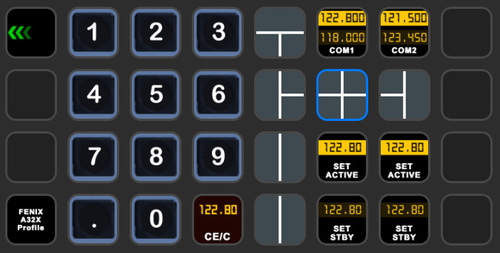
Enhance your FBW A320neo experience with a comprehensive StreamDeck XL and SD+ profile. Enjoy features like Main page, Overhead Panel, MCDU, ECAM, and much more. The profile is tested and works with the latest FBW A320neo experimental version, offering customization options for specific setups. Easy installation process with detailed instructions provided for a seamless setup.
by ChrisG9111
StreamDeck XL and SD+ Profile for FENIX A3XX (incl. compl. Script package and FCU readouts and more)
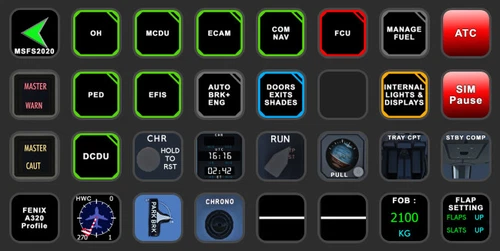
Enhance your FENIX A3XX experience with this StreamDeck XL and SD+ Profile add-on, featuring a complete Script package, FCU readouts, and more. Access various cockpit functions such as the Overhead Panel, MCDU/DCDU, ECAM, and Internal Lights with this detailed profile. Compatible with the latest FENIX A320, this add-on offers a seamless integration for a more immersive simulation experience.
by Chris_PU_A320
StreamDeck XL and SD+ Profile for A330-900neo (Headwind)
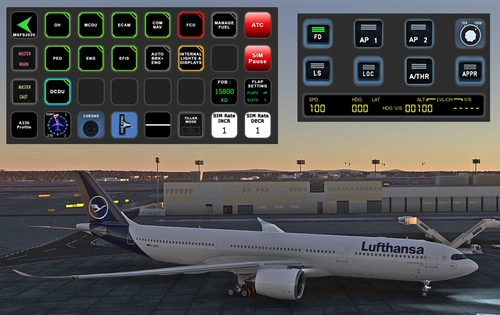
Customize your flying experience with the Headwind A330-900neo StreamDeck XL and SD+ Profile. This feature-packed profile includes functions for Main Page, MCDU, ECAM, EFIS, COM/NAV, and more. Compatible with the latest version of Headwinds A330Neo, adjustments may be needed for specific setups. Join the Discord server for support and enjoy enhanced control over your aircraft systems.
by Chris PU A320
StreamDeck XL Profile for Cessna C-172 G1000 Version
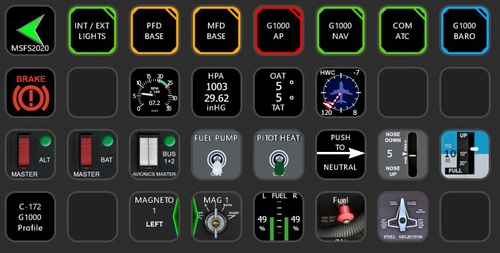
A comprehensive StreamDeck XL profile for the Cessna C-172 G1000 version, tailored for pilots using the Asobo Cessna 172 Garmin 1000 model. Features include various pages such as Lights, G1000 PFD, MFD, AP, Baro, NAV, and COM/ATC. Ensure to have the required plugins installed for optimal functionality. Adjustment for specific setups may be necessary, with support available through comments or the creators Discord channel.
by ChrisG9111
Log in to join the discussion
Log InComments(17)
7 months ago
7 months ago
7 months ago
7 months ago
7 months ago
7 months ago
7 months ago
7 months ago
7 months ago
After updating GSX PRO to version 3.7.5 today, the Streamdeck menu stopped working. I don't know if it's just me or if it's happening to others as well. I'm not sure where to look for a solution.
7 months ago
almost 4 years ago
once his is activated from a buon on he StreamDeck, there is no way to reurn... No spare keys available to reurn o other pages on my StreamDeck
almost 4 years ago
As this was originally created for the XL version of the Streamdeck and adapted to the 3x5 version you may move your icons to your like. The small version of the Streamdeck is not recommended for MSFS2020 due to its complexity. But it should be not a problem for you to bring the icons in order to your preferred setup.
cheers
Chris
almost 4 years ago
and it stopped working for me. GSX installed by default, AAO - the latest version, stream deck app also the latest version. The script to AAO imports normally, the streamdeck profile also loads after a double click, and on all displays in SD I have a message "text gauge" on a black background with the sign "?" and nothing works.
almost 4 years ago
Hi,
then you must have done something wrong. Did you follow the install instructions in the readme file? Changed the paths accordingly? Where do you get the „?“ ? For support join my discord server.
cheers
Chris
almost 4 years ago
Hi Chris,
Thank you for the quick reply. I just solved the problem. It turned out that I did not have a plug with which SD connect to AOO. :-)
almost 4 years ago
I'm having a problem with this. On my streamdeck the second page (with the icons) works as it should, when I activate a service via onscreen GSX menu. But on the initial page I only have the red refresh menu putton and the service button. The yellow button and the blue buttons are empty, no text. Maybe someone can help me out ...
almost 4 years ago
Nice job ! THX !