
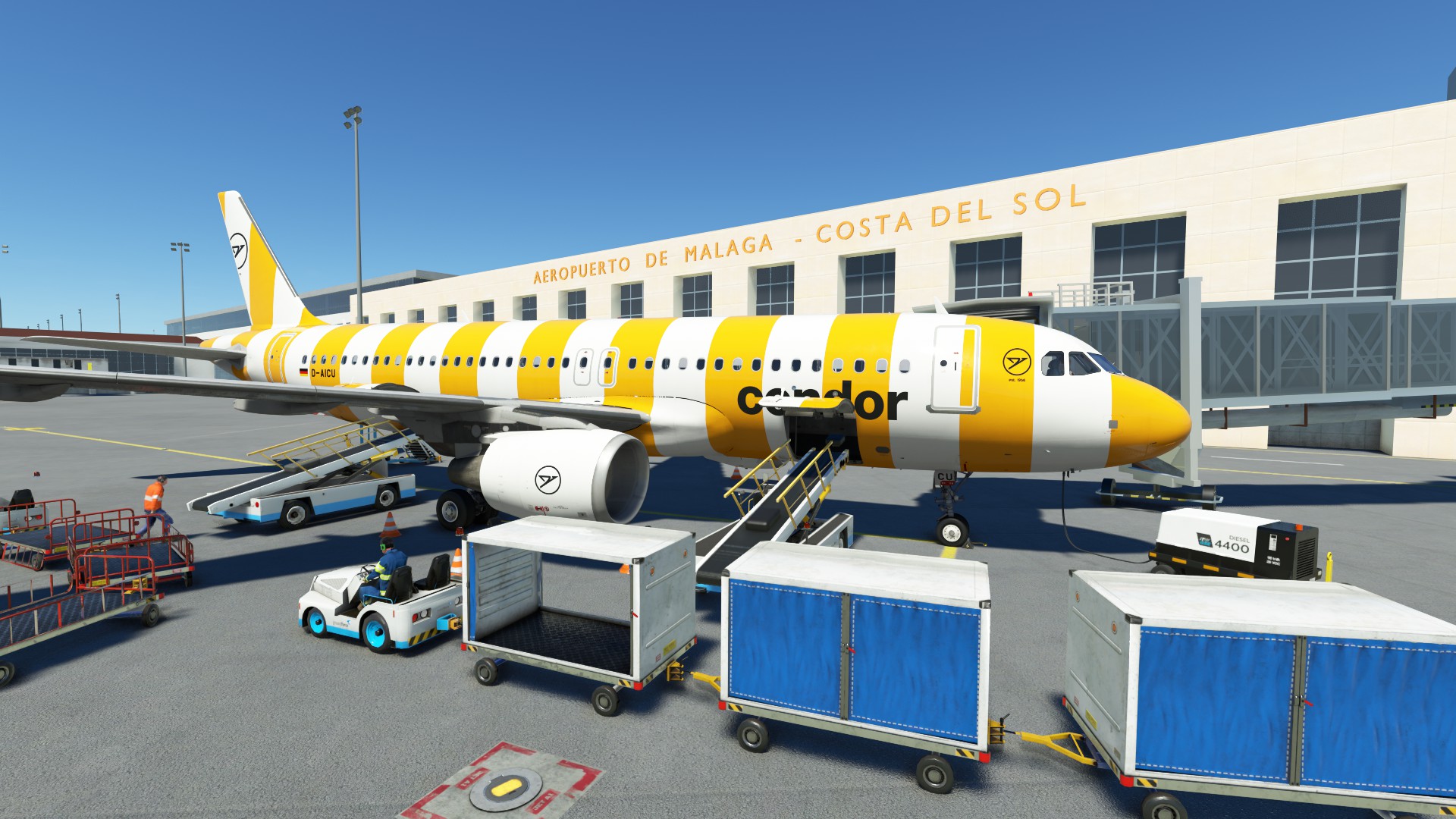
Description
Since I don't have enough time to optimize/ update the profiles, work on this project will discontinue.
It is necessary to have the Malaga scenery by mekepesa and the addition by hergi1234 installed.
You can find them here:
https://de.flightsim.to/file/7467/lemg-malaga-airport
https://de.flightsim.to/file/37946/terminal-for-malaga-airport-lemg
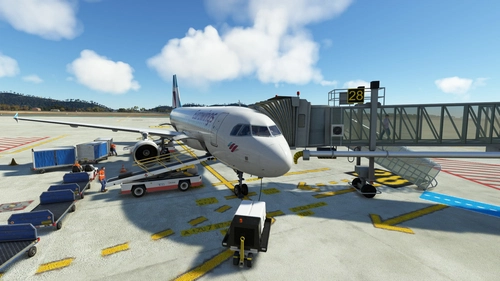
This package includes all gates with jetways:
- custom pushback with various options
- custom VDGS
- custom placement of ground services
- custom passenger waypoints
Known issues:
- Jetways not operating correctly at Gates 37 and 66 (tested with Fenix A320)
How to install:
Drag and drop the unzipped file into %appdata"/virtuali/GSX/MSFS
If you find any bugs just let me know.
DISCORD >>> GSX Editor Discord <<< Me and many other Creators are currently building up a Community exclusively for a better Overview of GSX Profiles. There are many duplicates of GSX Profiles and surely much frustration. This Server is FROM Creators FOR Creators. Here you can ask for help or just have a nice Chat with other GSX Users or Creators. We're waiting for you!
GSX Profile LEMG Malaga by mekepesa & hergi1234
GSX Editor Discord: Link in description How to install: Drag and drop the unzipped file into %appdata"/virtuali/GSX/MSFS If you find any bugs just let me know. DISCORD >>> GSX Editor Discord <<< Me and many other Creators are currently building up a Community exclusively for a better Overview of GSX Profiles. There are many duplicates of GSX Profiles and surely much frustration. This Server is FROM Creators FOR Creators. Here you can ask for help or just have a nice Chat with other GSX Users or Creators. We're waiting for you!


User Reviews
1 reviews
Version History
IMPORTANT: Delete old file due to a name change - reworked parking positions after update of ground textures - added pax-waypoints at R-Gates
Related
GSX Profile Simwings GCTS Tenerife Sur
Enjoy custom pushback, ground service placement, and VDGS at select gates with this GSX profile for Simwings GCTS Tenerife Sur. Gates H39 to R19 are currently covered, providing a detailed airport experience. Simply copy and paste the .ini file into the designated folder for easy installation.
by vosni01
GSX Profile LSZH Zürich by Asobo + De-Icing Pads
GSX Editor Discord: Link in description Since I don't have enough time to optimize/ update the profiles, work on this project will discontinue.
by vosni01
GSX Profile LFMN Nice Côte d'Azur by Asobo
GSX Editor Discord: Link in description How to install: Drag and drop the unzipped file into %appdata"/virtuali/GSX/MSFS If you find any bugs just let me know. DISCORD >>> GSX Editor Discord <<< Me and many other Creators are currently building up a Community exclusively for a better Overview of GSX Profiles. There are many duplicates of GSX Profiles and surely much frustration. This Server is FROM Creators FOR Creators. Here you can ask for help or just have a nice Chat with other GSX Users or Creators. We're waiting for you!
by vosni01
GSX Profile Simwings LEIB Ibiza
Enhance ground operations at Simwings LEIB Ibiza airport with this GSX Profile add-on. Enjoy custom pushback, ground services placement, and vdgs at specific gates for A320 / B737 aircraft. Simply copy and paste the .ini file to elevate your airport experience.
by vosni01
Log in to join the discussion
Log InComments(7)
over 3 years ago
Can you please also make the afcad_path line suitable for the MSFS2020 store version?
I see that your version is for the Steam version...
I changed it myself and hope that the line below is correct....I used the same *.BGL as in your Steam version....
C:\Users\****\AppData\Local\Packages\Microsoft.FlightSimulator_8wekyb3d8bbwe\LocalCache\Packages\Official\OneStore\fs-base-genericairports\scenery\0502\APX46180.BGL
over 3 years ago
As I don't know where you installed your msfs-files you can simply do it by your own.
delete my file and restart msfsgo to LEMG and klick "customize airport positions"in the following window you get the AFCAD-path your system is usingthen you can simply copy the path and paste it into my fileI hope this works for you.
almost 4 years ago
Great work! I just used your LEMG GSX profile with the PMDG-737 (700) and it worked perfectly!
almost 4 years ago
Any chances of an update to fix some of the passenger walking paths
almost 4 years ago
I can't edit the walk paths because it's defined by the .bgl. Maybe if the scenery gets updates it will get better.
about 4 years ago
This doesn't work for me - it's not picking up the file at all. I've tried putting the scenery at the top of the content.cfg file but still not working. I've also pointed it to meka's afcad but It's making a default profile from the default afcad
about 4 years ago
I uploaded an instruction guide with troubleshooting. Maybe try one of the options. Just download the file again and you'll get the guide.