

Description
First things first:
If any problems arise, please contact me before writing bad reviews or giving one star ratings. ;)
>>>> Please always send me your FSUIPC7.ini and FSUIPC7.log to nils[at]public-files.de after a flight you had problems with. <<<<
This is a FSUIPC7 Lua plugin, which dynamically plays the callouts you would hear from the pilot monitoring (PM) in an Airbus A320 series flight deck during takeoff and landing (including rejected takeoff, go-around and touch-and-go). It is to be used with the FENIX A319/A320/A321 ONLY.
#### What it does:
- The plugin runs automatically upon loading the FENIX A319/A320/A321 add-on.
- Before takeoff, the V-speeds must be entered on the PERF page of one of the MCDUs (as usual).
- The following callouts are included:
- Takeoff: STABILIZED, FLEX SET / TOGA SET, AIRSPEED ALIVE, 100 KNOTS, VEE ONE, ROTATE, POSITIVE CLIMB, CLIMB SET
- Landing: SPOILERS, REVERSE GREEN, DECEL, 70 KNOTS, AUTOBRAKE OFF
- Gear confirmation: GEAR UP, GEAR DOWN
- Flaps confirmation: FLAPS 0, FLAPS 1, FLAPS 2, FLAPS 3, FLAPS FULL
- Special: STOP (rejected takeoff), STAND UP, GO (touch-and-go)
PMCO_FNX32X (Takeoff Demo) - YouTube
PMCO_FNX32X (Landing Demo) - YouTube
#### Important notes and prerequisites:
- Registered version of FSUIPC7 (for MSFS) is required! The free version is not sufficient, unfortunately!
- Please, follow carefully the included readme for installation instructions (PMCO and FSUIPC + WASM-module)!
On request, there is now also a video, guidung you through the installation: PMCO_FNX32X (Install Guide) - YouTube - If MSFS is run as admin, FSUIPC7 must also be run as admin. Either both or none!
#### Credits:
The default soundset was recorded by Nick Kidd. Big thanks to him!
This (my Lua plug-in) is free to use. However, if you like my work and wish to donate, it would be greatly appreciated: paypal.me/payNilsU
I wish you safe flights and happy landings!
PMCO_FNX32X - Pilot Monitoring Callouts for the FENIX A319/A320/A321 add-on
This is a FSUIPC7 Lua plugin, which dynamically plays the callouts you would hear from the pilot monitoring (PM) in an Airbus A320 series flight deck during takeoff and landing (including rejected takeoff, go-around and touch-and-go). For FENIX A319/A320/A321 ONLY.

User Reviews
106 reviews
Version History
added: >>> support for A319 SL (CFM and IAE) >>> correct AIRBUS lingo flaps callout 'FLAPS ZERO' ('FLAPS UP' remains available in the download, just rename the files...) fixed: >>> late usage of some Fenix LVars to avoid crashes
Related
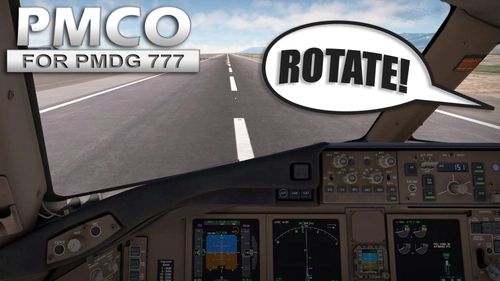
PMCO_PMDG77X - Pilot Monitoring Callouts for the PMDG 777 add-on
The PMCO_PMDG77X is a Lua plugin for FSUIPC7 designed specifically for the PMDG 777 add-on in Microsoft Flight Simulator. It provides automated pilot monitoring callouts during critical phases of flight, including takeoff, landing, and gear/flap operations. The add-on requires a registered version of FSUIPC7 and enhances the realism of operating the Boeing 777 by delivering key verbal cues. Detailed installation instructions are included in the accompanying readme file.
by dermobb
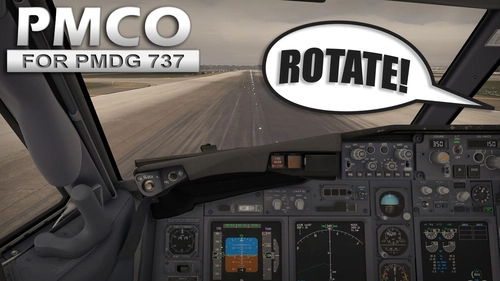
PMCO_PMDG73X - Pilot Monitoring Callouts for the PMDG 737 add-on
The PMCO_PMDG73X is a Lua plugin designed for the PMDG 737 series in Microsoft Flight Simulator, which utilizes FSUIPC7 to provide dynamic pilot monitoring callouts during takeoff and landing phases. The add-on features automated voice callouts for essential flight parameters, including V-speeds, gear and flap confirmations, and other critical alerts, enhancing realism in cockpit operations. It requires a registered version of FSUIPC7 and includes specific installation instructions.
by dermobb
Log in to join the discussion
Log InComments(650)
27 days ago
Usually, I can see from those two files why it's not working.
about 16 hours ago
I just updated to the brand-new Fenix A32X V3, and unfortunately the addon no longer works with this new version.
V3 has a completely revised internal architecture. Would you consider updating or porting PMCO to support Fenix V3?
Really appreciate all your hard work!
about 6 hours ago
21 days ago
I have had a couple of FSUIPC updates, would this affect the installation?
21 days ago
25 days ago
I just want to say your Fenix A320 voice callout plugin is absolutely incredible. It’s such a fantastic, well-crafted addon, and it has greatly improved my whole flight simulation experience. I really appreciate all the effort you’ve poured into this project.
I have one small feature request. At the moment, during takeoff roll, the pack only plays "TOGA set" or "Flex set".
On real Airbus aircraft, the PM reads out the active FMA modes after setting thrust:
Man Flex (TOGA), SRS, Runway, Autothrust Blue
Would you be open to adding this callout sequence in a future update?
Just a note: the "Runway" call should only activate when the RWY guidance mode is shown on the FMA.
This would make the takeoff SOP fully match real airline procedures and raise immersion to another level.
Thank you again for this awesome addon!
Best regards
25 days ago
If you really want to fake the sounds, you could record your own soundset. That's a possibility.
Thanks for your kind words.
25 days ago
I really appreciate all the hard work you put into this voice pack, it’s still my favourite callout plugin for Fenix A320.
I may try creating my own custom soundset later.
Cheers!
27 days ago
27 days ago
Usually, I can see from those two files why it's not working.
about 1 month ago
about 1 month ago
about 1 month ago
2 months ago
[Auto]
1=Lua PMCO_FNX32X
2=Lua PMCO_PMDG73X
3=Lua PMCO_PMDG77X
[LuaFiles]
1=PMCO_FNX32X
2=PMCO_PMDG73X
3=PMCO_PMDG77X
2 months ago
2 months ago
3 months ago
3 months ago
3 months ago
Is there any way to add to or modify the files so they work with the FSLabs A321 aircraft?