
![PMDG B737-800BW | Transavia PH-HSF [2022] - Image 1](https://cdn.flightsim.to/images/24/pmdg-b737-800bw-transavia-ph-hsf-2022-M7QkI.jpg)
Description
Transavia Boeing 737-8K2(WL) [PMDG], Realistic representation of PH-HSF in 2022
This livery features custom aircraft equipement/display settings (.ini file) based on the real aircraft. During the installation of the .ptp file through PMDG's Operations Center, a file named 'PH-HSF.ini' will be placed in your "AppData\Roaming\Microsoft Flight Simulator\Packages\pmdg-aircraft-738\work\Aircraft" folder if you own the Steam version, else (Microsoft store version) the .ini will be placed in your "AppData\Local\Packages\Microsoft.FlightSimulator_8wekyb3d8bbwe\LocalState\packages\pmdg-aircraft-738\work\Aircraft" folder. The same .ini file is also present in the texture folder, in the event that it is not present in your "AppData\.....\pmdg-aircraft-738\work\Aircraft" folder, you can copy it over.
Keep in mind that these custom equipement and display settings are linked to this specific aircraft registration (PH-HSF). Before installing the .ptp file, make sure you do not have any other PH-HSF livery installed, as this might interfere with the custom made 'PH-HSF.ini' file.
This livery is created with the correct colours, the RGB colour codes come from Transavia's website.
- Green: #00D66C
- Blue: #2800A0
- Pink: #FF3268
- White: #FFFFFF
Installation
This livery can only be installed through PMDG's Operations Center.
- Unpack the .zip file (you should now have "PMDG 737-800 Transavia B737-8K2(WL) (PH-HSF - 2022).ptp");
- Open PMDG's Operations Center;
- On the top bar, navigate to 'Aircraft and Liveries';
- In the dropdown bar choose for 'Livery utilities';
- In the bottem left corner press the 'Install Livery from PTP' button and navigate to the unpacked "PMDG 737-800 Transavia B737-8K2(WL) (PH-HSF - 2022).ptp" file;
- Once PMDG's Operations Center prompts 'PTP installation is complete. 1 successfully installed.', you are good to go.
Changelog
- Version 1.2
- Removed "800" text on the bottom of the nose.
- Version 1.1
- Adjustment (scale, size and position) of the 'transavia' text on the fuselage (both sides);
- Adjustment (size) of the Transavia logo on the right winglet;
- Adjustment (size and position) of the registration on the nose landing gear doors (left side only).
- Version 1.0
- Initial release.
Have a safe flight!
© RobinV15 and Flightsim.to
- You are not allowed to upload this file to other sites under any circumstances.
- You are not allowed to modify or improve my file under any circumstances.
- You are not allowed to convert this file under any circumstances.
- You are not allowed to use assets of my file under any circumstances.
PMDG B737-800BW | Transavia PH-HSF [2022]
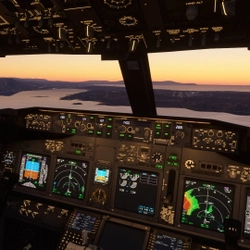
Transavia Boeing 737-8K2(WL) [PMDG], Realistic representation of PH-HSF in 2022. This livery includes sharp ultra high definition textures (4K) and also comes with custom aircraft equipement and display settings, all based on the real aircraft. For more information, read the detailed description below.

User Reviews
3 reviews
Version History
Version 1.2 - Removed "800" text on the bottom of the nose. Version 1.1 - Adjustment (scale, size and position) of the 'transavia' text on the fuselage (both sides); - Adjustment (size) of the Transavia logo on the right winglet; - Adjustment (size and position) of the registration on the nose landing gear doors (left side only) Version 1.0 - Initial release
Related
![PMDG B737-800SSW | TUI Airlines Netherlands PH-TFA [2021]](https://cdn.flightsim.to/images/24/pmdg-b737-800ssw-tui-airlines-netherlands-ph-tfa-2021-W5Ghb.jpg?width=500)
PMDG B737-800SSW | TUI Airlines Netherlands PH-TFA [2021]
TUI Airlines Netherlands Boeing 737-8K5(WL) [PMDG], Realistic representation of PH-TFA in 2021. This livery includes sharp ultra high definition textures (4K) and also comes with custom aircraft equipement and display settings, all based on the real aircraft. For more information, read the detailed description below.
by RobinV15
![PMDG B737-800SSW | Transavia PH-HXG [2022]](https://cdn.flightsim.to/images/24/pmdg-b737-800ssw-transavia-ph-hxg-2022-x104w.jpg?width=500)
PMDG B737-800SSW | Transavia PH-HXG [2022]
Transavia Boeing 737-8K2(WL) [PMDG], Realistic representation of PH-HXG in 2022. This livery includes sharp ultra high definition textures (4K) and also comes with custom aircraft equipement and display settings, all based on the real aircraft. For more information, read the detailed description below.
by RobinV15
![PMDG B737-800BW | Transavia PH-HSJ [2020]](https://cdn.flightsim.to/images/24/pmdg-b737-800bw-transavia-ph-hsj-2020-vgmaT.jpg?width=500)
PMDG B737-800BW | Transavia PH-HSJ [2020]
Transavia Boeing 737-8K2(WL) [PMDG], Realistic representation of PH-HSJ in 2020. This livery includes sharp ultra high definition textures (4K) and also comes with custom aircraft equipement and display settings, all based on the real aircraft. For more information, read the detailed description below.
by RobinV15
![PMDG B737-800BW | KLM Royal Dutch Airlines PH-BGB [2012]](https://cdn.flightsim.to/images/24/pmdg-b737-800bw-klm-royal-dutch-airlines-ph-bgb-2012-dZmw3.jpg?width=500)
PMDG B737-800BW | KLM Royal Dutch Airlines PH-BGB [2012]
KLM Royal Dutch Airlines Boeing 737-8K2(WL) [PMDG], Realistic representation of PH-BGB in 2012. This livery includes sharp ultra high definition textures (4K) and also comes with custom aircraft equipement and display settings, all based on the real aircraft. For more information, read the detailed description below.
by RobinV15
Log in to join the discussion
Log InComments(7)
over 3 years ago
Great livery!
Everything in the livery is correct, the colours, and the size of the icons and letters.
Great work!
almost 4 years ago
awesome!!
about 4 years ago
Heyy, loving the livery!
i work arround the real aircraft and its very very close to reality, only the 800 on the nose is not there irl.
are you able to make the PH-HZN? Looks great!
about 4 years ago
Thanks for the heads up, I'll certainly fix that! I've got a few other registrations to paint first, but I'll add it to the list ;)
about 4 years ago
Just like your other painting, the PH-HXG, this one is just as good... Keep up the good work lad!
about 4 years ago
Great livery! Are you planned to paint the whole Transavia fleet? With the HSI (PeterPan) and the HSK (Sunweb) include? Would be really cool!
about 4 years ago
Can you make STATE OF KUWAIT livery for the 800 I have all writings and signs