
Description
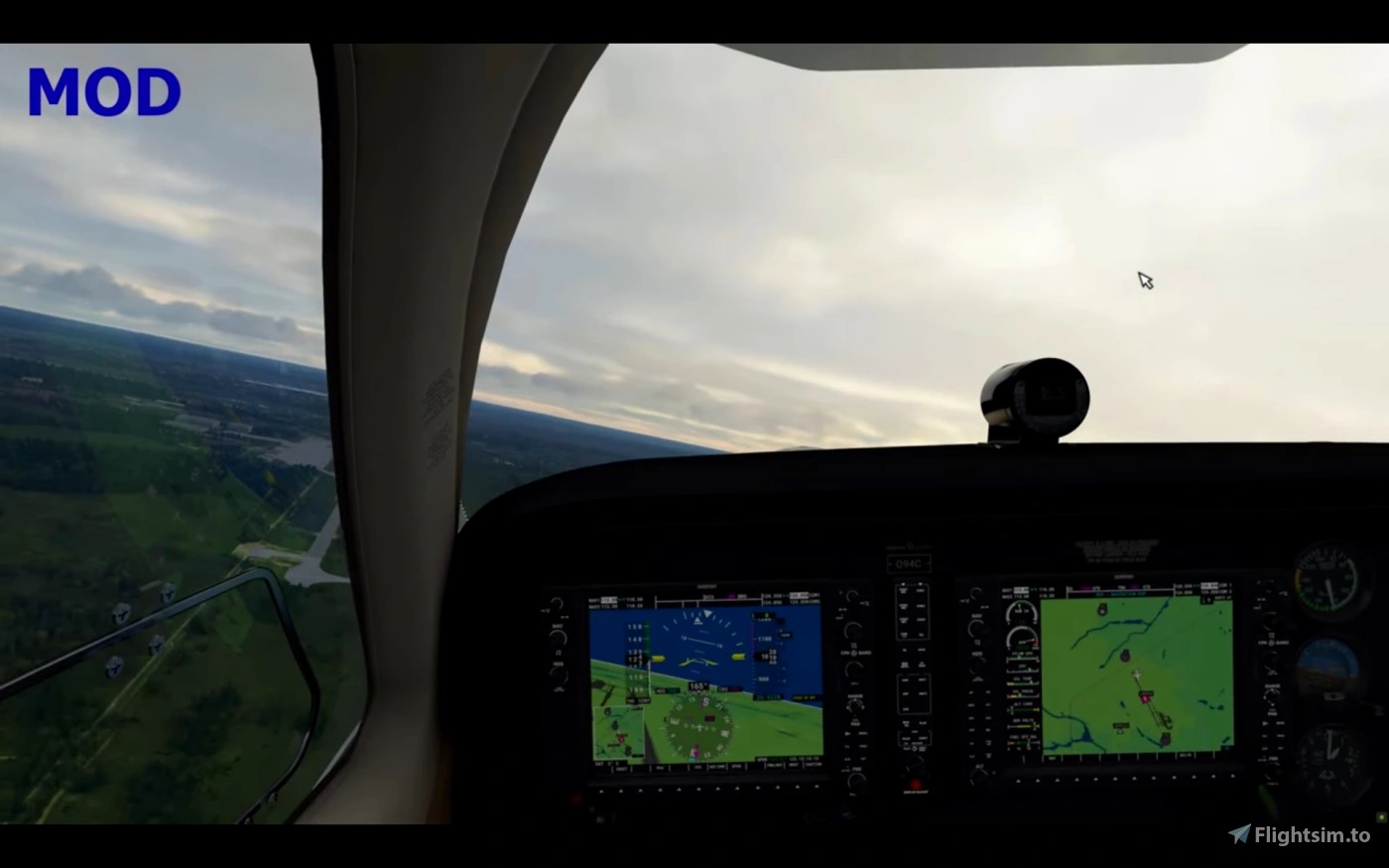
Here are 6 Propeller Mods for the FS2020 Premium Deluxe Edition:
Prop_MOD_c152-aerobat
Prop_MOD_c172sp-classic
Prop_MOD_da40-tdi
Prop_MOD_pipistrel
Prop_MOD_savage-shockultra
Prop_MOD_sr22
- To Install: unzip, copy and paste any Prop_MOD folder to the FS2020 Community Folder.
- To Uninstall: delete Prop_MOD folder from the FS2020 Community Folder.
DISCLAIMER: Use at your own risk!
The use of the downloaded modded texture files is done at your own discretion and risk and with agreement that you will be solely responsible for any damage to your computer system or loss of data that results from such activities.
This Mod can be used by anybody as they see fit without any restrictions.
Modded and Original Propeller comparison video:
https://www.youtube.com/watch?v=8ydYDT-A8L0
10 Propeller Mods for the FS2020 Standard Edition
Prop_MOD_c152-aerobat
Prop_MOD_c172sp-classic
Prop_MOD_da40-tdi
Prop_MOD_pipistrel
Prop_MOD_savage-shockultra
Prop_MOD_sr22
- To Install: unzip, copy and paste any Prop_MOD folder to the FS2020 Community Folder.
- To Uninstall: delete Prop_MOD folder from the FS2020 Community Folder.
DISCLAIMER: Use at your own risk!
The use of the downloaded modded texture files is done at your own discretion and risk and with agreement that you will be solely responsible for any damage to your computer system or loss of data that results from such activities.
This Mod can be used by anybody as they see fit without any restrictions.
Modded and Original Propeller comparison video:
https://www.youtube.com/watch?v=8ydYDT-A8L0
10 Propeller Mods for the FS2020 Standard Edition
MSFS 2020MSFS 2024
6 Propeller Mods for the FS2020 Premium Deluxe Edition
Explore a collection of 6 Propeller Mods for the FS2020 Premium Deluxe Edition, featuring enhancements for a range of aircraft including C152, C172SP, DA40, Pipistrel, Savage Shock Ultra, and SR22. Easily install by copying the desired Prop_MOD folder into your FS2020 Community Folder, and remove at any time by deleting the folder. Disclaimer: Use at your own risk. View a comparison video between modded and original propellers for a detailed look at the improvements.
Downloads1K
Version1.0
File Size5.53 MB
Published5 years ago
Updated5 years ago


User Reviews
4.9
5 reviews
5
80%
4
0%
3
0%
2
0%
1
0%
Version History
No version history available.
Log in to join the discussion
Log InComments(24)
about 5 years ago
Some of the aircraft's props do not stop after shutting down the engine. They continue rotating slowly. Otherwise a fantastic mod.
about 5 years ago
Work this with sim update 1.18.15?
over 5 years ago
Update: I found that my MSFS program cannot read mod folders of above mentioned four aircrafts from the community folder with unknown reason. My solution was simply copying modified files of each aircraft’s mod folder (four files for each) and pasting them into the original TEXTURE folder of each aircraft’s original folder to replace original files with same names. Now, each propeller works perfectly with clear vision through it. Thank you.
over 5 years ago
I wanted to personally thank you for the propeller mods. This makes a big difference with warping for VR.
Just one request please - I am not sure if its part of the deluxe or standard edition, but it appears you left out an aircraft.
the Flight Design CTSL is not included in any of your mods and the propeller warping in VR is really bad. Please can I ask you to add it to one of your existing mods? I would really appreciate this. Thanks
over 5 years ago
over 5 years ago
over 5 years ago
almost 6 years ago
The 10 props mod works OK but for some reason, the 6 props for the deluxe premium has no effect. Any idea what might be wrong? The two are installed in the same way - via MSFS Addons Linker. Thanks.
almost 6 years ago
almost 6 years ago
I have tried that to no avail. I also found out that none of the cockpit interior mods for the Deluxe / Premium aircraft work. That may be linked. I will just live without that :-)
Your mod for the 10 Standard aircraft props work very well in VR to reduce prop warping effect when the motion reprojection active. Thanks for that!
almost 6 years ago
almost 6 years ago
almost 6 years ago
almost 6 years ago
almost 6 years ago
almost 6 years ago
almost 6 years ago
P.S.
Thanks for the mod
almost 6 years ago
Thank you! You made my day!!!
almost 6 years ago
almost 6 years ago