

Description
Hi there,
Ever since I saw the first screenshots of the MB-339 in the Frecce Tricolori livery I was anticipating the release. Then I was a little astonished to find out that the normal military variant (339A) is outfitted with tanks at the wing tips. And I didn't really care for the look of it.
So I decided to convert all stock liveries made by IndiaFoxTecho to the 339PAN variant with tanks under the wings. For that purpose I also repainted a new tank texture for all the liveries.
All liveries can be installed separately and are compatible with V1.10.8. Just pick out the liveries you like and copy them to your Community folder.
Aermacchi MB-339 - Stock Liveries without Wing Tip Tanks
Enjoy the Aermacchi MB-339 with stock liveries converted to the sleek 339PAN variant without wing tip tanks. Easy installation for all liveries by IndiaFoxTecho, each with a new tank texture. Compatible with version 1.10.8, simply select your favorites and drop them into your Community folder.

User Reviews
12 reviews
Version History
corrected error with "pink" weapons pylons on "United Arab Emirates" and "Aeronautica Militare Ghost Grey" liveries
Related
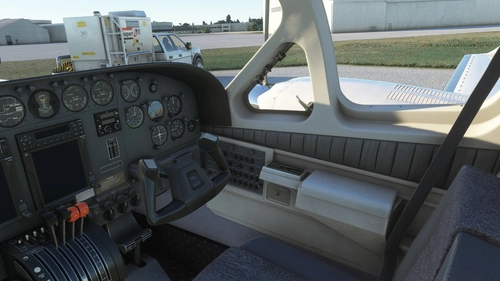
Flysimware Cessna C414 Chancellor - Grey Interior + Different Panels
Upgrade your Cessna C414 Chancellor with a sleek grey interior featuring darker seats. Customize your experience with three different panel options. Simply drag and drop the mods into your Community folder for easy installation. Experience a modern twist on your cockpit with Flysimwares latest mod.
by Archer374
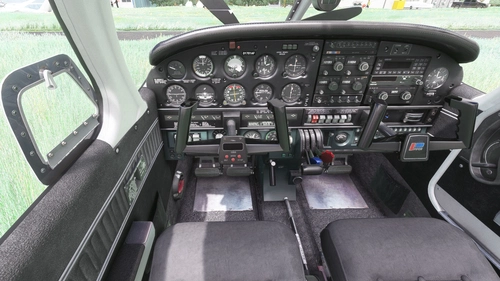
JustFlight Piper PA28R Arrow III - Clean Grey Interior
Enhance your Piper PA28R Arrow III experience with this mod offering a clean grey interior option. Customize your tablet color and instrument panel with ease to suit your preferences. Simple installation process by dropping the mod folder into your Community folder. Enjoy a fresh look for your virtual cockpit with this modification from Archer374.
by Archer374 - Idea for the panel: icemany
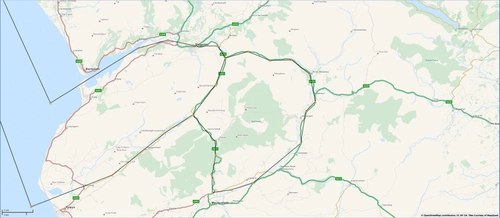
Mach Loop - Low Flying Area 7 (RAF/USAF), Wales, Snowdonia, UK (Flight Plans)
Experience the thrill of flying through the infamous Mach Loop in Wales with these meticulously crafted flight plans. Witness RAF Typhoons, Tornados, C130s, USAF F15s, and Ospreys as they soar through the valleys of Snowdonia below you. Choose between two routes, starting from RAF Valley, for an unforgettable low flying adventure.
by Dave Symanow
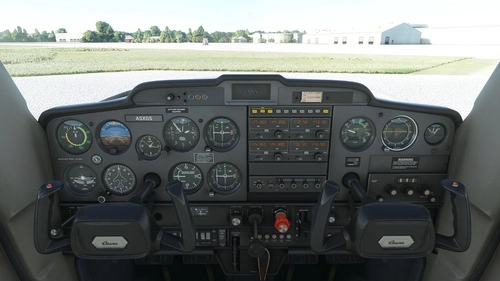
WBSim / Asobo Cessna C152 - Dark Cockpit Panel
Enhance your Cessna 152 experience with a dark cockpit panel modification created by Archer374. This add-on changes the cockpit panel to a sleek dark grey, along with minor tweaks to the seats for a more authentic feel. Compatible with both stock Asobo C152 and JP Logistics C152 mod. Simply drag and drop into your Community folder to install.
by Archer374
Log in to join the discussion
Log InComments(34)
over 1 year ago
Thank you for sharing
about 4 years ago
hello, it doesn't work correctly anymore, pink parts appear under the wings, could you solve it?
about 4 years ago
Thanks for telling me. Just uploaded a fix.
about 4 years ago
Thank you so much!!
about 4 years ago
my pleasure :-)
Would appreciate an updated rating if you feel like it :-)
over 5 years ago
over 5 years ago
over 5 years ago
Thanks
over 5 years ago
over 5 years ago
over 5 years ago
No need for the pictures. Haven't done much flying with the MB339 recently. Suffering heavily from the current stutter bug, and the faster the plane, the worse the stutters :-(
Just took a look at it. If I see that correctly the fixes shouldn't be too complicated. Hope I'll get it done before the weekend is over.
Please be patient. I am not sure when I can get the time for it.
over 5 years ago
over 5 years ago
In case you want to update you existing liveries, just make sure all of the following lines are present in the texture.cfg. Then they should display correctly again:
[fltsim]
fallback.1=..\texture.rough
fallback.2=..\texture.pilotgeneric
fallback.3=..\..\IndiaFoxtEcho_MB339PAN\texture.new
fallback.4=..\..\IndiaFoxtEcho_MB339PAN\texture
over 5 years ago
over 5 years ago
over 5 years ago
over 5 years ago
over 5 years ago
over 5 years ago
over 5 years ago