
Description
Version 1.4
- "With the help of my friends" I found the solution for the navigation problems in MSFS2024, mentioned in the comments.
- Touchdown markers are on te right spot now
- And did a few minor changes.
Version 1.3.1
- Taxi lines are back (Sorry, I used the wrong material)
- Worked on a few details
Don't forget to activatie "Dave's 3D People"
Version 1.3
- Added the inside of the MMT hangar
- Added the inside of the Cirrus maintenance hanger
- Added buildings of the former KLM Flight Academy
- Added a few parkings inside a hanger
- Rebuilded a few buildings
- and worked on a lot of details
-still working on the MSFS2024 version,but this scenery is working pretty well in MSFS2024
Installation:
Just extract the file into your MSFS2020 (and / or MSFS2024) community folder.
You only need "Dave's 3D People" to see the crew.
Version 1.2
- ILS of runway 23 is restored.
- Demolished the old firestation.
- A few minor changes
Version 1.11
The mobile heliplatform in front of the MMT hangaar was missing.
It's back now.......
Version 1.1
- Added the new Fire Station.
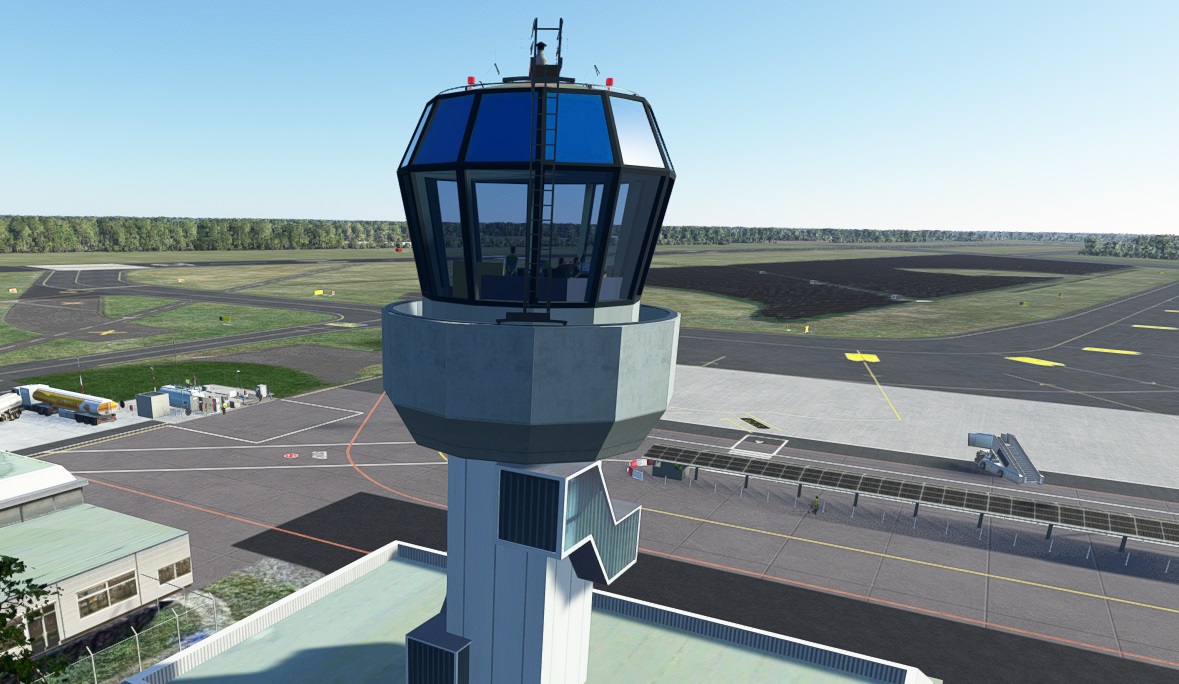
- Rebuild the Control Tower.
- Added the new storage building to park platform verhicles and store equipment at the K-apron.
- Added new fences and gates nearby the MMT building.
- Removed errors in the taxiway signs.
- Changed taxiwaypaths so they will be announched by ATC.
- Changed Gate A12, so it can be used in combination with GSX.
- And several minor changes.
Thanks to Sansemiano, Fungaming 44 and DutchProp for their comments.
Installation:
Just extract the file into your MSFS2020 community folder. No extra libraries needed.
Version 1
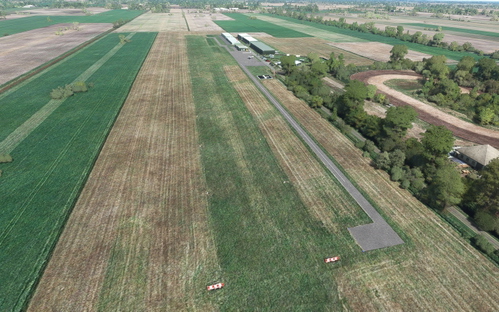
Groningen Airport Eelde (EHGG) has been a regional airport in the north of the Netherlands (Europe) since 1928 and is home to the KLM Flight Academy, two other GA flight schools and of course an aero club.
You will also find a Cirrus maintenance and sales point here and the base of the trauma helicopter MMT (Mobile Medical Team) on parkingspot 100 and 101.
Several airlines fly to and from this airport to domestic Dutch and European destinations.
The airport has a runway 2500m long and 50m wide, so you can bring your Boeing 747 here.
The scenery contains more than 60 handcrafted objects and buildings and 33 handcrafted taxisigns.
Be aware that only one version of EHGG can be present in the MSFS2020 community folder.
Note:
To make the airport more lively and populated, please use the "EHGG-extra" scenery made by (the late) Joop Mak, also available on Flightsim.to : EHGG-extra
Location
EHGG airport Groningen-Eelde, The Netherlands Version 1.4
Enhance Groningen-Eelde Airport (EHGG) in the Netherlands with this mod featuring restored ILS, new buildings, and improved taxiways for a more realistic flying experience. Explore more than 60 custom objects, including the new fire station and control tower, making this regional airport a bustling hub for both commercial and general aviation. Simply extract the file to your MSFS2020 / MSFS2024 community folder and enjoy the scenery. Only "Dave's 3D People" library is required.


Supporters

User Reviews
23 reviews
Version History
"With the help of my friends" I found the solution for the navigation problems in MSFS2024, mentioned in the comments.
Related
jhd-library
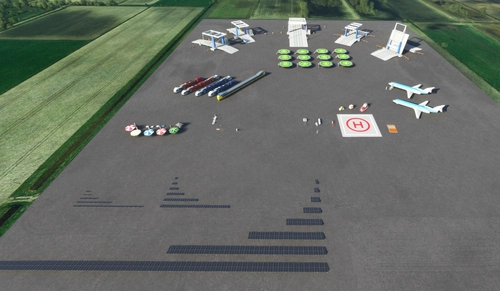
Enhance your scenery with the jhd-library add-on, featuring a variety of useful objects including low-poly solar panels, private heliports, fuel stations, stairs, and more. Customize your virtual world with beach umbrellas, glider towers, Fokker100 statics, and other detailed elements to enrich your flight simulation experience. Simply unzip the files into your community folder and start incorporating these diverse objects into your scenery creations.
by Jan Dekker
EHTE - Teuge in 2024
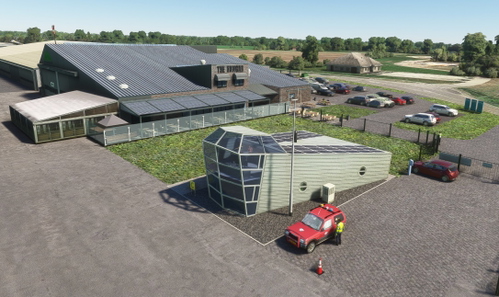
Teuge International Airport (EHTE) is a small Dutch airport situated between Apeldoorn and Deventer, featuring a 1200 x 27 meters asphalt runway and a dedicated glider area. This add-on showcases the airports condition in 2024, including custom-built structures and textures derived from onsite photography. It highlights the airport’s diverse functionalities, such as its flight schools and the National Paracenter, while providing interactive features like operable hangar doors. Enhance your virtual experience with dynamic assets by activating recommended library files.
by JanDekker
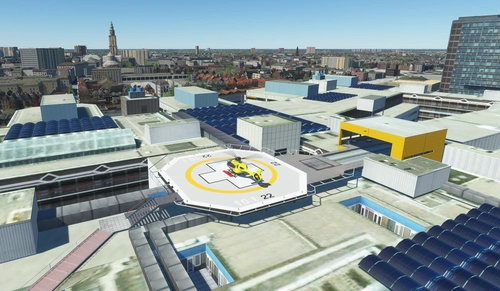
EHUG Helipad on top of the hospital UMCG in Groningen, The Netherlands
Experience the thrill of landing on a helipad atop the UMCG hospital in Groningen, The Netherlands with EHUG add-on. Search for EHUG in MSFS to access this fictional helipad for departure. Compatible with "jhd-groningen-stad" scenery, enjoy a seamless integration into your virtual aviation adventures. Simply extract the file into your MSFS2020 community folder for installation.
by Jan Dekker
EHST airport Stadskanaal, The Netherlands
EHST airport is located in the north of The Netherlands near the city Stadskanaal. The airport is only for MLA aircrafts and has a grass runway (06-24) of 500 x 30 M The airport is also equipped with a restaurant and camping. Use the EHST-extra scenery, made by Joop Mak, to make the airport more lively.
by Jan Dekker
Log in to join the discussion
Log InComments76
Nogmaals dank voor al je effort om Eelde naar MSFS te brengen. Hoop dat je snel een oplossing vindt voor het MFS2024 (missende STAR/SID) problem.
Marcel
Jan
also with the default GPS, when i disable EHGG its fixed so i think there is something going on with the this EHGG.
Of een 2024 versie te maken.....
Using FS2024, there is an issue with the SID and STARS waypoints in the standard G1000 and GTN530 in the default FS2024 planes.
The SID and STARS are not showing in the units, resulting in displaying a straight line.
Using the standard scenery (deleting this addon) all the SID STARS waypoints are back and the autopilot follows the waypoints.
In planes supporting a GTN TDXi 650/750 unit it works ok because the navigraph SID STARS data is used.
Can you fix it or do you know how to fix it?
A FS2024 version please?
https://forum.navigraph.com/t/navigation-data-issues-on-msfs2024-g1000/22046
No, EHGG-extra is not required. You only see more people on the platforms what makes the scenery more lifely.