
Description
The TBM 930 next level !
Update to Version 2.1- registration-fix
now your desired registration on fuselage again (strike,thunder,1000 and busines model)
ATT: If you dont´t like the livery issue when doors are open, then download Version 2. But than you have the issue about the registration missing on fuselage. Apologize this is asobo´s bug.
Update to Version 2- two new liverys
- tweaked some interior textures
Finally done.
With this package you´ll get everything you need for your longer business trips. Nice looking selection of detailed aircraft upgrade to inside and outside.
Content 10 different paint schemes.
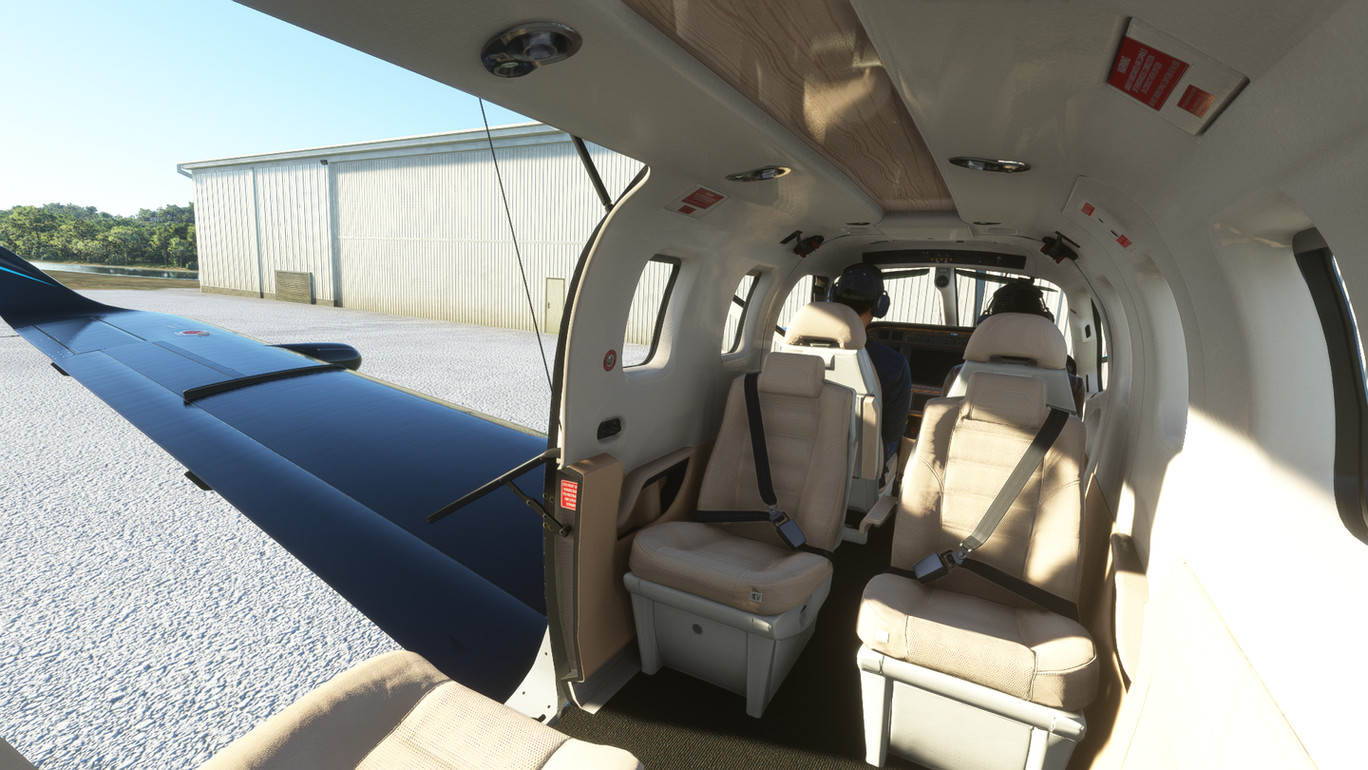
Luxury Cabin: detailed work on nearly all interior performed. All 10 Cabins different !
- diffentent seat colors matching to armrest, yoke and centerconsole and carpet
- lots of different instument panels
- upgrade to instrument frame colour
- TBM 930 stiching in carpet
- table and ceiling with different wood trims
- and more...
Outside Colour: choose your favourite colour !
- two special airbrush lightning paints (strike/thunder)
- outside decals upgrade performed (yellow/gold)
- 8 different tuxedo styles of aircrafts
Overall you will explore a lot of different things on your new TBM fleet.
Installation: Unzip and then drag and drop into Community folder...that's it!
Take care and enjoy!
I can tell you this took me a lot of efforts. May be you´ll be so kind and give me a like or so :)
TBM 930 Tuxedo supreme XXL pack V2.1 (10 liverys & cabin designs)
Enhance your TBM 930 with the Tuxedo Supreme XXL Pack V2.1 featuring 10 livery options and luxurious cabin designs. Choose from 10 unique paint schemes and detailed interior upgrades for each cabin. Enjoy the variety of exterior colors and airbrush lightning paints, making your TBM fleet stand out. Install easily by dragging and dropping into your Community folder for a premium flying experience.



User Reviews
8 reviews
Version History
Update to Version 2.1 - registration-fix now your desired registration on fuselage again (strike,thunder,1000 and busines model)
Related
EDBH Ostseeflughafen, Stralsund-Barth
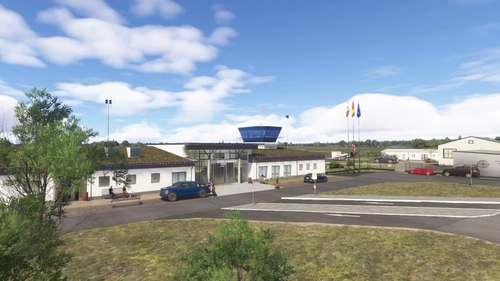
Explore the vibrant Stralsund-Barth Baltic Sea Airport in Microsoft Flight Simulator, offering a unique space at the Baltic Sea for general aviation, commercial traffic, and training flights. From skydiving with Skydive-Ostee e.V. to sightseeing flights with Ostseeflug Barth, experience a range of aviation activities. Dont miss out on visiting the airport bistro "Air-Pott" for warm food, drinks, and a front-row seat to watch flight operations.
by hollyshomemade
Baron G58 Tuxedo tripple Pack
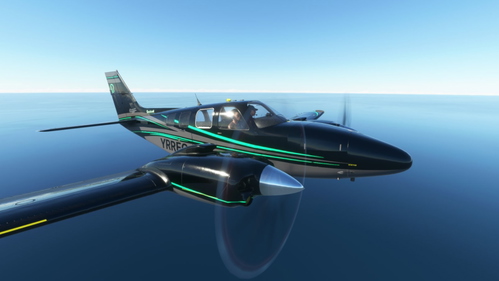
Three variations of black-suited Baron G58 Tuxedo Triple Pack for business trips, each with yellow-colored exterior details and upgraded cabin interior. Features include rootwood center panel, yoke, new carpet, and structured cockpit panel. Also includes golden decals and a 4th aircraft with woodgrain cockpit panel in version 1.1. Additional grey/yellow schemes, duplex color leather seats, and Italian leather design on instruments, center panel, and yoke on version 1.1 for your flying pleasure.
by hollyshomemade
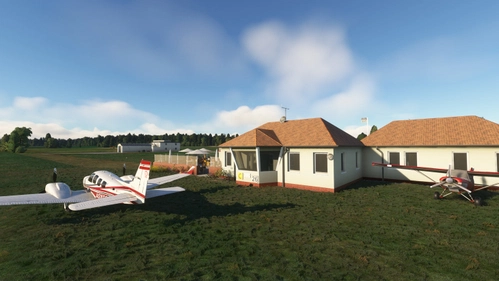
EDCR Airpark, Rerik-Zweedorf
Baltic Sea Airpark Rerik Zweedorf and Rerik pier In the midst of the unique nature of Mecklenburg-Western Pomerania, in the immediate vicinity of the coastal landscape of the Salzhaff and the Baltic Sea, lies the Rerik - Zweedorf airfield with the ICAO identifier EDCR. The well-maintained grass runway between rapeseed fields and dense beech forests is just a few minutes from the beach. First airpark on the Baltic Sea.
by hollyshomemade
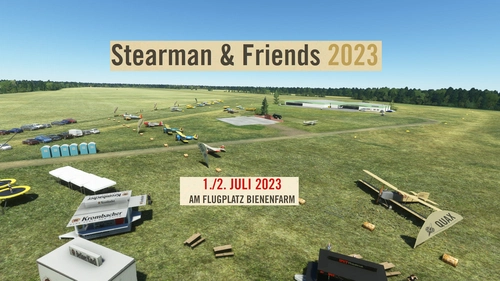
EDOI Oltimer-Flugplatz Bienenfarm, Stearman & Friends 2023
Bienenfarm airfield with the legendary QUAX Oldtimerclub near Berlin (Germany) . Detailed original Hangar´s, Restaurant and fireplace rebuild. This airfield is the home of several famos old airplanes with a really nice restaurant on place. The home of real pilots. Enjoy and give a like!
by hollyshomemade
Log in to join the discussion
Log InComments(18)
about 3 years ago
over 3 years ago
are the bugs still present? if so what are they? I know they updated the TBM recently so wasn't sure
over 3 years ago
update was about the avionic. model wan´t changed. only recognizable when cockpit door is open.
over 3 years ago
I think the grand business livery is not working properly when the doors open. I apologize if it's not your livery causing it.
over 3 years ago
Sorry for that. This is an asobo bug from their Kennmore and Liver01. If you want to solve it, take my previous upload. But then you have the bug that the registration is not shown on the fuselage.
over 3 years ago
What. A. Sharp. Livery! Loving the business aesthetic inside. Inspires me to do my own!
over 3 years ago
OMG......how beautiful! Thank you! I´m speechless.
over 3 years ago
Thank's. You are welcome.
over 4 years ago
Hi, for the cyan texture, the writing on the fuselage is in cyan too. How did you change this color please? 😊
over 4 years ago
Yes sure!
Take your favourite colour and first override it in the texture file "airframe_decal_abld.png" for the livery.
Then use the color picker in paint.net. In the colormenu of paint.net open the more setting.
Copy the now exact given hex colorcode "six digit".
In your desired aircraft folder open the panel.cfg file with notepad++, and replace the color code with FFand the 6didit number. You can also variate the size of the registration. Just refer to my TBM cyan file.
!! But sadly asobo played with SU9 again arround in the TBM model. !!
There are comments of no registration show at all even on base model.!!
I´m still searching for a solution. Possible asobo is fixing with next update.
But in other model it is working just fine.
over 4 years ago
👌👌👌
over 4 years ago
Just downloaded and gave it a try. I also have the mugs mod, so I did the workaround. After loading up the sim, I found that my aircraft had no fuselage nor wings. I undid the workaround and placed the original files back, and it now works perfectly and I can see all the beautiful liveries, and especially the interiors! I think the mugs mod was updated recently and that's why it now works without further modification.
over 4 years ago
Thank you for the info.
I removed the workaround from my description.
For all who have now problems that all exterior od aircraft is not shown.!
Download new Improvement Mod from Mugz and place in comm. folder.
Delete TBM Basemodel in your Package folder and restart FS.
TBM 930 will be ask to update automaticly with the restart.
Hope this is helpful.
over 4 years ago
Nice job!! How did you do the yellow outlines on the dash? I can't seem to find the file. I'd like to do a recolor on one of my own repaints.
over 4 years ago
Thank you so much.!
I changed the COCKPIT_TEXTS_ABLD file in the TEXTURE folder.
There are probably serveral other ways, but i do it this way.
Save the cockpit texture files as png then load them all as the texture to the interoir object in blender.
In blender edit mode you can select the items you want to change as an UV.
Export the UV and then open the png file in paint.net to change the color and overlay this mask to the original texture file.
The main key is getting a bit use to blender. I´m still a beginner, but this way I also changed the armrest to two different colors.
But nevertheless I think the yellow line makes the difference in the cockpit. Makes it more luxury. It´s the same in my tuxedo B58 Baron livery.
over 4 years ago
shames ur fix work not for me :-(
over 4 years ago
As a exclusive VR pilot, I love your classy wood and leather interiors, thanks a lot
PS: I don't understand the "workaround" but, no big deal......😊
over 4 years ago
now more precize workaround
replace the two LOD00 files in C:\Users\xxxx\AppData\Roaming\Microsoft Flight Simulator\Packages\Official\Steam\asobo-aircraft-tbm930\SimObjects\Airplanes\Asobo_TBM930\model folder.
with
LOD00 file link: https://www.dropbox.com/s/mekpiu8ev35beao/TBM%20930%20model.zip?dl=0
(as described in flightsimto mugz improvent mod comments by BPike)