

Description
It brutally appeared to me that DDS textures generation for MSFS are quite painful.
If you're working on a complete asset that you're going to build with the SDK anyway, it's not a problem. But if you're simply working on a livery, maybe you don't want to create a whole package and build it all the time.
This toolbox uses "Compressonator CLI" (freeware available here https://github.com/GPUOpen-Tools/compressonator/releases) to handle PNG <> DDS conversions.
And "imagemagick" (freeware available here https://imagemagick.org/script/download.php#windows) to detect PNG channels depth (8-bit or 16-bit) and handle the Composite "Join" and "Split" operations. Go for this version : ImageMagick-7.1.0-portable-Q16-x64.zip which contains all the required executables.
PNG2DDS.ps1
You can convert a single PNG file or all the PNG files of a folder to apporopriate DDS textures + JSON descriptors:
- It auto-detects if the PNG source has an alpha layer and depending on the type of texture (Albedo, Composite, Normals), it selects the appropriate DDS compression (BC1, BC3, BC7, BC5_S) and writes the correct JSON tags.
- For now, 16-bits textures are ignored.
DDS2PNG.ps1
Exactly the opposite. Converts DDS files (a complete folder or a single file) to PNG.
DDS-JSON-Generator.ps1
You can generate a correct DDS.json file for a given DDS file or all the DDS files of a folder.
Join-COMP.ps1
Generates a Composite RGB file with Ambient Occlusion/Roughness/Metallic channels from any PNG given as input or any suitable files in a given folder.
- You can specify any of the 3 channels as the argument. The script will find the others if your files are named as expected and located within the same folder. (xxx_AO.PNG, xxx_ROUGH.PNG, xxx_METAL.PNG).
Split-COMP.ps1
Separates the RGB channels of a composite PNG file to 3 standalones PNGs. Or does the same for all COMP files within a given folder.
- These files will be suffixed with _AO.PNG, _ROUGH.PNG and _METAL.PNG
- The script checks first if these files don't already exist and will throw an error if any of them is present.
Requirements:
- it works on Windows 10/11
- You need to be able to run unsigned PowerShell scripts
- You will need to have Compressonator CLI (freeware) and set the path to "compressonatorcli.exe" in the $compressonatorPath variable of PNG2DDS.ps1 and DDS2PNG.ps1.
- And finally, you need to have ImageMagick (freeware) and set the path to the folder containting all executables in the $magickPath variable of PNG2DDS.ps1, DDS2PNG.ps1, Join-COMP.ps1 and Split-COMP.ps1.
MSFS Textures Toolbox
A comprehensive toolbox for MSFS texture management, allowing for seamless PNG to DDS conversions and handling of composite files. Utilizes "Compressonator CLI" and "imagemagick" for efficient texture processing. Includes scripts for converting, generating DDS files, and manipulating RGB channels. Requirements include Windows 10/11 and setting paths for Compressonator CLI and ImageMagick executables in the scripts.

Supporters

User Reviews
10 reviews
Version History
Thanks to "FiveBirds"s suggestion: Now, "Join-COMP.ps1" and "Split-COMP.ps1" work also on the content of a given folder and not only on individual files.
Related
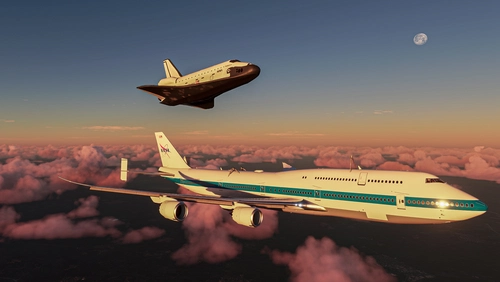
Boeing 747 SCA
Experience the rare Boeing 747 SCA in Microsoft Flight Simulator with this detailed add-on. Includes the Endeavour Shuttle Orbiter attachment, modern livery, additional vertical tail ailerons, tuned engines, and more. Explore the unique detach console and Shuttle Payload Manager EFB for a fully immersive simulation. Enhance your simulation experience with this meticulously crafted aircraft mod.
by LordFrites
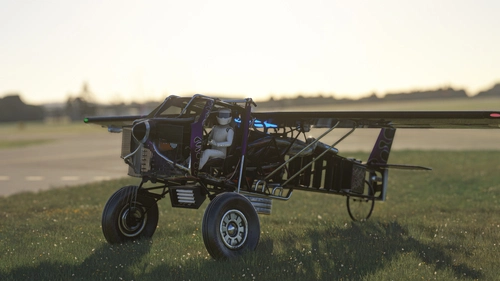
The Scrapyard Monster
The Scrapyard Monster is a fictional aircraft inspired by the powerful Cosworth RA engine, offering extreme STOL and aerobatic capabilities. With highly detailed 4K textures and custom sound pack, it features dual VOR navigation, autopilot, and various effects like engine smokes and contrails. Choose between the Bush Monster or the Sea Monster variant for a unique flying experience.
by Flying Fries
Pelican Improvement Mod
I've never played Halo. Let's start with this statement! Nevertheless, I think the lore of this universe is really rich and the Pelican Asobo provided is simple enough to let us dream and create our own adventures around it. So get ready for a fun mod!
by LordFrites
FSB - Weather Pack
A few custom weather presets made for FSB Flight Groups, by myself and other virtual wingmen! These presets aim for epicness, contemplation and sometimes challenges. This pack is going to be updated on regular basis, with only great and very specific presets.
by LordFrites
Log in to join the discussion
Log InComments(52)
6 months ago
I am trying to convert FSX AI repaints to MSFS20, if you know of a good tutorial would be much appreciated, hard to find info.
over 1 year ago
Here's 7.0.7-17 for windows
https://www.filepuma.com/download/imagemagick_64bit_7.0.7-17734/download/
I could really use some help with this proggie getting it to run etc. Thanks.
over 1 year ago
Is there a way to fix this on my side?
over 1 year ago
I think you should try to see if you can find an old 7.0 version which includes everything needed (the last time I tried, at least)
over 1 year ago
https://www.filepuma.com/download/imagemagick_64bit_7.0.7-17734/download/
over 1 year ago
over 1 year ago
over 1 year ago
over 1 year ago
over 1 year ago
over 1 year ago
But if you can find a proper version of ImageMagick, as indicated in the description, you should be good to go.
about 2 years ago
about 2 years ago
over 2 years ago
It would seem however that the required version of ImageMagick is no longer available and the latest version does not have split executables, so doesn't work. Took a long time to figure everything out, so even if you are able to get a copy of the required executable, this is not for the faint of heart. Certainly not for a casual programmer such as myself, let alone someone who has no command line or powershell experience.
Roel
over 2 years ago
over 2 years ago
With these scripts, if you set them up correctly, you can just call the right script and provide it the path where you have all your textures located, and it will batch process everything for you.
over 2 years ago
over 1 year ago
Thanks
over 2 years ago
over 2 years ago