
Description
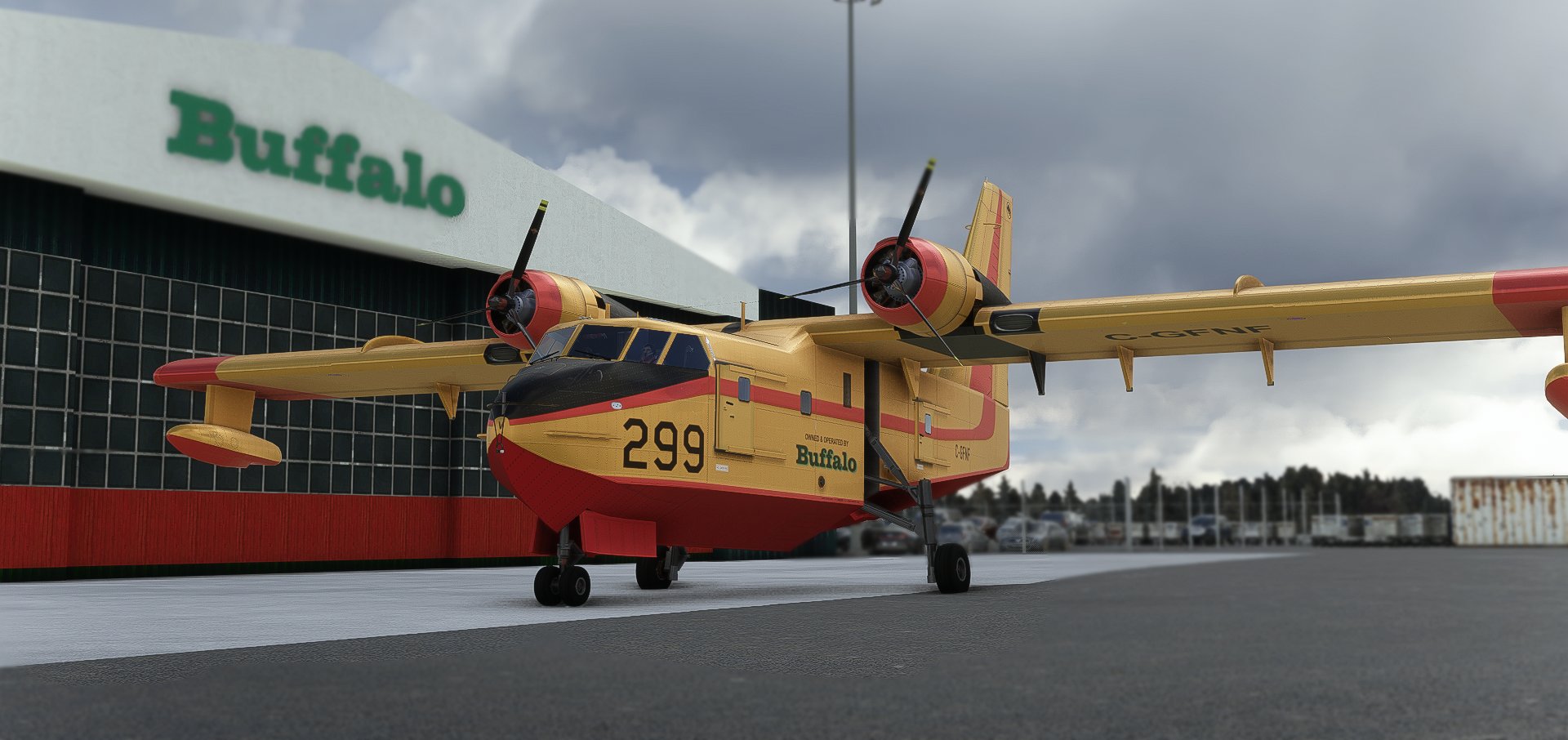
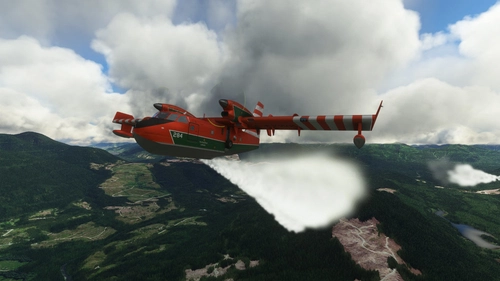
Livery depicts the legendary Buffalo Airways waterbomber 299, appearing as she was on the over ocean flight from Canada to Turkey.
Installation:
Unzip and drop it in your community folder.
Buffalo Airways Canadair CL-215 299 4K
Experience the legendary Buffalo Airways Canadair CL-215 299 in stunning 4K detail, showcasing the iconic waterbombers journey from Canada to Turkey over the ocean. Simply unzip and place in your community folder to enjoy this unique livery.


Supporters

User Reviews
1 reviews
Version History
- Ports the pedestal texture changes included in the ERL215 enhancement mod
Related
Duckworks DC-3
Enhance your experience with the Duckworks DC-3 improvement mod for the Aeroplane Heaven DC-3 in MSFS. This project offers various enhancements including a reworked flight model, improved textures, custom systems, and more for a realistic flying experience. Join the Duckworks Discord for support and updates on this ongoing project. Installation is simple - just copy the contents to your community folder and start exploring the updates.
by Imenes
Enhanced Roland Laborie – Canadair CL–215 by DUCKWORKS
Enhance your flying experience with the Roland Laborie - Canadair CL-215 mod by DUCKWORKS. This mod brings realistic features like waterdrop effects, RPM control, magneto logic, and manual mixture control to your aircraft. Experience improved engine parameters, cockpit textures, and more in this detailed modification.
by Imenes
PMDG DC-6 Startup Smoke Effect
Experience realistic engine startup smoke effects for the PMDG DC-6 with this add-on. Enjoy the unique characteristics of radial engines as they come to life, enhancing your simulation experience. Simply drag and drop the folder into your community folder to start witnessing this immersive effect.
by Imenes
ROLAND LABORIE CL415 WATER DROP EFFECT
Experience enhanced realism with the ROLAND LABORIE CL415 WATER DROP EFFECT add-on. Immerse yourself in a more realistic simulation with enhanced water drop effects for the CL-415 aircraft. Simply unzip, drag, drop, and overwrite to bring this feature to your flights.
by Imenes
Log in to join the discussion
Log InComments(10)
about 4 years ago
Hi, I'D like to contribute a livery for this beast, how can I do that? I'd like to make the Turkish version.
about 4 years ago
Hey! No paint kits are available, so you will have to modify the existing DDS files to make your livery.
over 4 years ago
Hello ,
I see that you used the NORMAL.JPG textures, I also used these textures with the Nvidia tools/Normalmapfilter plugin, but I have a blue texture for the relief.
I would like to know how you do and what are your settings to get this gray texture, thanking you.
thank you very much
over 4 years ago
Hey, I generate the normals with photoshop, but I export them as PNG and then save them as dds with paint.net.
over 4 years ago
yes I do the same thing but it is with photoshop that I would like to know how are your settings to have a gray color texture in the end.
over 4 years ago
I am also unable to make them grey in photoshop, that is the only reason I send them to export via paint.net.
over 4 years ago
I don't understand once I have made my texture with photoshop and the Nvidia plugin I save my texture in .PNG, and then I convert my texture with Paint.net to DDS but it remains blue it does not become gray.
over 4 years ago
Try this setting when exporting normals in paint:
BC5 (Linear, Signed)
over 4 years ago
here are my settings with the Nvidia plugin, first I go to image/adjustment/desaturation which makes the texture gray then I go to filter/Various/High pass set to 4.5 OK, finally I go back to filter/NVIDIA Tools/Normal Map Filter and here is the table I have with these settings I do ok and there the texture becomes Blue.
[url=https://servimg.com/view/11500105/2902][img]https://i.servimg.com/u/f69/11/50/01/05/deskto10.jpg[/img][/url]
over 4 years ago
Thank you very much it works. I had not seen that you could adjust the textures in paint.net