
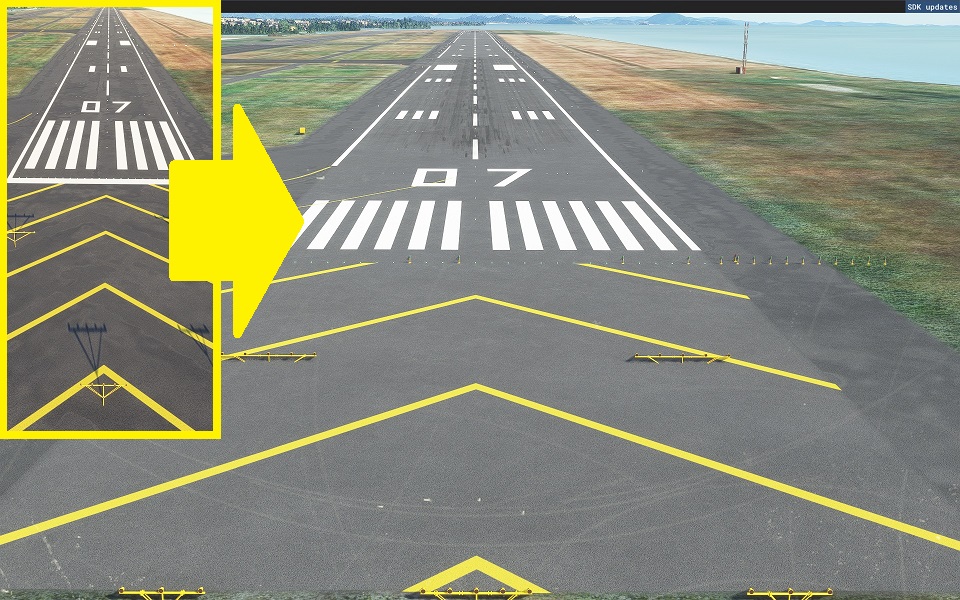
Description
精密滑走路標示 精密滑走路
決定
山口宇部空港をプロデュースされたKONO様のご厚意により、対応modとして頂きました。
<お知らせ>
山口宇部空港を制作されたKONO様のご厚意により、交換MODとしていただきました。
Thank you for visiting.
ご覧いただきありがとうございます。
It is created by surveying with Ministry of Land, Infrastructure, Transport and Tourism materials and Google.
国交省資料とGoogleで測量して作成してます。
The markings are not freehand and are therefore aligned.
マーキングはフリーハンドではないため、一直線に配置されています。
In the case of an airport in a snowy area, it is corrected to orange. The hue is suppressed within the range that does not feel strange with the default edge line.
降雪地帯の空港の場合オレンジ色に修正してます。デフォルトのエッジラインと違和感がない範囲で、色合いを抑えております。
The file size is very small because it consists only of programs.
プログラムのみで構成されているため、ファイルサイズは非常に軽量です。
今後向こうから解放されるシーンも考慮して調整しておりますが、多少の犠牲はあります。あります。
私が公開しているPrecision Runway Markingの一覧です。 リリース
しているPrecision Runway Markingの一覧です
。
他のシーナリーと競合していて、マーキングが重なっている場合は、シーナリーの優先順位を変更
してください。
簡単な方法は、フォルダ名を任意の名前に変更すると、最新のものとして認識され、上位に表示されます。 簡単な方法は、フォルダ名をの名前に変更することで任意の最新
のものと認識され優先順位が上位になります。
ここでは、別の方法を紹介しています。
こちらでは、別の方法を紹介しております。
https://www.tab-log.net/post-15088/
インストールについてはCommunityに解凍してご利用ください。 インストール
について、Communityに圧縮して
ご利用ください
。
Location
Precision Runway Marking (Yamaguchi-Ube Airport(RJDC))
Enhance your airport experience with this Precision Runway Marking add-on for Yamaguchi-Ube Airport (RJDC). Created with precise alignment using Ministry of Land, Infrastructure, Transport and Tourism data, this mod features accurate runway markings. The file size is minimal and adjustments have been made for snowy conditions. Explore more Precision Runway Marking mods by the same creator for various airports to add realism to your flightsim experience.
Downloads Stopped
The creator has temporarily stopped downloads for this addon. Please check back later.


User Reviews
1 reviews
Version History
No version history available.
Related
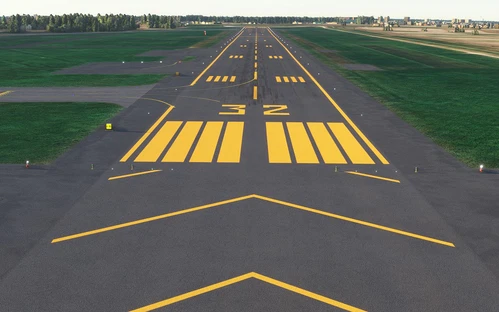
Precision Runway Marking (Okadama Airport)(RJCO))
Improve airport precision with this add-on featuring aligned runway markings created using Ministry of Land, Infrastructure, Transport and Tourism data and Google surveying. The small file size ensures easy installation, but adjustments may be needed for future scenery compatibility. Available for various airports, including Okadama, New Chitose, and Kobe.
by TOSHICHAN310
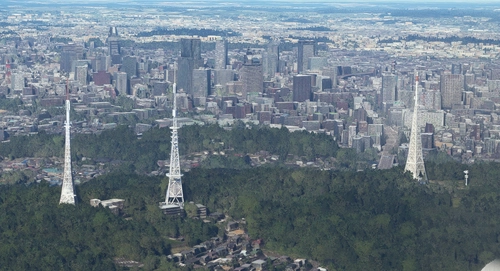
Sendai Landmarks
Explore the iconic landmarks of Sendai, Japan with this mod. Version 1.2 focuses on the east exit of Sendai Station, while Version 1.0 includes landmarks like TV tower 4 and Sendai Daikannon. Utilizing LOD20-22, this add-on aims to enhance the uniqueness of Sendai despite some frame rate drops during caching. Created using Google Earth Decoder, Blender, and color adjustments for Microsoft Flight Simulator.
by TOSHICHAN310
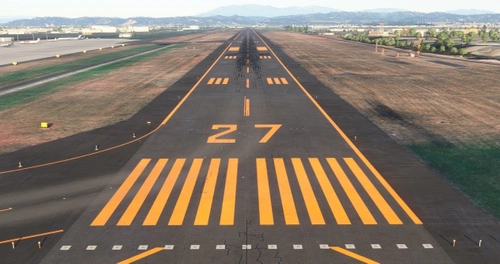
Precision Runway Marking 2024 (Sendai International Airport(RJSS))
Precision Runway Marking 2024 enhances the visual accuracy of Sendai International Airport (RJSS) for MSFS2024. This add-on features orange runway markings, tailored for regions that experience snowfall, and is created using data from the Japanese Ministry of Land, Infrastructure and Transport along with Google surveys. Note that it does not include building data and requires the “Japanese Airport Model Library KRC” for proper lighting setups. Adjust scenery priorities if conflicts with other add-ons arise.
by TOSHICHAN310
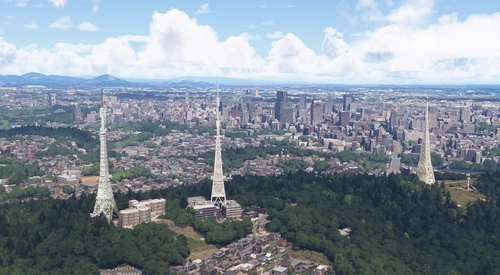
Sendai Landmarks 2024
We have extracted essential landmarks of Sendai from Google Maps.
by TOSHICHAN310
Log in to join the discussion
Log InComments(4)
almost 5 years ago
It's a request!
I would like you to make the markings for the runway and apron at Kobe Airport created by GAO CHAN!
I'm looking forward to a collaboration like Okadama!
almost 5 years ago
いつもご利用ありがとうございます!
北九州、オーダー賜りました(^^)/
現在、旭川空港のGAO_CHAN様とのコラボ作業の目途が付きましたら、着手しようと思います。
almost 5 years ago
Kitakyushu? I requested Kobe Airport... Is it a translation misconversion?
almost 5 years ago
脳内で誤変換されてました。神戸ですね。