
Description
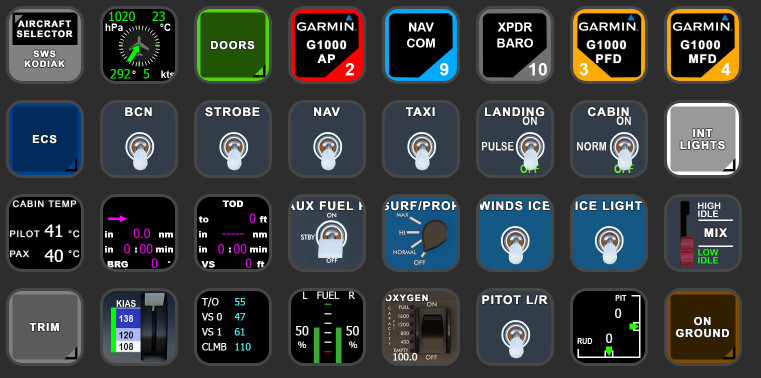
SWS Kodiak StreamDeck XL Profile
for LORBYs AxisAndOHs (AAO) and its SD Plugin
by Guenseli
You need LORBYs AAO and its StreamDeck Plugin to run this StreamDeck profile.
Sorry, I do not use that addon any more on a regular basis. Therefore, there isn't currently any further development of this StreamDeck profile.
ATTENTION!
PLEASE READ CAREFULLY!
- When you import SD profiles, make sure to delete the old ones, otherwise you'll get profile copies.
- Make sure to always have the latest AAO and AAO StreamDeck plugin versions!
- I just create the SD profiles! For any connection issues, SD plugin not working, Buttons show "?" or nothing, no reaction of the SD etc., please contact the developer of AAO! And please read the AAO Manual!
- It is - as the title says - just for the StreamDeck XL (!). Please do not ask for a 15 button conversion. This will not happen as this will more than double the amount of development and support for me as I do not have a 15 button SD. Sorry.
- Please ask if you want to use parts of my SD profiles, icons or AAO scripts or whatever! And please ask everytime you start a new project! You have to credit and link me in your description!
- If you use my work, you are then not allowed to beg for own donations!
Features:
G1000 available (you can download my Standard Avionics Suite if you want to use it)
Relative WindGauge
Internal lights, Instruments, Backlights etc
Fuel Gauges in "G1000 style"
TOD information gauge (works only with NXi!)
Rudder Trim and gauge
Oxygen switch with working Qxy quantity LED indicator
ECS
Open and close Doors, with Handles and Door status (Back door does not work with Skydive version)
Installation:
Install the SD profile by double clicking at Kodiak.streamDeckProfile
Import the AAO script AxisAndOhsScripts_Kodiak.xml according to the AAO manual
Known issues:
Haven't found variables for ignition and de-icing backup pump
It is a lot of work to do these icons and gather the variables. If you like it, please consider a little donation, thx!
Comments(75)
Log in to join the discussion
Log In3 months ago
I know you don't use / have this add-on anymore, as mentioned above, so I have a question about how to alter settings in this add-on.
I just upgraded to the Kadiak MSFS2024, amazing work from SWS, and 80% of the switches are working, just missing some functions for example the Ignition Switch is not working.
Should I just alter the streamdeck inputs and try to find a new match via AXIS and OHS, or is all done in the AXIS and OHS scripts?
Or is it a combination of both?
What is a good starting point in finding the missing / not working commands.
Greetings, Harald
3 months ago
depends on the function. you have to find the new variables and how to control them and then change the scripts (would be my advice). However, if they are just simple variables you can also change it in the StreamDeck plugin directly.
bigger problem is mostly to find the variables and how they work.
8 months ago
11 months ago
about 1 year ago
Using this excellent profile in 2024 without issues. Makes the necessary imput of flight plans soooo much easier. Really well conceived covering all bases. Donation made and well deserved!
about 1 year ago
over 1 year ago
over 1 year ago
Sorry for the rant, but its just a hobby
over 1 year ago
over 1 year ago
I'm just sensitive as some people have a very high level of demands I can't fulfill with freeware
over 1 year ago
everything works fine except the aux fuel pump and the landling light.
almost 3 years ago
almost 3 years ago
about 3 years ago
I would love to have the icons only, but i dont find them anywhere!!!! I downloaded a few here but is not enough!
about 3 years ago
Search for my Icon Pack here at flightsim.to
over 3 years ago
Love this profile but I have one issue I can't figure out. When i select the AP or MFD it jumps to the standard avionics suite which is great but then i cant get back to the Kodiak profile without going into my computer and selecting it again. What am I doing wrong?
over 3 years ago
It is simply a question how you have organized your SD profile logic.
I have a profile ("Base") where I have buttons "change profile" for every single addon.
When I go then into another profile (in your case Avionics), then I have there a button, which chnages me back to my base profile, where I then select my addon I use again.
Otherwise, you can copy/include a profile into one addon, but if any addon else needs that profile too, you have to change things twice.
over 3 years ago
If you have greyed out buttons, no reaction of the StreamDeck, exclamation marks etc, that means you have connections issues between AAO and the StreamDeck.
94% of all support request are due to no proper connections or outdated versions of AAO and/or the AAO SD plugin.
Check ports, check the troubleshooting PDF, contact AAO support.
My Streamdeck profiles work (beside from probably little bugs). If you have such issues, I can't help you, sorry! Support requests can't not solved by me as I'm not the developer of AAO!
SWS Kodiak profile for StreamDeck XL (for LORBYs AAO SD plugin)
Customize your StreamDeck XL for SWS Kodiak with this profile designed for LORBYs AAO SD Plugin by Guenseli. Access advanced features like G1000, Relative WindGauge, and more with this convenient setup. Remember to update your AAO and AAO StreamDeck plugin for smooth operation.
Supporters
User Reviews
20 reviews
More Information
Version History
Fixed door page (picture not shown due to AAO/plugin update changed to "new" design with SD pages also. Just update SD profile, not scripts
Related
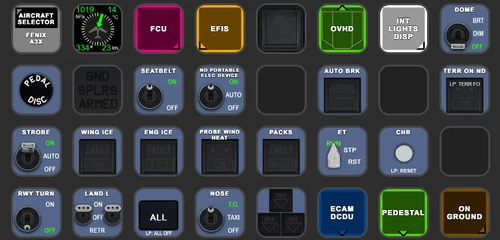
FENIX A3XX AAO Scripts & StreamDeck XL & PLUS Profile
Customize your Microsoft Flight Simulator experience with FENIX A320 AAO Scripts & StreamDeck XL Profile by Guenseli. This add-on offers a seamless integration with LORBYs AAO and StreamDeck Plugin for optimal performance. Explore the detailed installation instructions for enhanced functionality with a VRInsight MCP Combo II. Elevate your simulation setup with this meticulously crafted add-on.
by Guenseli
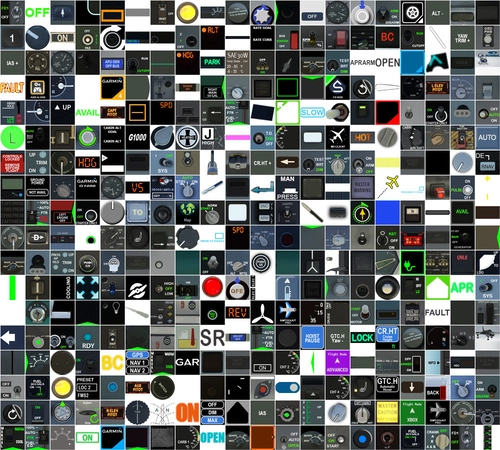
Icon Pack for Elgato StreamDeck
A collection of over 3500 icons designed for Elgato StreamDeck and similar devices, created by Guenseli. Ideal for personal use with a disclaimer against commercial usage. Icons are detailed and diverse, providing a variety of options for customization. Credits required if used in public projects, with a suggestion for donations to support the creators work.
by Guenseli
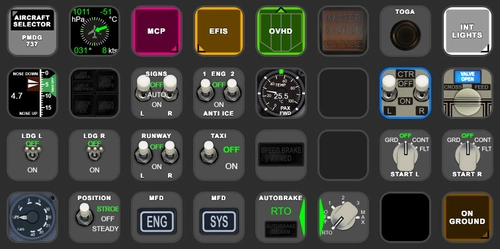
PMDG 737 AAO Scripts & StreamDeck XL & PLUS Profile
Enhance your PMDG 737 experience with the PMDG 737 AAO Scripts & StreamDeck XL & PLUS Profile by Guenseli. Make sure to update your Elgato Software to version 6.0 or higher for compatibility. This profile is specifically designed for the StreamDeck XL and requires LORBYs AAO and its StreamDeck Plugin to run smoothly. Get ready to elevate your cockpit with this detailed and user-friendly add-on.
by Guenseli
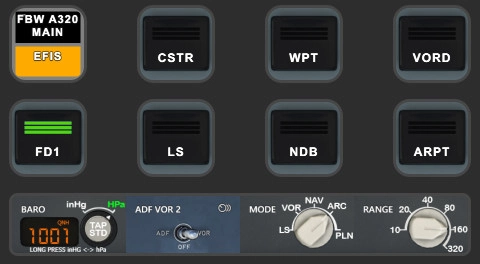
FBW A320 AAO Scripts & StreamDeck XL & PLUS profile and MCP Combo template
Enhance your FBW A320 experience with tested AAO Scripts and StreamDeck profiles for XL & PLUS versions. Ensure to delete old profiles before import and always use the latest plugin versions for seamless integration. Contact AAO developer for any connection issues and give credit if using parts of these profiles in your projects. Install scripts and profiles for an immersive flight simulation experience.
by Guenseli
over 3 years ago
If you have greyed out buttons, no reaction of the StreamDeck, exclamation marks etc, that means you have connections issues between AAO and the StreamDeck.
94% of all support request are due to no proper connections or outdated versions of AAO and/or the AAO SD plugin.
Check ports, check the troubleshooting PDF, contact AAO support.
My Streamdeck profiles work (beside from probably little bugs). If you have such issues, I can't help you, sorry! Support requests can't not solved by me as I'm not the developer of AAO!