
Description
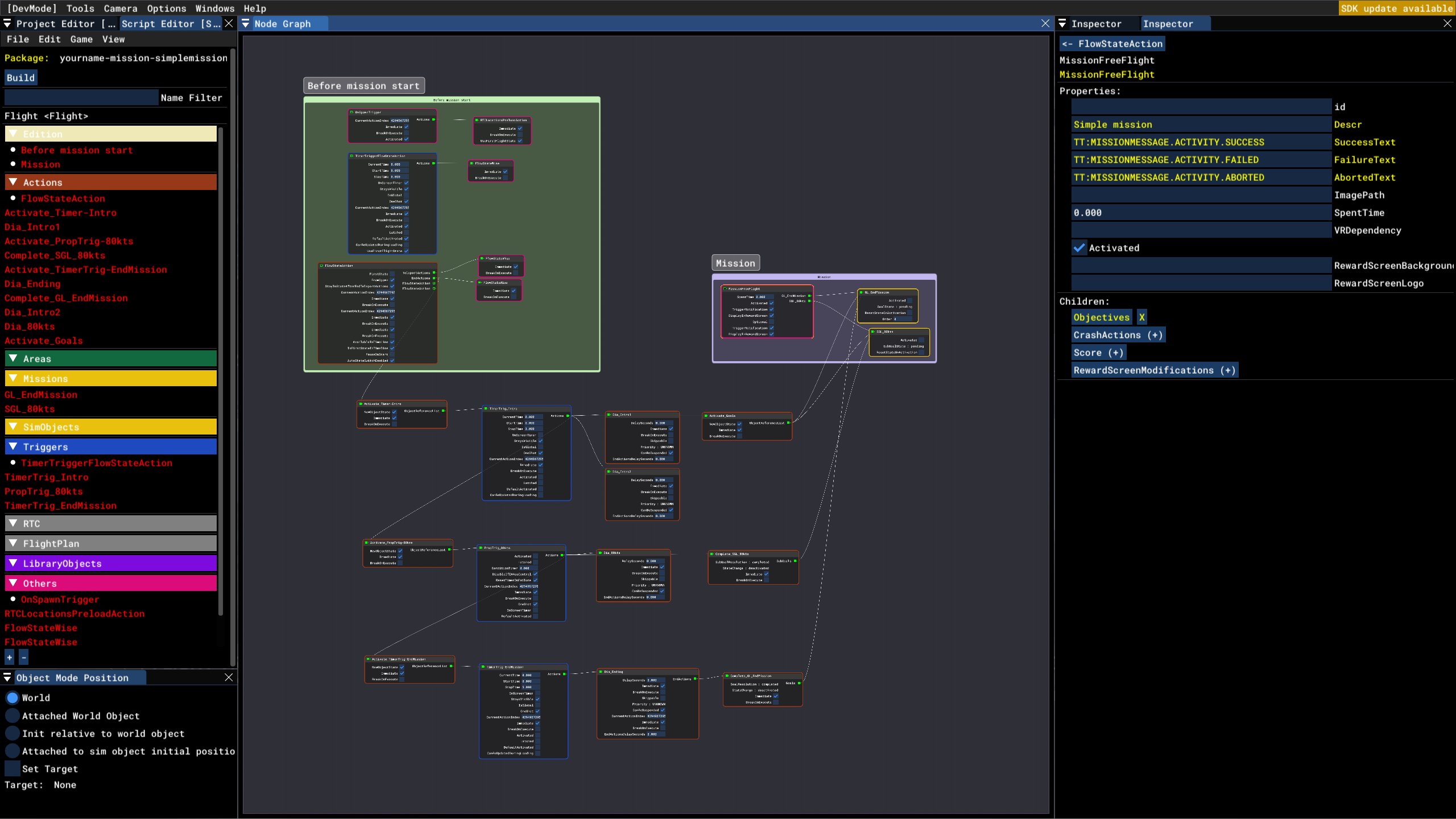
These are some files to help you with mission creation. For a general guide on mission creation you can use this FSDeveloper wiki page.
SimpleMission sample project
You can follow this guide to use the sample project for creating missions. This project is a good starting place for creating any mission, except for Bushtrips or LandingChallenges. For those you are better of just using BushMissionGen or BushTripInjector.
Checklist item calculator code snippet
You can use this calculator object to easily add dialog to your mission that runs through a checklist and gives feedback to the player. You can choose the time taken to check and complete each checklist item.
Creating your first mission: Sample project
Create custom missions in Microsoft Flight Simulator with this sample project! Perfect for beginners, this resource provides files and a checklist item calculator code snippet to help you get started with mission creation. Check out the guide included to seamlessly integrate dialog and feedback elements into your missions.

User Reviews
1 reviews
Version History
Updated for the current version of MSFS
Related
EHTE Teuge Handcrafted Airport
Experience EHTE Teuge Airport like never before with this handcrafted add-on featuring new aerial imagery and PBR textures. The airport includes custom buildings and objects such as windsocks and gliders, enhancing your simulation experience. Dive into the details with included airport charts and model packs for added realism. Get ready to explore Teuge Airport in Microsoft Flight Simulator with this meticulously crafted scenery.
by Mr_LiamT
FSX Mission: Caribbean Landing
Experience a nostalgia like never before with the FSX Mission: Caribbean Landing remake. Embark on a thrilling journey as you land at Princess Juliana International Airport, now with an Airbus A320Neo. This mission is compatible with the Saint Martin improvements mod by timot75. Explore the project files and enjoy more missions by the creator.
by Mr_LiamT
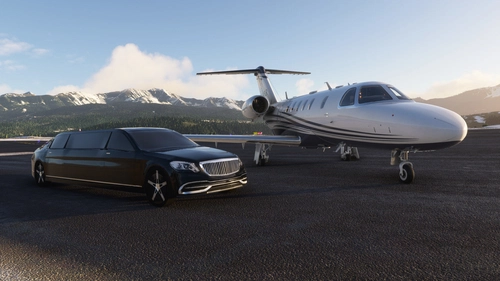
FSX Mission: Telluride Landing
Embark on a VIP transport mission from Santa Monica to Telluride, where luxury awaits. Experience a unique landing scenario with celebrities on board, estimated at 15 minutes. Fly a Cessna Citation in this FSX mission, following your copilots ATC communication. Access the mission in MSFS under Home > Activities > Custom Content > FSX Mission.
by Mr_LiamT
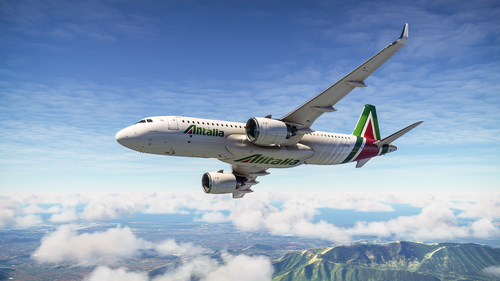
Alitalia Mission: Rome-Naples
Embark on a short 28-minute flight from Rome to Naples with the Alitalia Mission add-on. Experience the realistic copilot and ATC interactions using Text-To-Speech technology. Fly the Alitalia A320 with this mission, requiring the A320NX mod and Alitalia livery. Installation is easy by extracting the files to your community folder or using MSFS Addons Linker.
by Mr_LiamT
Log in to join the discussion
Log InComments(11)
over 2 years ago
PS. I've just changed name of aircraft from TBM 930 Asobo to Asobo Savage Cub and compiled it. Compiling is successful but when I executed the mission, aircraft was still TBM 930.
PS2. I made my own flight with World Map and save FLT file during the flight, then I deleted original FLT and PLN file in your template and paste my FLT file (without PLN file) in the mission directoty. After compiling, all the things work as I intended. But when I edited the FLT file with windows notepad, nothing was showing in Custom Contents menu after building the project.
over 2 years ago
over 3 years ago
I'm using your SimpleMission and your Wiki Guide to create a (simple) mission. I followed along and I have a mission with a flight plan but I can't get the localization file to work, so I'm unable to add a description and briefing to the mission. I tried compiling your Telluride mission from the source files and then it's also giving an error message saying the localization file is in the wrong place, and in the Custom Content section it appears under FSX MISSION but the title, description and briefing are not working properly on this compiled version. When I download your final 2.0 package though, it looks OK, so I'd like to find out how you compiled it successfully.
I noticed that your SimpleMission project uses a different location file version (2.0) and it's in its own directory where it doesn't generate the error message during compile. It also has a "Localization" asset group, but the Telluride mission does not. I tried using that method and I'm able to modify the title/briefing in your SimpleMission project, but I could not make this file work in my own project after renaming all the files and strings/references to my own. Any idea where this localization file is being referenced where I may have missed? I am getting a en-US.locPak in the main package directory, populated with my title and briefing just like the en-US.locPak file in the jayshrike-mission-simple package.
over 3 years ago
Asobo changed the way localization files are handled, so the telluride outdated. The SimpleMission project uses the new way. It uses a Localization assetgroup, and the .loc file is placed in PackageSources\Localization. To edit the .loc file, you can use the MSFS Localization Manager that is included in the SDK tools: https://docs.flightsimulator.com/flighting/html/Samples_And_Tutorials/Tutorials/Using_The_MSFS_Localization_Manager.htm
So for your project you need the Localization assetgroup, then you can use MSFS localization manager to edit and add localized strings.
over 3 years ago
I realized today that my main problem was in the FLT file. I created a flight plan in World Map and replaced the SimpleMission flight plan with it, but I didn't realize my flight plan had a hard-coded title/description/briefing, while your SimpleMission refers to variables in the LOC file. Once I updated my FLT file to use the variables, I could see the title/description/briefing... but only if you add the finished package to your Community folder, it doesn't work if you build the project in the Sim.
Now I'm finding out the joys of editing the flight plan, like how changing one nav point requires changing it in three different places in two different files...
Thank you so much for your examples and Wiki, it would be impossible to do this without your resources.
about 4 years ago
Pretty sure that Asobo has disabled the ability to do anything Mission-related (other than the kind of lame Bush Missions.)
about 4 years ago
Unfortunately the script editor doesn't work anymore, but you can still make missions by manually coding the .xml
over 3 years ago
Asobo restored the script editor, so now we can more easily make missions, and I've updated the sample project to work again for the current version of MSFS.
over 3 years ago
Thanks Liam. I'll take a look at it this week.
over 4 years ago
i am happy to see this, however i have an issue trying to start a mission of any type
dev mode enabled
my airport XML loaded (base startup)
load the script editor (file has only [-] no load/save option or anything else
either i am dense, not doing the required steps or something is amiss
if you could give me a helpful hint it would be much appreciated
(i have done lots of research on fsdeveloper as well as flightsim.to and google search and youtube for ideas)
thanks for any ideas you may have
over 4 years ago
First you have to open the project .xml in the project editor. Then follow these steps: https://www.fsdeveloper.com/wiki/index.php/SimpleMission_(MSFS)