
![[GUIDE] How to create custom aerial scenery - Image 1](https://cdn.flightsim.to/images/01/vilz1WFs.png)
Description
Here's my guide (Basically my workflow) on how to create an aerial scenery in MSFS.
Please feel free to comment on the guide if you find errors, or have any other input!
The guide is inspired by this thread https://www.fsdeveloper.com/forum/threads/finally-aerial-imagery.448513/ So huge thank you to everyone in that thread that supplied vital information!
Hope it comes to good use
[GUIDE] How to create custom aerial scenery
Learn how to create custom aerial scenery in Microsoft Flight Simulator with this detailed guide, inspired by valuable insights from the FSDeveloper community. Share feedback and enhance your scenery creation skills today!


User Reviews
2 reviews
Version History
No version history available.
Related
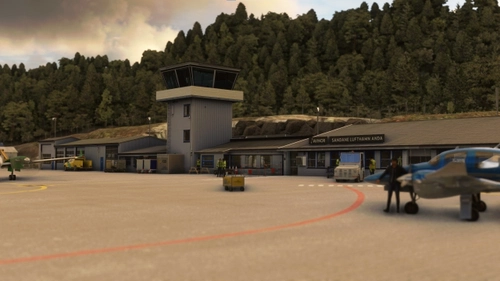
ENSD - Sandane Airport, Anda
Experience the scenic and challenging Sandane Airport, Anda in Norway, nestled between majestic mountains and fjords. This regional airport features custom buildings, high-resolution mesh and imagery, realistic lighting, and hundreds of custom placed objects. Follow official airport charts for accurate runway and taxi layouts, but be prepared for known issues like runway snow cover and floating cars near the tunnel.
by Augustin Winther and Jan Tore Elvheim
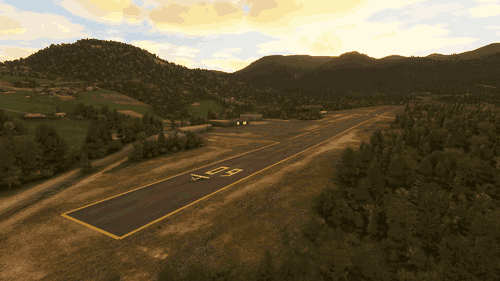
ENBM - Voss Airport, Bømoen
Explore the scenic Voss Airport, Bømoen (ENBM) in Vestland, Norway with this add-on. Enhance your experience with added runway and apron, realistic ground markings, and corrected airport details for a more immersive flight simulation. Join the Extreme Sport Festival in June, where this airport serves as a hub for thrilling activities like parachuting and hang gliding.
by Augustin Winther
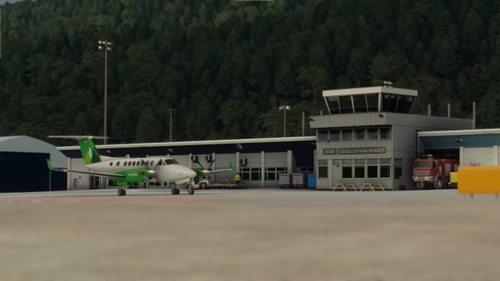
ENSG - Sogndal Airport, Haukåsen
Discover ENSG - Sogndal Airport, Haukåsen, a regional airport perched 498 meters above the stunning Sognefjorden in Vestland, Norway. Navigate the challenging winds and low visibility as you utilize the 1,180-meter runway aligned 06/24. This add-on offers custom buildings, high-resolution mesh, aerial imagery, and meticulously recreated lighting and layouts based on official airport charts. Please refer to the installation instructions for a smooth setup and note a couple of known issues affecting AI aircraft behavior and snow cover simulation.
by Augustin Winther and Jan Tore Elvheim
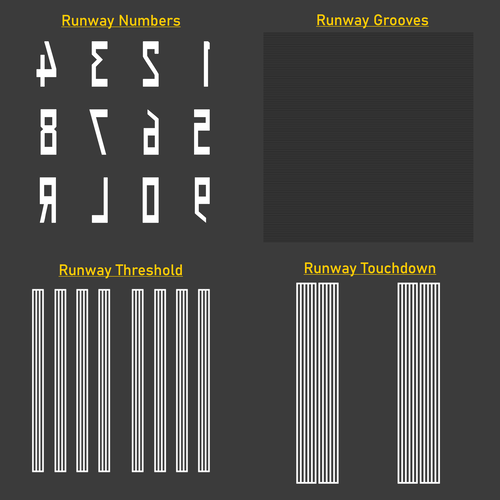
Norwegian Ground Textures
Enhance the visual fidelity of your Norwegian airport experience with this texture library featuring custom-made textures for runway grooves, thresholds, touchdowns, and runway numbers. Please note that prior knowledge of importing custom textures is required for installation.Textures include a Norwegian flair and are free to use in both freeware and payware projects with proper credit given to Augustin Winther.
by Augustin Winther
Log in to join the discussion
Log InComments(5)
about 2 years ago
almost 6 years ago
almost 6 years ago
almost 6 years ago
create new object then go on the little + down in scenery editor then follow the pictures in the manual ;) i stuck there too ;)
about 6 years ago