
Description
IMPORTANT UPDATE TO FIX PINK TEXTURE ISSUE:
Hey guys, the latest update to the Ops Center(OC) necessitated to accommodate folks buying the plane in the MSFS Marketplace, broke some user-created liveries, including this one.
I’ve tried to re-export the PTP but are having new issues with OC, so here is a fix for now for those of you experiencing the PINK TEXTURES issue.
1. CLOSE MSFS before starting!
2. Navigate to your MSFS Community folder, and find the (new) pmdg-aircraft-dc6-liveries folder.
3. In there, navigate to SimObjects\Airplanes\PMDG DC-6A USAF 63rd MAW (or similar) folder
In that folder you’ll find the texture.cfg file. This is a text file you can open with notepad, please do so
4. Replace the “Fallback” items with the ones below, so your whole texture.cfg should look like this when done:
[fltsim]
fallback.1=..\..\PMDG DC-6B\texture.vc
fallback.2=..\..\PMDG DC-6A\texture.common
fallback.3=..\..\PMDG DC-6B\texture.common
5. Restart MSFS and select the aircraft, and the pink textures will be gone. This has been confirmed to fix this issue.
$*$*$*$*$*$*$*$*$*$
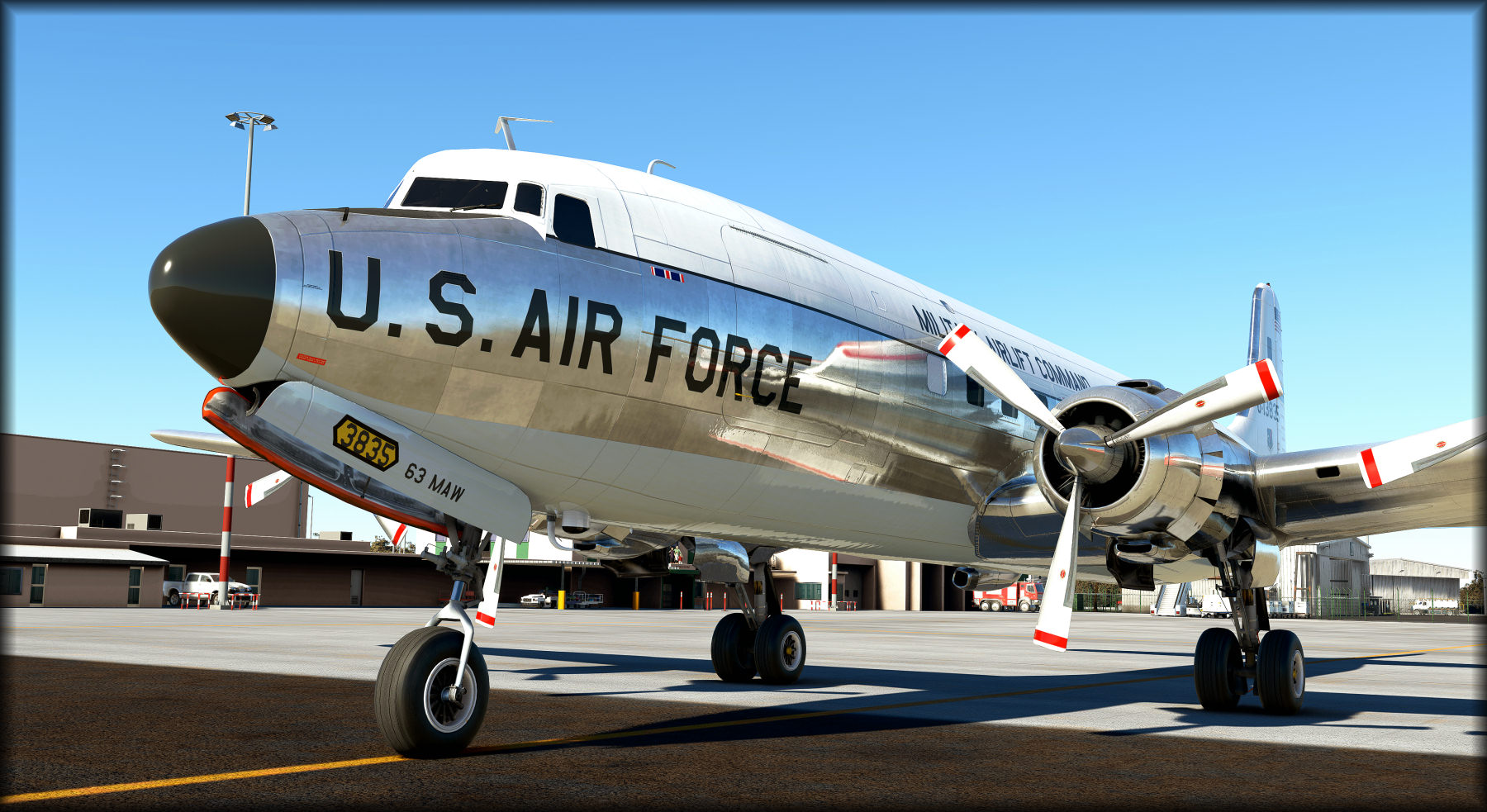
As a Military Veteran who worked in Naval Avaition, I wanted to paint a USAF version of this beautiful bird for my USAF buddies! I'm now sharing it with the community for everyone's enjoyment.
I foucs on details and add items you may not notice unless you look closley, including when the props are not spinning! :)
I think you'll see alot of these details in the preview screenshots that I've attached...including...
Authentic MAW 63 and Military Airlift Command logos on the fuse, exactly as depicted in photo on the web I found of this exact aircraft. This was tough to find as its very old and as far as my reseach can estimate...there was only one good pic of it. I also added the MAW 63 logo to the yoke hub.
Highly detailed wing textures. ...the anti-skid pattern, USA logo (Stars and Bars) on the left wing and aircraft number are exacly as shown in the photo.
Added custom oil filler caps to the engines, exactly as they are on many close-up photos I have from a simmer who used to work at Everts and climbed on the wings many times.
A few screens of the nose clearly shows all the extra details I've added, including all the markings, proper dullnes of the radome and the anti-glare shield, and of course some fading. I even painted (black) and faded the lower ADF antenna cover, which is made of fiberglass and fades fast (I know, I've painted and installed many of them in my career!)
I spent a lot of time on the props, you'll see accurate, faded and chipped paint on them, including the serial numbers on the hub of the blade, and Hamilton-Standard logos. Even the blades in motion (the blurred textures) have the correct colors, which is often missed.
Hope you guys enjoy taking her on adventures and take some time to do a pre-flight walk around and see all the detail I've put into this paint.
Installation instructions:
This file is in the native PMDG PTP format for best compatibility and installation ease. Please do not ask me to convert it to a drag-n-drop format as this can introduce issues when MSFS or PMDG issues an update.
If you are having issues with the PMDG Operations Center, I highly recommend you submit a ticket in their support fourms as issues with it can also suggest other underlying issues that will impact your PMDG products!
1. Unzip the downloaded file to any directory (suggest a download folder you've created or you My Documents folder, do not extract directly to the MSFS Community folder!)
2. Open the PMDG Operations Center that comes with your copy of the PMDG DC-6
3. Select Aircraft and Liveries from the menu at the top of the application
4. At the bottom of the window, click Install from PTP file
5. Select the folder/file you downloaded the livery from.
You can be in MSFS when doing this, however you'll need to exit and restart MSFS for the livery to be available.
PMDG DC-6 USAF 63rd MAW
Experience the meticulously detailed USAF 63rd MAW livery for the PMDG DC-6, complete with authentic markings and unique touches. This addon includes custom textures for a realistic look both in the air and on the ground. Follow the simple installation steps to enjoy this military-inspired livery in Microsoft Flight Simulator.
Supporters


User Reviews
8 reviews
Version History
No version history available.
Related
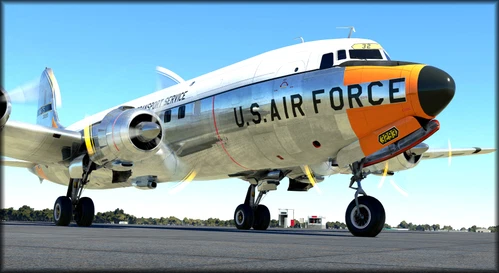
PMDG DC-6 USAF 33293 Day Glow colors
Experience the meticulous USAF 33293 Day Glow colors for the PMDG DC-6 with enhanced details and authentic Military Air Transport Service logos. Delve into the intricacies of this beautifully painted aircraft, from the detailed wing textures to the custom oil filler caps on the engines. Enjoy this unique USAF version crafted by a Military Veteran with a passion for aviation.
by SteveDra
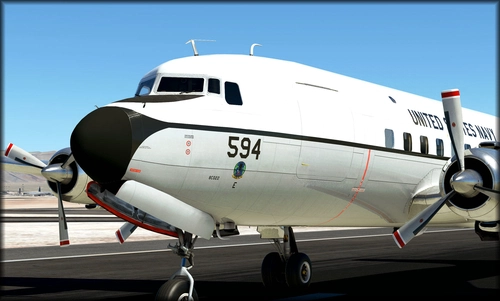
PMDG DC-6A US Navy VR53 (131594)
Experience the highly detailed PMDG DC-6A US Navy VR53 (131594) livery, meticulously crafted with authentic Navy logos and intricate textures. This add-on includes custom details such as wing textures, oil filler caps, and propeller paint accuracy. Take your flights to the next level with this immersive naval aviation-inspired livery.
by SteveDra
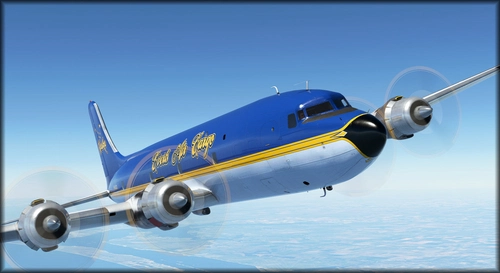
PMDG DC-6 Everts "Blue Canoe" N451CE
PMDG DC-6 Everts "Blue Canoe" N451CE is a detailed repaint featuring unique elements like engine cowl markings and non-skid patterns. This update fixes a pink texture issue and offers a realistic depiction of the Everts Air Cargo livery with accurate details visible even when the aircraft is stationary. Enjoy this colorful and intricately crafted livery on your next flight in Microsoft Flight Simulator.
by SteveDra
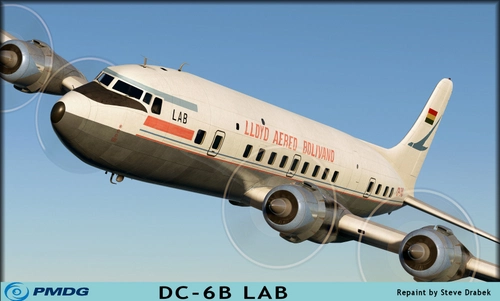
PMDG Lloyd Aereo Boliviano - LAB DC-6B
Experience authenticity with the PMDG Lloyd Aereo Boliviano - LAB DC-6B addon for Microsoft Flight Simulator. This detailed livery features reduced shine, faded colors, and meticulous wear to replicate the aircrafts history. Explore South America in style with this realistic and immersive addition to your simulator.
by SteveDra
Log in to join the discussion
Log InComments(27)
11 months ago
about 3 years ago
about 4 years ago
Absolutely great!!!
about 4 years ago
The texture is fantastic, if not for the pink fuselage; is it possible to update it or explain how to fix it (ie via the texture.cfg file)?
Thanks,
Fulvio
about 4 years ago
Did the instructions I added at the top in the details section not work for you?
about 4 years ago
Hi, unfortunately no, but I'll retry once again; perhaps some mistake when writing, who konws. I'll send you a feedback after my attempt.
UPDATE: It's all OK now, I forgot to add a backslash and the two dots before the PMDG DC-6A second line. Thanks, great, great livery
over 4 years ago
Another point I remarked with your livery. There is someting wrong with the propeller, they don't look rotating correctly.
over 4 years ago
Since the last PMDG DC6 update, your livery doesn't work anymore and it's really annoying. Do you think you can fix it ? Thanks
over 4 years ago
Let me know what's wrong. Being on the PMDG beta team, I usually have a beta version installed and may not be seeing the exact issue simmers are having unless they explain what's happening.
Would need to know where you got MSFS as well...the MS store or Steam.
Are you getting pink textures, no textures, an error message?
It's most likely going to be another texture.cfg issue since PMDG has been changing its directory structure to consolidate its growing fleet in the community folder.
over 4 years ago
Thanks for your reply. I showed pictures to Chris from PMDG and some of my liveries are pink or partly pink. I bought from store.
over 4 years ago
Great, I tried your suggested fix and it works for all problematic liveries. Thanks.
over 4 years ago
Very strange. I fixed most of my liveries but your USAF and also the Flying Tiger. Everything is okay in the texture file but still pink.
over 4 years ago
I followed all your instructions and keep getting a CTD! What do you reccomend?
over 4 years ago
Hard to suggest recommendations without more info on your CTD.
I'd need to a lot more things and probably the best suggestion if you're getting a CTD in general is to open a ticket with PMDG and list these things for them:
Platform (PC, xBox, ect)where purchased (from PMDG, marketplace)CTD on all DC6 liveries or just this one?When you get the CTD (loading the plane, switching to external view, etc)Mention in your ticket that I pointed you to open a ticket with support. I'm on the PMDG beta team so they know me well and will interact with me to get more info from my side if needed to fix your issue.
over 4 years ago
Simply superb
almost 5 years ago
How can this work with a Marketplace-bought DC-6? It doesn't come with the PMDG software this livery appears to require.
almost 5 years ago
From the CEO of PMDG:
Livery Installation:
As already mentioned, XBox users have limited options for installation of liveries. This is a limitation of the gaming platform. Users who purchase via Marketplace for use on a PC can install additional liveries using the PMDG Operations Center, a tool we have developed specifically for this purpose.
NOTE: It was necessary for us to wait for the DC-6 to release on the platform in order to have access to the necessary localization data for the DC-6 installation, so it will mid-late next week before we publish the updated PMDG Operations Center that is capable of recognizing the Marketplace version of the DC-6. We will post a notice when it is available, and you will download it directly from us via a link we will provide at that time.
The PMDG Operations Center is a free tool for PMDG customers.
See the full post here:
https://forum.pmdg.com/forum/main-forum/general-discussion-news-and-announcements/153331-24nov21-pmdg-dc-6-released-via-marketplace-special-pricing-and-some-notes-for-marketplace-pc-xbox-users
You'll want to (if you haven't already) sign up for the forum and monitor the DC-6 sub forum, that is where you'll find all the info you need on your purchase.
almost 5 years ago
Bought this on the Microsoft marketplace for PC and this helps a lot if we can download livery using this tool. Stunning livery and plane by PMDG. I just didn't want to miss out on the some of these beautiful work you have.
about 5 years ago
Work of art, thank you so much!!